AI Phone Number Explained: How It Answers Your Calls

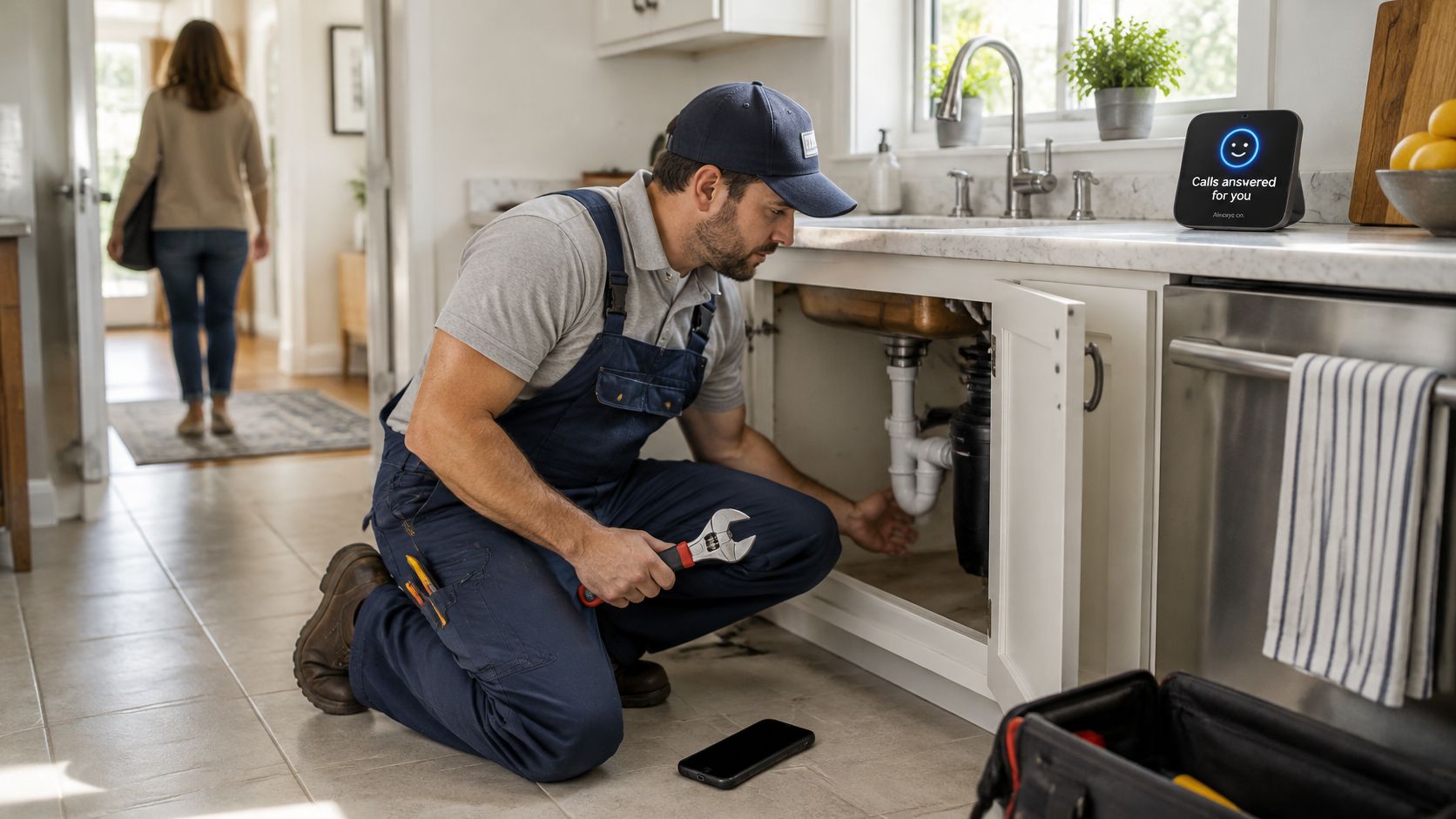
You're under a kitchen sink, both hands occupied, when the phone rings again. Say you're a plumber missing four calls a day while working. By the time you ring back, the customer with the leaking pipe has booked the next company.
An AI phone number can cover that gap. But the important question isn't whether it sounds like a person. It's whether it helps the caller, recognises its limits, and gets a human involved when needed.
What an AI Phone Number Is Compared With Voicemail and Menus
An AI phone number is a business phone line answered by an AI assistant. It greets callers within seconds, understands ordinary spoken requests, answers routine questions, books permitted appointments, and passes on matters that need a person.
Think of a front-desk receptionist who never leaves the desk, rather than a recording asking someone to leave a message. The caller can explain the problem naturally instead of choosing the closest option from a menu.
The number itself isn't the intelligence. Software answers the call and follows the business's instructions. For background on that distinction, VoxNote's plain-English call assistant explainer is a useful companion.
Your existing number stays yours, with no porting. Call forwarding supplies the answering layer, so customers don't need a different number. That also avoids replacing the number printed on your van, website, or appointment cards.
Phone answering options compared
| Option | Answers instantly | Understands free speech | Books appointments | Covers after hours |
|---|---|---|---|---|
| Voicemail | No | No | No | Records only |
| Phone menu (IVR) | Yes | Limited, keypress based | Rarely | Yes |
| Human receptionist | Only when free | Yes | Yes | No |
| AI phone number | Yes, within seconds | Yes | Yes, with a connected calendar | Yes |
The human receptionist row assumes ordinary staffed hours, without a separate overnight team. An AI booking capability also needs permission, accurate availability, and rules about which appointments it may offer.
A menu routes callers through predefined choices. Our explanation of how an IVR works helps distinguish that approach from a conversation where someone describes their need in their own words.
Practical test: If a caller who gets no immediate answer is likely to call a competitor, the line needs an answering layer.
How an AI Phone Call Runs From First Ring to Summary
A useful call ends with an outcome, not just a transcript. Consider a customer calling about a faulty socket and asking for an appointment.
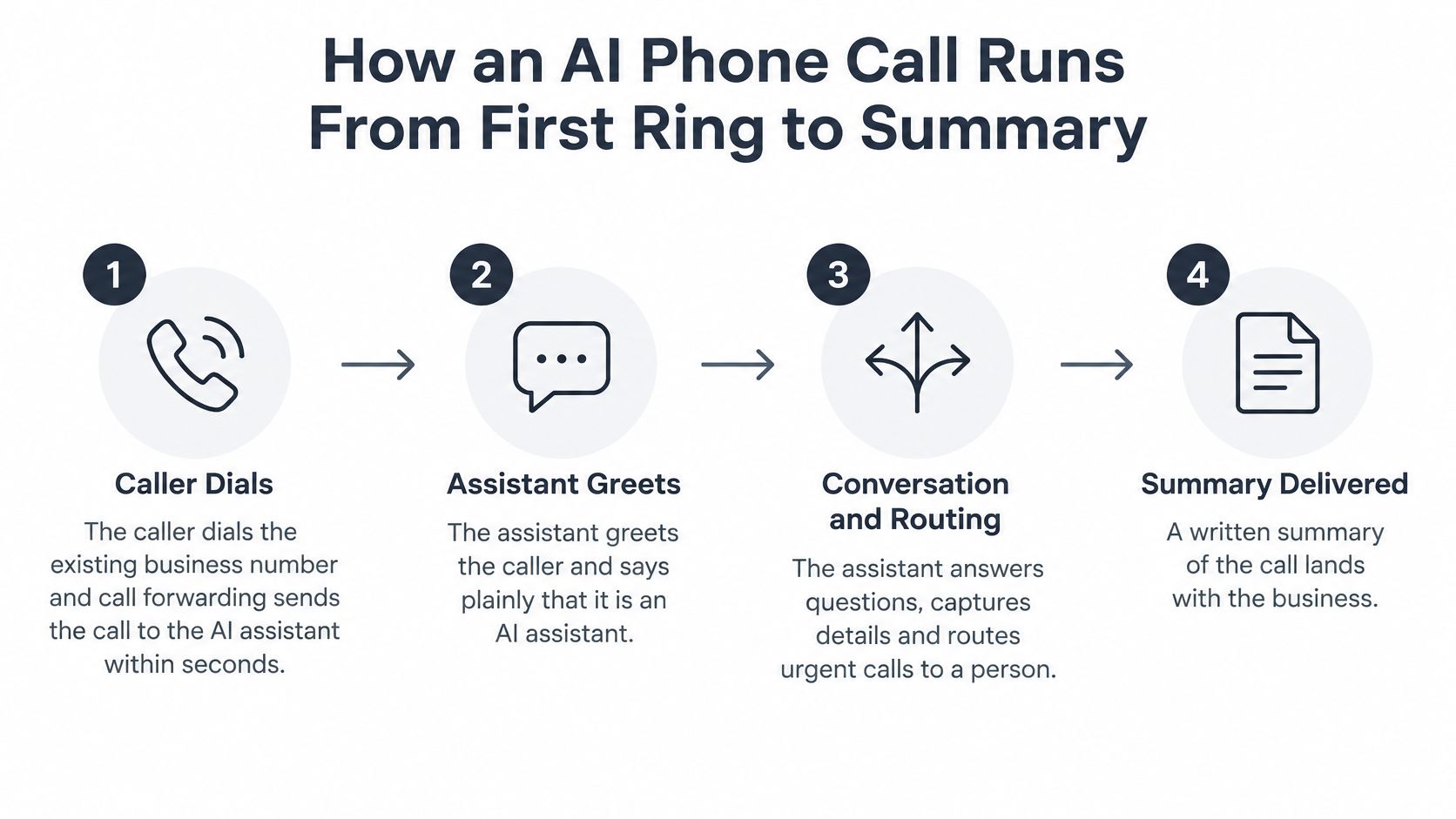
- The customer dials your existing number. Your phone provider forwards the call to the assistant according to the mode you've selected. The caller doesn't need an app or a special number.
- The assistant introduces itself. It says plainly that it's an AI assistant and detects the caller's language from the opening sentences. If the language is unclear, it should confirm rather than guess.
- It listens and interprets the request. Speech recognition converts the audio into text for processing. The original caller's number stays visible to the assistant, although that number shouldn't be treated as proof of identity.
- It performs an approved task. It can answer from your business information, offer an available appointment, or collect the caller's name, address, problem, and urgency. It shouldn't invent a price or promise an arrival time you haven't authorised.
- It applies your routing rules. A straightforward booking can finish automatically. A request outside its authority goes to the appropriate person or becomes a callback task.
- You receive an email summary. The message records the caller's details and what was booked or promised. A useful telephone call summary separates confirmed actions from requests still awaiting approval.
Listen for pauses, not model names
Delay accumulates across the phone network, speech recognition, answer generation, and voice output. A fast component won't rescue a call if the rest of the system leaves the caller waiting.
ITU-T Recommendation G.114 identifies 400 milliseconds of one-way delay as a level that should generally not be exceeded for network planning, while noting that interactive speech can suffer at lower delays. That's network guidance, not a promise that an AI's complete reply will arrive within that interval.
Test ordinary interruptions, background noise, and mobile reception yourself. The assistant should stop speaking when the caller interrupts, rather than finishing a rehearsed paragraph.
A good call feels easy for the caller and leaves the owner with a summary they can act on at a glance.
Where Small Businesses Use an AI Phone Number Every Day
A visitor rings a plumbing firm after hours, hears a clear greeting, gives an address, and asks for a callback. That call has already done useful work if the owner receives the job type, service address, access details, and caller number in a summary. The point of an AI phone number is not to sound human. It is to turn calls that would go unanswered into bookings, qualified enquiries, or clear follow-up tasks.
rednea provides an AI phone assistant that answers calls for businesses and answers every call in seconds at any hour. It works like a first-line receptionist with written rules: it can book appointments, answer simple questions, capture enquiries, and route each call to the right person based on the inquiry. If it cannot answer a query, it takes a message or forwards the call to a human, depending on the business's settings, so no call is lost. That handoff is part of the design, not a failure hidden from callers.
A 2026 small-business missed-call study reports between 1 in 4 and 3 in 5 inbound calls may be missed, alongside reported findings that 77% of customers expect an immediate response when calling and 78% have abandoned a business after an unanswered call. Treat those figures as context, not a forecast for your own business. Your starting point is simpler: identify which unanswered calls could have become a booking, a qualified enquiry, or a useful callback.
Typical calls by sector and what the AI handles
| Sector | Typical calls | AI assistant handles |
|---|---|---|
| Electricians and plumbers | Job bookings, quote requests, leaks | Booking, job type, address, callback |
| Dental practices | Appointments, changes, opening hours | Slot booking, rescheduling, reminders |
| Law firms | New enquiries, consultation requests | Qualifying details, consultation booking |
| Estate agents | Viewing requests, valuation enquiries | Viewing bookings, budget qualifying |
| Restaurants | Table bookings, opening hours | Table reservations, hours and directions |
These are workflow examples, not permissions to automate everything in the row. Reservations require current availability. Rescheduling requires access to the correct booking. Reminders need a separately configured reminder workflow, rather than an assumption that answering calls automatically enables outbound messages.
For a plumber, a useful enquiry contains the job type, service address, access arrangements, and callback number. The assistant does not need to diagnose the fault to make the follow-up worthwhile. For a dental practice, it can identify whether the caller wants a new appointment or a change to an existing one, then offer approved appointment categories without asking for clinical history.
Choose the outcome before the automation
Start with the call type that combines frequent demand and clear business value. A freelancer who mainly receives consultation enquiries needs a different conversation from a restaurant taking reservations. Define completion in practical terms:
- Booking: The appointment exists in the calendar, with the correct service and caller details.
- Qualified enquiry: Staff have enough information to decide the next action.
- Callback: A named employee receives the task, with a clear urgency and preferred contact time.
Do not count a long conversation as a successful call just because the assistant kept talking. Count the usable result. Turning an otherwise unanswered call into an actionable follow-up is useful even when the AI cannot finish the whole job. After every call, the business receives the caller's name, cell phone number, address, what is wrong, and what was booked or promised, by email. Revenue gains should be checked against actual bookings and completed work, not inferred from call volume alone.
When the AI Should Pass the Call to a Person
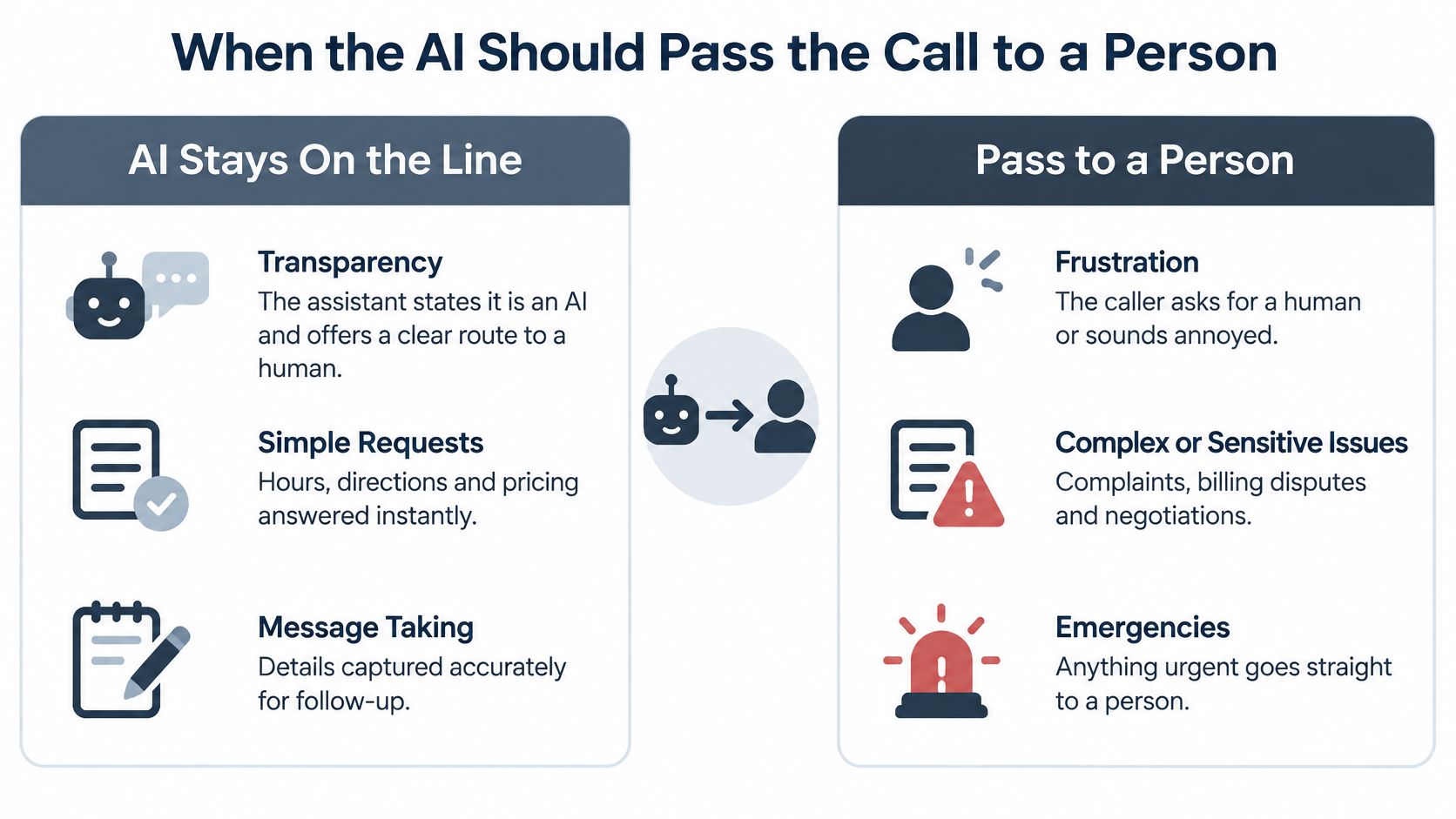
Human imitation isn't the right reliability test. Transparent identity, accurate details, and a workable handoff matter more than a polished voice.
Make the assistant a first-line coordinator, not a hidden replacement for staff. Callers should be able to request a person without arguing with the system or repeating their entire story.
Confirm details before acting
NIST's OpenASR20 evaluation addresses recognition of conversational telephone speech under constrained language-resource conditions. Its practical relevance is that fluent conversation doesn't guarantee accurate transcription of names, addresses, or dates.
Telephone audio includes background noise, overlapping speech, and limited audio quality. Read critical details back before creating a booking, especially appointment times, postcodes, and callback numbers.
Don't assume English performance transfers to Spanish, French, German, or Italian. Accents and language switching can change recognition quality. Set a recovery rule: rephrase the unclear question once, then offer a transfer or message rather than continuing an unproductive loop.
The trade-off is straightforward:
- What AI contributes: Always-on answering, consistent intake questions, and structured summaries.
- What remains limited: No in-person judgement, potentially weaker recognition of unfamiliar or heavy accents, and no authority to make unapproved commitments.
Escalation rules by situation
| Situation | AI action | Human route |
|---|---|---|
| Caller asks for a person | Offer transfer or take a message | Transfer during staffed hours, otherwise a callback |
| Emergency or safety risk | Stop booking, give the approved emergency instruction | Immediate call to the on-call person |
| Unclear name, address or date | Read back and confirm, repeat once | Staff checks the summary before acting |
| Complaint or payment dispute | Take details only, make no promises | Staff callback the same day |
| Clinical or legal question | Decline to advise, collect contact details | Qualified professional calls back |
Treat the callback timing in this table as an operating commitment you must staff. For immediate danger, the approved instruction must direct callers to emergency services where appropriate, not leave them waiting for a tradesperson.
Our escalation call-handling guide can help turn these categories into routing instructions. Under our process, an unanswered query becomes a message or a transfer according to your settings, so it isn't discarded.
Working rule: The assistant collects the details. A person makes decisions that require professional judgement or new commitments.
Privacy Rules to Check Before Callers Share Details
A caller who hears a calm voice may assume the business has already thought through privacy. The useful question comes earlier: what does the assistant need to know, and what should happen if the caller does not want to share it? Consumer research cited by Twilio's 2025 global survey of 4,800 consumers found that 51% were uncomfortable sharing personal or financial information with AI agents, while 66% felt uneasy about an agent accessing their full customer history. Treat those reactions as design requirements. Callers need to know what is collected, why it is needed, and when it is deleted.
Build those decisions into the call flow, like a receptionist who asks for only the details needed for the job. A booking needs a name, phone number, address, the problem, and what was booked or promised. A routing question needs enough information to send the call to the right person. It does not need every record the business holds.
A practical privacy checklist
- Collect the minimum: Ask only for information needed to book, qualify, or route the call.
- Exclude sensitive intake: Don't request payment credentials, detailed medical histories, or confidential legal accounts.
- Announce processing: Explain recording or transcription at the start, with the consent process appropriate to the call.
- Restrict access: Give the assistant booking fields, not unrestricted customer records.
- Set deletion rules: Define transcript retention and deletion responsibilities.
- Offer an alternative: Let callers reach a human instead.
A possible opening is:
You're speaking with our AI assistant. I can book, take a message, or connect you to a person.
Add an accurate recording or transcription notice where applicable. Review that notice in each supported language, including the route for callers who don't consent. The aim is caller trust through predictability: the caller hears what is happening, the assistant stays inside its limits, and a person takes over when the request needs judgement.
JobsiteStack's guide to how long to keep customer records provides useful context for retention decisions. Our customer data protection guide addresses the wider handling workflow.
Hosting location is one part of the answer. The provider also needs clear caller-facing wording, sensible access controls, and a deletion process that staff can follow after the call summary lands in the inbox.
Put these questions to any provider this week:
- Location: Where will audio, transcripts, and summaries be hosted?
- Deletion: What remains after a call, and how are deletion requests handled?
- Consent: How does each supported language explain processing and offer a human alternative?
Set Up and Test Your AI Phone Number
Start with a narrow workflow you can inspect. A booking request or structured callback is easier to evaluate than an assistant authorised to discuss every service you offer.
Connect the line without changing your number
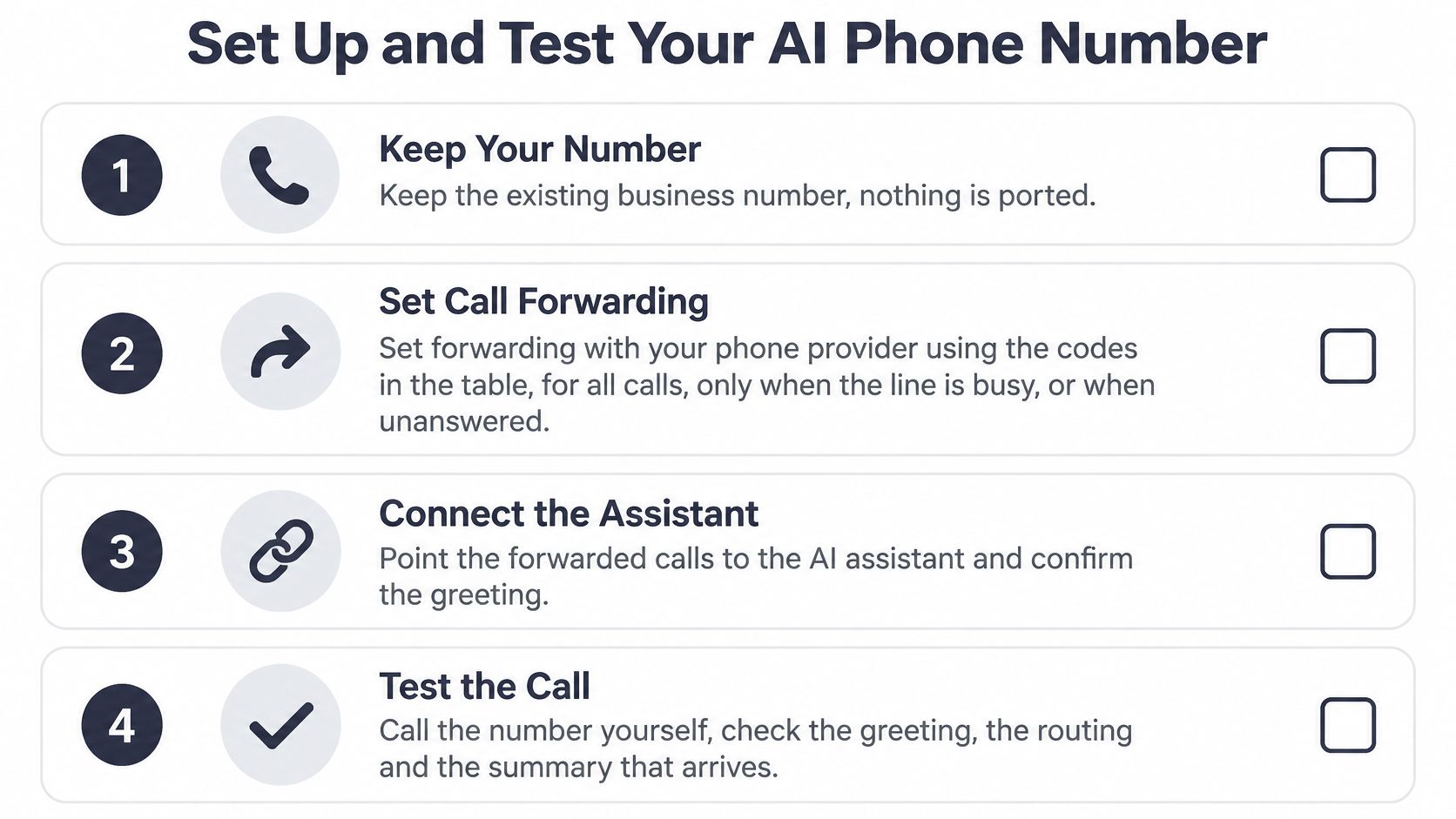
- Keep the existing business number. Nothing is ported. Our forwarding-based process can have a business live within 24 hours, subject to completing the phone-provider setup.
- Arrange forwarding with your phone provider. Choose all calls, busy calls, or unanswered calls. Confirm the supported codes and any forwarding charges before changing the line.
- Test the assistant directly first. Call the rednea number before forwarding customer calls. Listen to the greeting, ask ordinary questions, and verify where a transfer goes.
- Configure the working instructions. Supply the emergency list, service area, job types and durations, and everyday questions. Connect a calendar, a short approved knowledge base, and email summaries.
Call forwarding codes by mode
Replace NUMBER with the assistant's destination number. These codes aren't universal across landlines, hosted systems, and mobile carriers, so use your provider's confirmed instructions.
| Forwarding mode | Dial code | When the assistant answers |
|---|---|---|
| All calls | *21*NUMBER# | Every incoming call |
| Line busy | *67*NUMBER# | Only when the line is engaged |
| No answer | *61*NUMBER*11*20# | After 20 seconds unanswered |
| Cancel all forwarding | ##002#, where supported | Forwarding stops |
The cancellation code can also remove other diversions, including voicemail routing. Record your original settings so you can restore them.
Run a measured two-week trial
Before paying, call the live demo and try four scenarios: a routine booking, an emergency, a complaint, and a request for a person. These are test cases, not real emergencies. Check the outcome and summary, not just how natural the voice sounds.
Launch with English plus the languages your callers use. A published multilingual customer-service chatbot evaluation reported a 5% fallback rate in English against 12% in Hindi. That's a chatbot finding, not a phone-system benchmark, but it illustrates why language results shouldn't be combined into a single success score.
For your trial, keep a weekly tally:
- Access: Missed calls and successfully answered calls.
- Outcomes: Completed bookings and usable callback requests.
- Handoffs: Transfers attempted, transfers completed, and callbacks still outstanding.
- Accuracy: Incorrect details, repeat questions, and fallbacks by language.
Review the first week's failures before continuing into the second. Narrow the scope in languages or call types that need frequent recovery, and give each callback a responsible employee.
Choose a plan from actual usage
Our Basic plan costs £90 per month, suits 1–10 calls a day, and includes 300 minutes, 1 phone number, and 99 languages. Professional costs £290 per month, suits 10–50 calls a day, and includes 1,000 minutes, 5 phone numbers, unlimited assistants, and unlimited users.
Start lower when volume is low, then move up when measured minutes or required lines justify it. Language availability isn't a substitute for testing: choose from evidence about your callers, bookings, and handoffs, not the sales page.
---
rednea offers an AI phone assistant that answers business calls, handles routine enquiries, books appointments, and routes important calls to people. Visit rednea to try the live demo before paying, then bring your booking, complaint, emergency, and human-transfer scenarios to the test.
Try rednea, no strings attached
AI phone assistant for business. Hear a live demo in your browser, book a call with our team, or get started — from £90/month, cancel monthly, no minimum term.
GDPR-compliant · EU & UK GDPR · Multilingual