Small Business Phone Answering Service Guide

A widely cited 2024 field study of 85 businesses across 58 industries found that only 37.8% of inbound calls were answered by a live person. Another 37.8% went to voicemail, while 24.3% received no response at all, meaning roughly 62% of calls were effectively missed. The underlying missed-call research explains why a small business phone answering service is more than just a convenience. It's part of your lead capture, customer service, and revenue protection system.
Modern answering doesn't mean forcing every caller through a rigid menu or replacing your team with a synthetic voice. The practical model is more useful: AI handles routine conversations, detects language and intent, books straightforward appointments, and routes important calls to people. Your staff gets fewer interruptions, while callers get an immediate response in the language they prefer.
The True Cost of Missed Calls for Small Businesses
A missed call rarely represents only one missed interaction. It can mean a lost quote request, an unbooked appointment, an emergency that went to another provider, or a customer who decides that your business is too difficult to reach. For small companies, the phone is often the first stage of the sales process, so a failure at that point affects everything that follows.
The field study cited above found that live answering accounted for just 37.8% of inbound calls. Voicemail received the same share, and 24.3% received no response. The combined result is roughly 62% of calls not handled live, not merely a few calls lost during an unusual rush. The research summary also shows why improving voicemail alone doesn't solve the problem. Some callers leave a message, but many encounter complete silence and move on.
Why voicemail isn't a recovery strategy
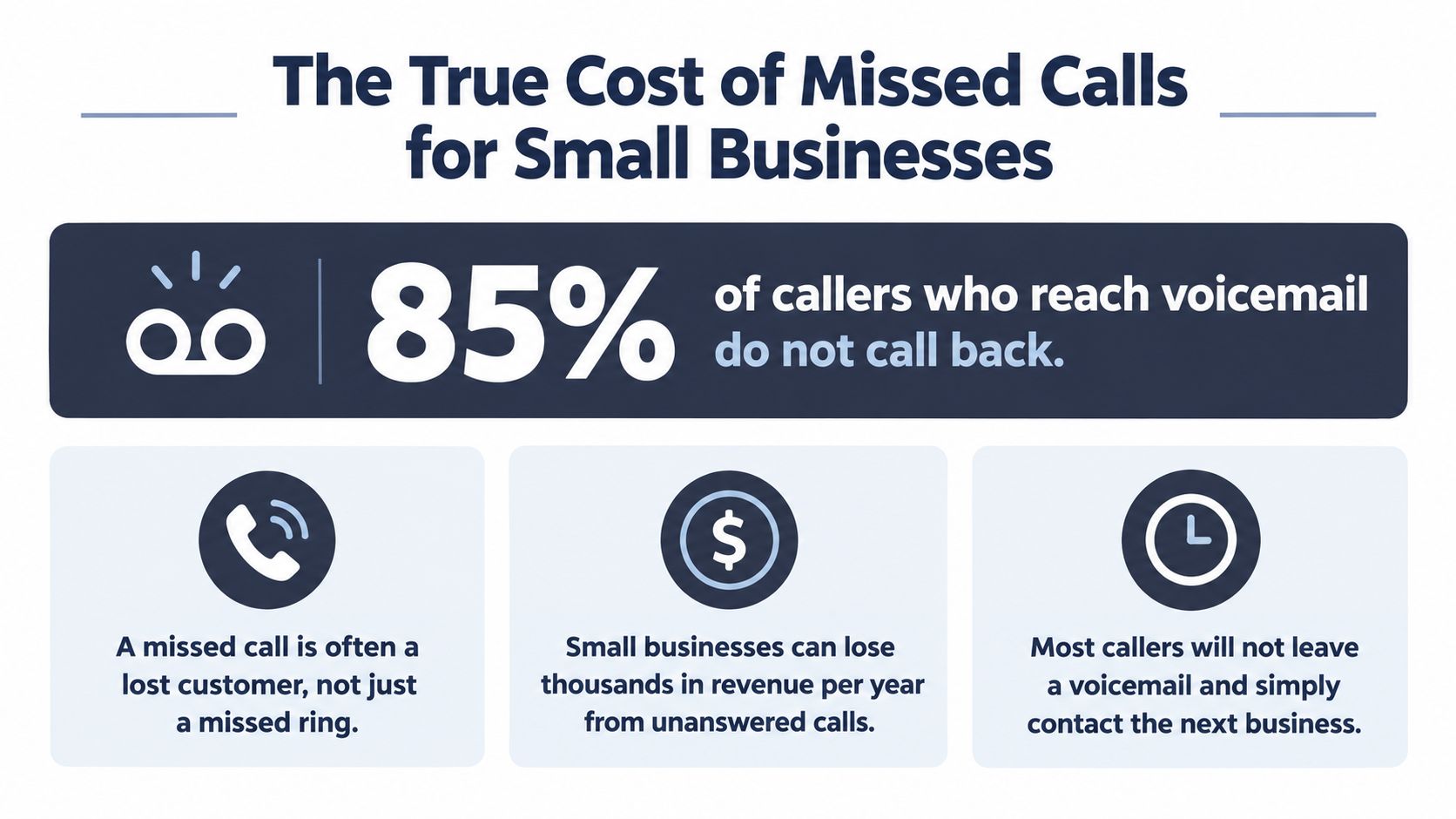
Independent industry analyses report that 80% to 85% of callers who reach voicemail don't leave a message, and 85% never call back. The analysis of voicemail behavior makes the operational point clear: voicemail is a fallback, not a dependable lead recovery mechanism.
A personal mobile phone has the same weakness in a less obvious form. You may answer while driving, carrying equipment, treating a patient, meeting a client, or working with a customer. During peak demand, the phone rings while your attention is already committed. A basic answering machine records the failure, but it doesn't qualify the caller, identify urgency, offer an appointment, or route the opportunity to someone available.
The same body of research is frequently used to estimate that small businesses can lose about $126,000 per year from missed calls. That figure isn't a guarantee for every company, but it shows why the cost deserves a proper calculation rather than a guess. Use a missed-call calculator for small businesses to model your own call volume, average sale, and follow-up performance.
Always-on coverage protects the first contact
An effective service answers immediately during busy periods, after hours, and whenever your team can't safely pick up. It should capture the caller's purpose, contact details, location where relevant, and preferred next step. For an appointment-driven business, that next step might be a booking. For a field-service company, it might be a structured emergency message and an escalation to the on-call person.
Practical rule: Treat every inbound call as a live workflow, not as a ringing interruption. The system should either resolve the request, create a qualified record, book the next action, or transfer the conversation with context.
Human Receptionists vs AI Virtual Assistants
Human receptionists and AI phone assistants solve different operational problems. A human is strongest when the caller needs judgment, empathy, discretion, or a flexible conversation outside a defined script. AI is strongest when the business needs consistent coverage, fast response, multilingual routing, and the ability to handle routine demand without asking an employee to stop work.
The most reliable setup for many small and medium businesses is hybrid. AI handles common questions, appointment requests, directions, lead qualification, and first-level triage. A person receives calls that involve distress, negotiation, unusual requirements, sensitive information, or a high-value opportunity.
A survey reports that 51% of small businesses have integrated AI into customer service operations, while 94% expect to grow their customer service teams or maintain current staffing levels over the next two years. Among adopters, 39% equip live agents with AI assistance, 32% use voice AI or IVR, and 43% prioritize human oversight. The small-business AI survey supports a practical conclusion: adoption doesn't require removing people from customer service.
The trade-off in plain terms
| Feature | Human Answering Service | AI Phone Assistant |
|---|---|---|
| Conversation flexibility | Strong with nuanced, emotional, or unusual requests | Strong for configured intents and approved workflows |
| Routine call handling | Reliable, but capacity depends on staffing | Consistent and scalable for repetitive questions |
| Multilingual support | Depends on agent availability and language coverage | Can detect and handle supported languages consistently |
| After-hours coverage | Requires scheduled staffing | Can provide continuous automated coverage |
| Appointment booking | Works well when agents have calendar access | Fast when calendar rules and integrations are configured |
| Escalation | Uses judgment in the moment | Follows explicit urgency and transfer rules |
| Cost control | Often tied to staff time or included minutes | Often aligned with usage, depending on the plan |
| Human touch | Native to the interaction | Preserved through well-designed handoffs |
The weakness of human-only answering is capacity. A receptionist can deliver warmth and judgment, but calls may queue, coverage may vary, and language support can become difficult outside scheduled hours. The weakness of AI-only answering is overconfidence. If the business gives it incomplete policies or no escalation boundaries, it may handle a sensitive call too mechanically.
For teams evaluating governance, the discussion around governed AI agents on Microsoft data is useful because it highlights the need to control access, context, and action permissions. Your phone assistant shouldn't have unrestricted authority. It should know which questions it can answer, which appointments it can book, which data it may collect, and when it must transfer to a person.
A modern AI receptionist for small businesses should therefore be judged by its handoff quality, not only its voice quality. The caller should reach the right person with the relevant details already captured.
Essential Features and Calendar Integrations
A phone answering service becomes operationally valuable when it completes work inside your existing systems. If an assistant merely sends a vague message saying “someone called,” your team still has to reconstruct the conversation, find the caller, check availability, and follow up manually.
Start with the call flow, then map each step to a system.
Build the workflow around intent
A useful configuration begins by separating call types:
- Appointment requests: Check live availability, offer approved slots, and confirm the booking.
- New leads: Ask only the qualification questions your sales process needs, then create a structured record.
- Existing customers: Identify the account or service context and route the request correctly.
- Urgent matters: Apply clear escalation rules rather than relying on the caller to explain what qualifies as urgent.
- Routine questions: Answer from approved business information and avoid improvising on policies or pricing.
Calendar synchronization matters because it removes the delay between conversation and action. The assistant should see the availability rules you define, avoid unavailable periods, book the appointment, and send confirmation to the caller and the team. It should also understand buffers, appointment types, locations, and staff ownership where those settings exist.
A practical Google Calendar integration for call answering should be tested with real scenarios, including rescheduling, cancellations, overlapping calendars, and appointments that require different durations.
Connect the phone to the customer record
CRM integration should capture the caller's name, contact details, intent, qualification answers, transcript or summary, and next action. The important question isn't whether a provider advertises an integration. Ask what data is written, when it is written, who can access it, and what happens when the connection fails.
Use text or email notifications for time-sensitive follow-up, but keep the authoritative record in one place. If your workflow uses messaging for verification or account access, evaluate the privacy and compliance implications of a virtual number for WhatsApp verify before connecting it to customer operations. Don't mix lead capture, authentication, and general customer messaging without clear ownership and retention rules.
Test the complete path from incoming call to calendar entry, CRM record, confirmation, escalation, and reporting. A technically connected system can still fail if the script collects the wrong information or sends the booking to the wrong calendar.
Real-World Use Cases Across Industries
The right call flow depends on the consequences of delay. A tradesperson, dental clinic, freelancer, and law firm may all need an answering service, but they shouldn't use the same greeting, qualification questions, or escalation tree.

The tradesperson on a job
A plumber or electrician often can't answer without stopping work or compromising safety. The assistant can ask for the caller's location, service type, urgency, preferred arrival window, and callback details. It can separate a potential emergency from a routine quote request, book a suitable follow-up, and send the tradesperson a concise summary.
The service shouldn't promise an arrival time that the business hasn't approved. It should also avoid asking unnecessary questions when a caller reports a dangerous situation. The escalation rule needs to be explicit, and the message must reach the right person rather than a general inbox.
The dental or healthcare practice
A clinic receives a mixture of appointment requests, cancellations, insurance questions, directions, and urgent patient concerns. AI can handle routine scheduling and multilingual conversations while transferring clinical or distress-related calls according to the practice's instructions.
Sector exposure varies. One large lead dataset reported missed-call rates of around 32% in healthcare, 28% in legal, and 14% in home services. The sector analysis also notes that an observational study of 85 businesses found only 37.8% of calls answered live and 24.3% not answered at all. These figures support segmentation, not a universal script. A clinic should prioritize patient safety and privacy, while a contractor may prioritize location and job urgency.
The freelancer or legal professional
A solo consultant may need the assistant to qualify prospective clients while they're in a meeting. A legal practice may need structured intake, conflict-check information, matter type, and a clear boundary around legal advice. In both cases, the assistant should capture the caller's purpose without pretending to provide professional judgment.
After-hours handling deserves its own design. Recent coverage suggests that about 27% of business calls occur outside standard operating hours, making after-hours overflow more than an extension of daytime reception. Set a different script for nights and weekends, define who receives urgent transfers, and state when the team will return a call.
The key question isn't “Can AI answer my phone?” It's “Which calls should be completed instantly, and which calls should reach a person with enough context to act?”
Pricing Models and Calculating Your ROI
Answering services usually charge through a combination of a recurring plan, usage, included minutes or conversations, transfers, and optional capabilities. Human services often price around agent time and coverage. AI services may align more closely with call duration, conversations, or other usage measures. Neither model is automatically cheaper for every business.
Look past the headline price. Ask about setup, overages, transfer handling, language coverage, calendar access, message delivery, recording, transcripts, minimum commitments, and unused allowances. A low base fee can become expensive if every useful workflow carries an extra charge. A higher recurring fee may be reasonable if it includes the coverage and integrations your team actually needs.
Use recovered opportunities, not call volume alone
The simplest ROI model is:
Recovered opportunities × conversion rate × average customer value = recovered revenue
Then compare that result with the total monthly service cost, including usage and internal follow-up time. You don't need perfect attribution. Start with a conservative estimate based on your own call logs, sales records, and appointment history.
Independent industry coverage reports that 62% of calls to small businesses go unanswered and that 85% of callers who reach voicemail never call back. The missed-call recovery playbook also describes why after-hours and peak-period coverage can be practical uses for AI answering and booking.
Don't assume every missed call has equal value. Rank calls by likely commercial impact:
1. High-intent calls, such as requests to book, buy, or receive a quote. 2. Urgent service calls, where delay may send the caller to a competitor. 3. Existing-customer calls, where poor access can increase churn or repeat contacts. 4. Low-priority questions, which still matter but can often be answered automatically.
Track answered calls, qualified leads, booked appointments, transfers, abandoned conversations, and missed escalations. Review outcomes by time of day and language. If the service captures many low-value calls but fails to route the high-value ones, the problem is configuration, not volume.
A cost-effective answering solution should give you enough visibility to adjust the workflow instead of forcing you to accept a fixed script.
Buyer Checklist and Implementation Steps
Buying an answering service is partly a technology decision and partly a risk decision. The vendor must understand your call flow, your data obligations, your business hours, and the moments when a person must take over.
Recent coverage points to growing interest in AI call answering, improved voice technology, multilingual conversations, and voice biometrics for after-hours security. It also reports that 90% of customers consider an immediate response important or very important. The discussion of after-hours answering highlights the central adoption question: not whether AI can answer, but whether the business can use it with safe escalation, auditability, and data minimization.
Evaluate the controls before the voice
Ask vendors to explain:
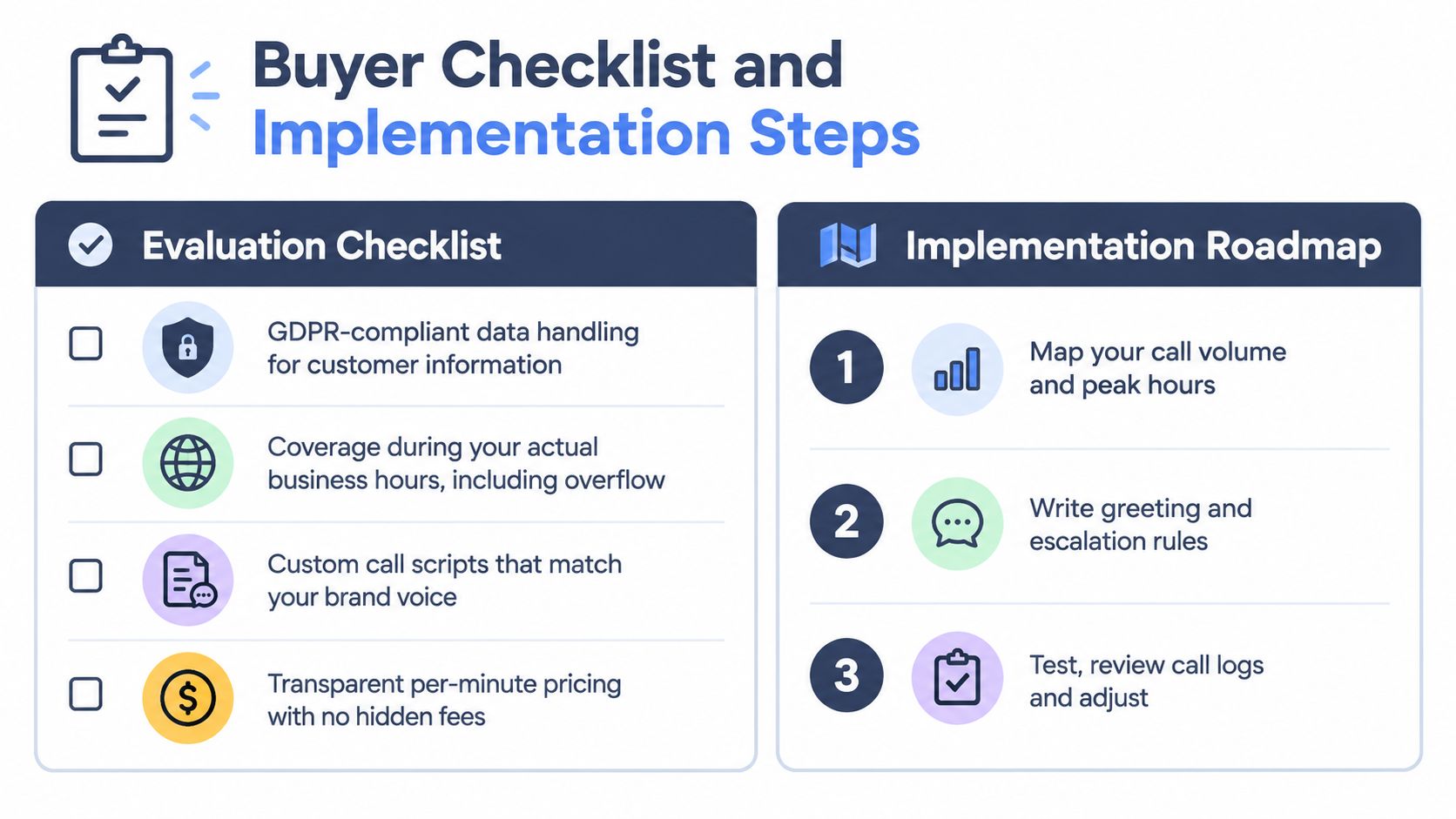
- Data handling: What information is collected, where it's processed, how long it's retained, and how deletion requests work.
- Privacy controls: Whether transcripts, recordings, summaries, and caller details can be restricted by role.
- Escalation: How the system identifies urgency, transfers calls, and passes conversation context to staff.
- Language support: Which languages the AI handles, whether language detection is automatic, and whether human escalation is available.
- Integration behavior: What happens when the calendar, CRM, or notification system is unavailable.
- Reporting: Whether you can review calls, bookings, transfers, failed outcomes, and changes to scripts.
- Pricing clarity: How usage is measured and whether transfers, extra languages, or setup create additional costs.
For healthcare, legal, and other sensitive work, require written documentation covering GDPR responsibilities, data-processing terms, European data residency where needed, retention controls, and real-time deletion procedures. A compliance label doesn't replace reviewing the configuration and your own access policies.
Go live with a narrow workflow
You can start with one number, one calendar, and a small set of call intents. A sensible rollout looks like this:
1. Map demand: Review when calls arrive, which calls require a person, and which questions repeat. 2. Write the greeting: Use plain language, identify the business, and offer language selection without making the caller fight through a menu. 3. Define boundaries: List what the assistant can answer, book, collect, and transfer. 4. Create escalation rules: Name the people, numbers, hours, and conditions for urgent or high-intent handoffs. 5. Connect systems: Link the approved calendar, CRM, notification channels, and reporting. 6. Test real conversations: Try accents, interruptions, cancellations, emergencies, wrong numbers, multilingual requests, and unavailable staff. 7. Review and adjust: Listen to outcomes, correct the knowledge base, refine questions, and remove data the business doesn't need.
Don't automate every call on day one. Start with routine scheduling and lead capture, then expand after the team trusts the summaries and routing.
Frequently Asked Questions About Phone Answering Services
Can an AI assistant sound natural?
Modern voice assistants can hold a natural conversation when the business gives them clear information, short prompts, and sensible turn-taking rules. Voice quality alone isn't enough. The assistant must know when to pause, ask a follow-up question, confirm important details, and stop rather than invent an answer.
What happens when a caller is angry or confused?
Configure sentiment and escalation rules around observable behavior and business priorities. A caller who requests a manager, reports harm, disputes a charge, or describes an urgent situation should reach a person when your policy requires it. The handoff should include the caller's details and a concise summary, so the caller doesn't need to repeat everything.
Will automation remove the personal touch?
Poor automation does. Good automation protects it by ensuring that callers receive an immediate acknowledgment and that staff spend their time on conversations requiring judgment. A human team can feel more responsive when routine requests are completed automatically and important calls arrive with useful context.
Does a small business need a complicated implementation?
No. Start with your existing number, one calendar, a short FAQ, and a defined transfer list. Add CRM updates, multilingual routing, outbound follow-up, and more advanced qualification after the basic call flow works reliably.
Should every call go to AI?
No. Use AI for predictable, repeatable work and route sensitive, high-value, or ambiguous interactions to people. The strongest small business phone answering service is usually a controlled partnership between automation and staff, not a contest between them.
---
rednea provides a 24/7 AI phone assistant that detects caller language, answers routine questions, qualifies leads, books appointments, and escalates important calls to your team. Visit rednea to review a practical way to reduce missed calls and start with a focused workflow for your business.
Try rednea, no strings attached
AI phone assistant for business. Hear a live demo in your browser, book a call with our team, or get started — from £90/month, cancel monthly, no minimum term.
GDPR-compliant · EU & UK GDPR · Multilingual