Lead Qualification Process: Steps, Criteria and Scripts


You're a plumber on a roof at 2pm when your phone rings. You can't safely answer, the caller doesn't leave a message, and they book the next firm on their list. By the time you check your phone, there's nothing left to score.
That's where a practical lead qualification process starts: making contact while someone still needs your help. For a small or medium-sized service business, the useful system isn't the most elaborate one. It's the one that captures the enquiry, asks clear questions and gives the right person a next action.
Lead Qualification Process at a Glance
Lead qualification means deciding whether you can help a prospect and what should happen next. For inbound service enquiries, that decision starts with availability, not a spreadsheet.
A 2011 Harvard Business Review study of 1.25 million inbound leads from 42 companies found that contacting a lead within an hour made qualification nearly seven times more likely than waiting another hour, as summarized in this lead-response benchmark review. It's older evidence, not a promise about your booking rate, but it supports a sensible operational priority: reach the caller before refining the score.
Six stages of the lead qualification process
| Stage | Question It Answers | Evidence to Record | Owner |
|---|---|---|---|
| 1. Capture | Did we get the enquiry and when? | Timestamp, source, channel | Automated |
| 2. Identify need | What problem or service is this? | Job type, urgency, language | Automated |
| 3. Check fit | Can we serve this caller? | Postcode, service area, budget range | Automated, human if unclear |
| 4. Score | How strong is the lead? | Score of 0 to 2 per criterion | Automated |
| 5. Route | Who acts next? | Outcome label | Automated, human for escalations |
| 6. Confirm | Is a next step fixed? | Booked slot or callback time | Human |
These stages run in order during routine intake. A caller reporting danger shouldn't have to finish the questionnaire before reaching someone who can act.
Automation owns the repeatable work. It can capture the enquiry and ask approved questions while staff are occupied. A person owns ambiguous decisions, exceptions and quotes that require professional judgement.
Practical rule: A captured phone number isn't a qualified opportunity. Record what the caller needs and what you've promised to do next.
Confirmation matters because an internal notification isn't a customer commitment. Someone must verify that the proposed slot is available or that a named colleague will make the callback. Software can carry out the booking, but staff still own the promise.
Copy this table into a working document and mark every stage your business currently leaves blank. Fix the earliest gap first. Better scoring won't recover calls nobody answers.
Ideal Customer Profile and Qualifying Criteria
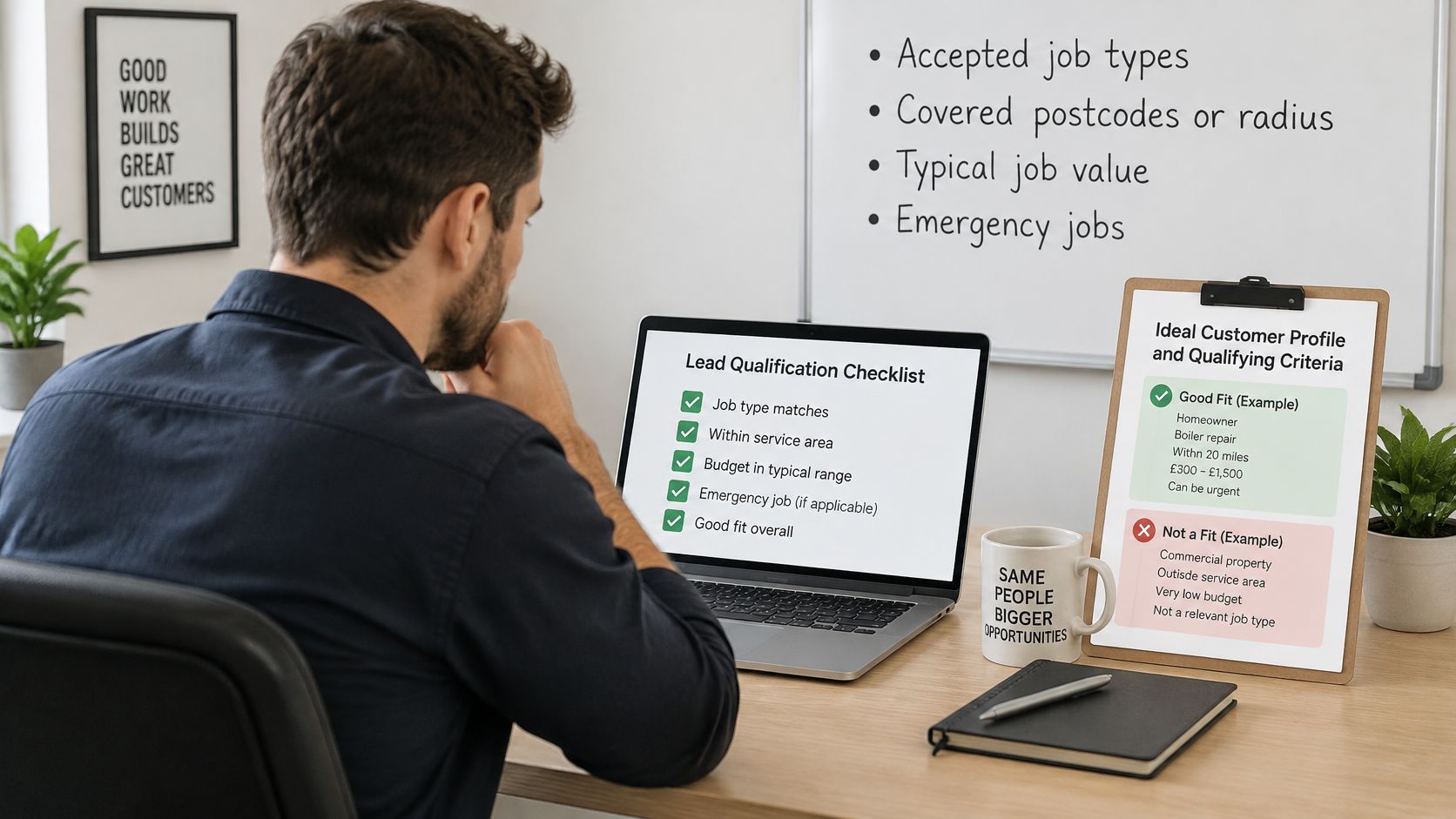
Your ideal customer profile is a plain-language description of work you want and can deliver. Write down accepted job types, covered postcodes or radius, commercially sensible job values and the emergencies your team handles.
For example, an electrician might accept homeowner and landlord callouts within a hypothetical 15 km radius, but decline new-build commercial fit-outs. That's a usable intake rule. “Good-quality customers” isn't.
Turn the profile into questions
BANT, budget, authority, need and timeline, provides a baseline, while Oliverlist's lead glossary describes adapting qualification to service fit, urgency, decision involvement and operational constraints. For phone intake, ask about the problem before asking about money.
Add what BANT leaves out: service area, job category, property or patient constraints, preferred slot, emergency status and follow-up consent. Some belong in the score; others are eligibility checks or instructions for staff.
Qualifying criteria and how to score them
| Criterion | Question to Ask | Scoring (0 / 1 / 2) |
|---|---|---|
| Need | What problem needs fixing? | 0 none stated, 1 vague, 2 specific job |
| Urgency | Is this an emergency or can it wait? | 0 unknown, 1 this week, 2 emergency or same day |
| Authority | Who makes the decision? | 0 unknown, 1 caller unsure, 2 caller decides |
| Budget range | Is there a rough budget or quote expectation? | 0 unknown, 1 partial, 2 confirmed range |
| Location | Is the job inside the service area? | 0 unknown, 1 borderline, 2 confirmed |
| Preferred slot | When can they be seen? | 0 none, 1 flexible, 2 specific window |
| Consent | Did they agree to follow-up contact? | 0 no, 1 unclear, 2 yes recorded |
Treat this as an example scoring scheme, not a universal standard. Unknown isn't the same as unqualified: someone with a broken boiler may need a diagnosis before they can discuss budget.
Separate scores from permission
Consent needs special care. Record an explicit refusal separately from missing information, and don't let a high total override the caller's contact preference.
Likewise, a tenant calling about a landlord's property can still be a valuable enquiry. Record who can authorize the work rather than rejecting the tenant for not being the buyer.
Write your own list of seven criteria, one line each, with an answer that staff can recognize. Include a note explaining what to do when the answer is unclear.
Scoring Rules and Qualification Outcomes
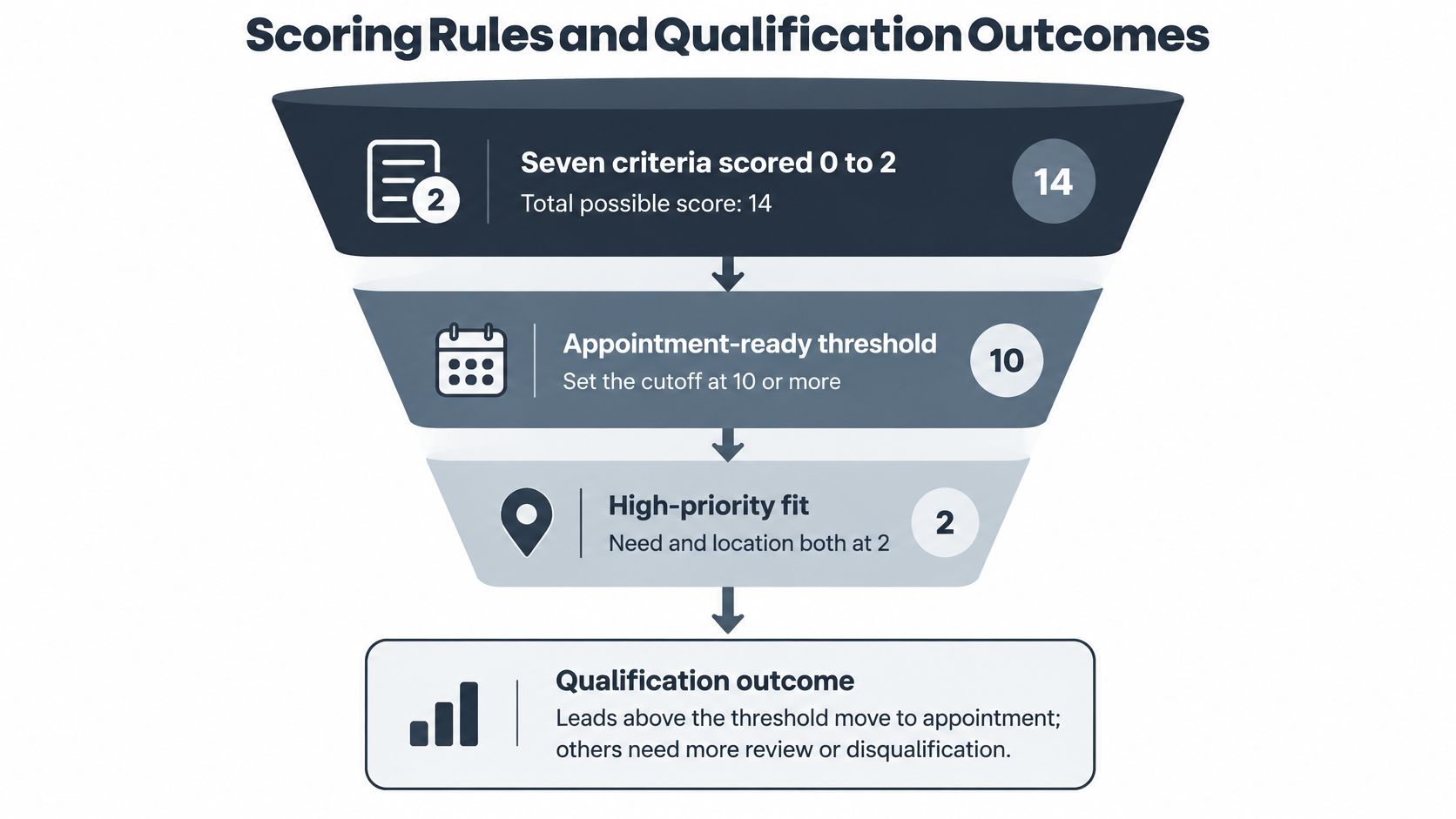
In this example model, seven criteria scored from 0 to 2 produce a maximum of 14. Use an initial appointment-ready threshold of 10 or more, with need and location both confirmed at 2. Treat these as starting rules to test against your own booked jobs.
Say a caller describes a ceiling leak at a confirmed postcode. They need help this week, offer a specific access window and consent to follow-up, but don't know the budget or who authorizes the repair.
Their example score is 9: need 2, urgency 1, authority 0, budget 0, location 2, preferred slot 2 and consent 2. With no emergency flag, the call goes to clarification for a short follow-up.
Apply overrides before arithmetic
Qualification outcomes, rules and CRM status
| Outcome | Rule | Next Action | CRM Status |
|---|---|---|---|
| Urgent escalation | Emergency flag set, checked first, whatever the score | Transfer to the person on call now | Sales-qualified |
| Not serviceable | Outside the service area or a prohibited job, checked second | Decline politely and refer elsewhere | Unqualified |
| Appointment-ready | Total of 10 or more out of 14, with need and location both at 2 | Book directly into the calendar | Sales-qualified, then booked |
| Needs clarification | Total of 9 or fewer, no emergency flag, service area not ruled out | Ask one short set of follow-up questions | Marketing-qualified |
A total above the cutoff with unconfirmed need or location also stays in clarification. The emergency label takes precedence over every commercial rule; sales-qualified is a routing status here, not a safety assessment.
For the borderline leak enquiry, ask who can authorize access and the repair. If the caller reports a listed emergency, transfer regardless of the total. Same-day preference alone doesn't establish danger.
Use lead scoring automation to apply the agreed rules on every call, including evenings, weekends and the enquiries that arrive while your team is already on a job. Automation handles the sorting; people still decide eligibility and take the cases the rules can't settle.
As a starting audit routine, review ten accepted and ten rejected enquiries each week. Count false positives that wasted a visit and false negatives that excluded suitable work. When you review, separate the leads your team spoke to from the ones that never became a conversation; a strong score on a message nobody returned points to a response-time problem, not a scoring problem.
How to Run the Qualifying Conversation Step by Step
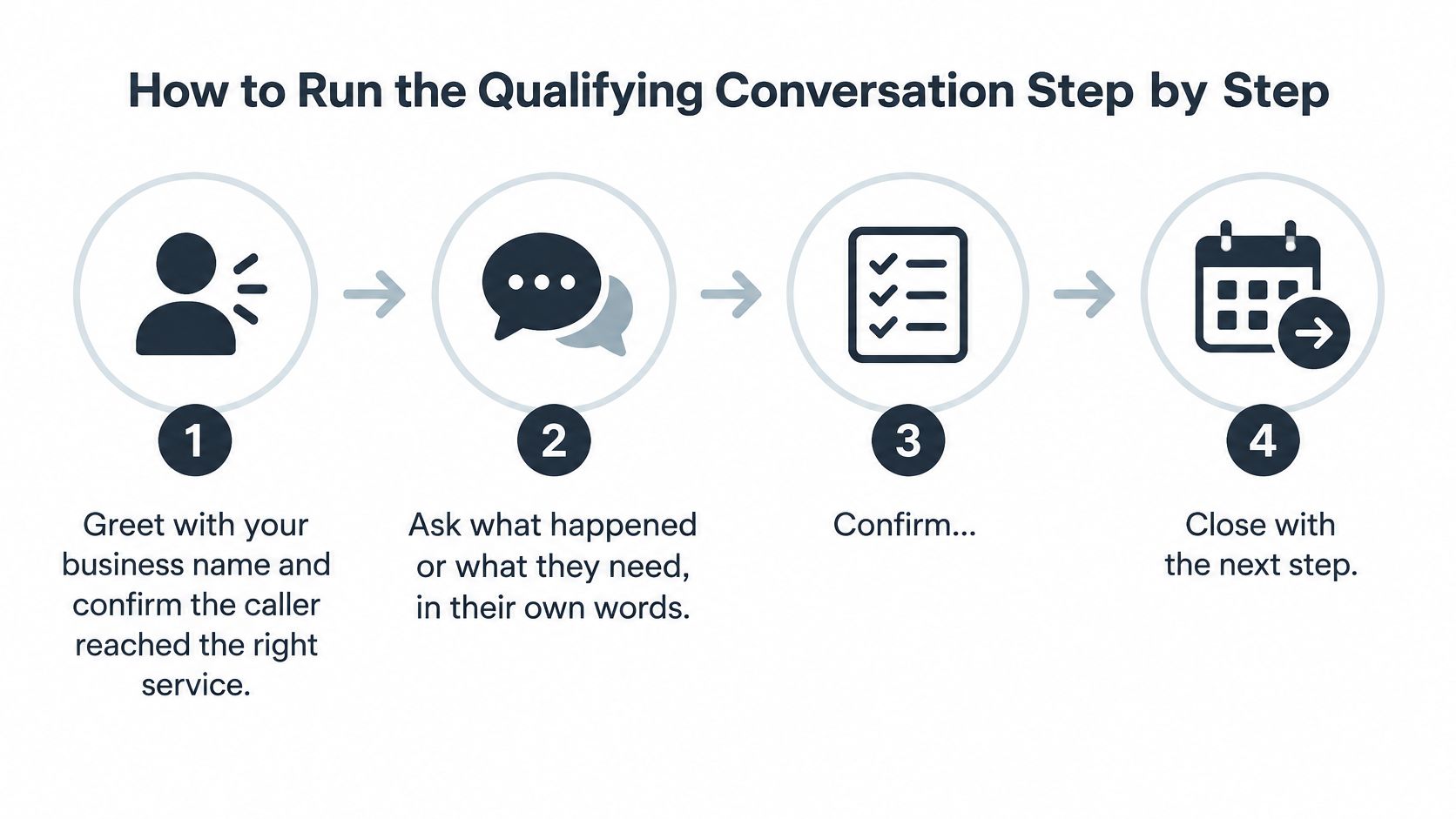
A good intake conversation sounds like help, not an interrogation. Let callers describe the problem in their own vocabulary, then confirm only what's needed to route or book it.
Use a script with room to listen
- Greet and confirm the service. Say your business name and ask whether they need the service you provide. This prevents a wrong-number conversation from becoming unnecessary data collection.
- Ask what happened. Use a simple prompt such as “What do you need help with?” Starting with budget before understanding the problem can make the caller feel screened out.
- Confirm the location. Ask for the address or postcode and check coverage before discussing availability. Don't assume the caller's phone number tells you where the job is.
- Check danger and urgency. Ask whether anything is dangerous or needs immediate attention; if so, capture the address and callback number, then transfer under the emergency rules. If danger comes up earlier, interrupt the routine sequence immediately.
- Establish authority and timing. Ask who will approve the work and when it's needed, then clarify quote expectations where relevant. Don't make a caller repeat information they've already volunteered.
- Confirm contact details and permission. Read back the best callback number and ask whether follow-up is welcome. Don't assume permission for a service callback also means permission for marketing.
- Offer an available slot or callback time. Match the job type to the correct appointment duration. Don't promise a technician's arrival when only a callback is available.
- Read back a short summary. Confirm the issue and the agreed next action, giving the caller a chance to correct either. Ending with “someone will be in touch” leaves ownership unresolved.
Hand over a usable summary
These are fictional examples of concise handover notes, not diagnostic records:
- Tradesperson: Leak from ceiling, 14 Elm Road, water still dripping, owner decides, available Tuesday morning, callback confirmed.
- Dental practice: Requests a routine cleaning appointment, prefers an afternoon slot, contact details and callback permission confirmed.
- Law firm: Tenancy matter, requests an initial consultation, callback details confirmed, urgency awaiting professional review.
The NBER summary of generative-AI customer-support findings reports that assistance reduced average time per chat by about 9%. That was a customer-support setting, not a trade-call booking trial, but it supports using AI to prepare information for staff.
An assistant can gather these intake fields before a person picks up. Keep the call-screening procedure focused on routing, so the staff member starts with context rather than repeating discovery.
Record Each Lead in the CRM with a Usable Template
Give everyone the same record format. Start with the enquiry timestamp and first-contact timestamp, then record channel, source, job type, urgency and address.
Add the criterion scores, total, outcome and next-step owner. Use a short status list: unqualified, marketing-qualified, sales-qualified, booked and lost.
Example CRM record for a tradesperson
| Field | Example entry |
|---|---|
| First contact | Tuesday 8:15am, inbound phone, source: website contact page |
| Job and urgency | Ceiling leak at 14 Elm Road, urgency 2 same day |
| Scores | Need 2, urgency 2, authority 2, budget 0, location 2, slot 2, consent 2. Total 12/14 |
| Outcome and status | Appointment-ready, sales-qualified |
| Next step | Booked Tuesday 9 to 11am, owner: technician |
| Notes | Caller in English, budget not stated, consent recorded |
Distinguish a proposed booking from a confirmed one
In this fictional record, the same-day request isn't a listed emergency. The appointment-ready status captures the handover point; once the technician confirms the slot, update the status to booked.
Automation can create the record and populate intake fields. A person confirms exceptions, checks the commitment and closes the record after the outcome is known.
Store what the next colleague needs to act, not everything the caller happened to say.
For a dental practice, put the requested treatment in the job field and the preferred appointment in the next-step field. For a law firm, use the matter category and callback details without copying unnecessary sensitive information.
A consistent telephone call summary makes follow-up easier across staff and languages. Keep the status labels stable even when the conversation and notes use different languages.
Where AI Qualifies and Where a Person Takes Over
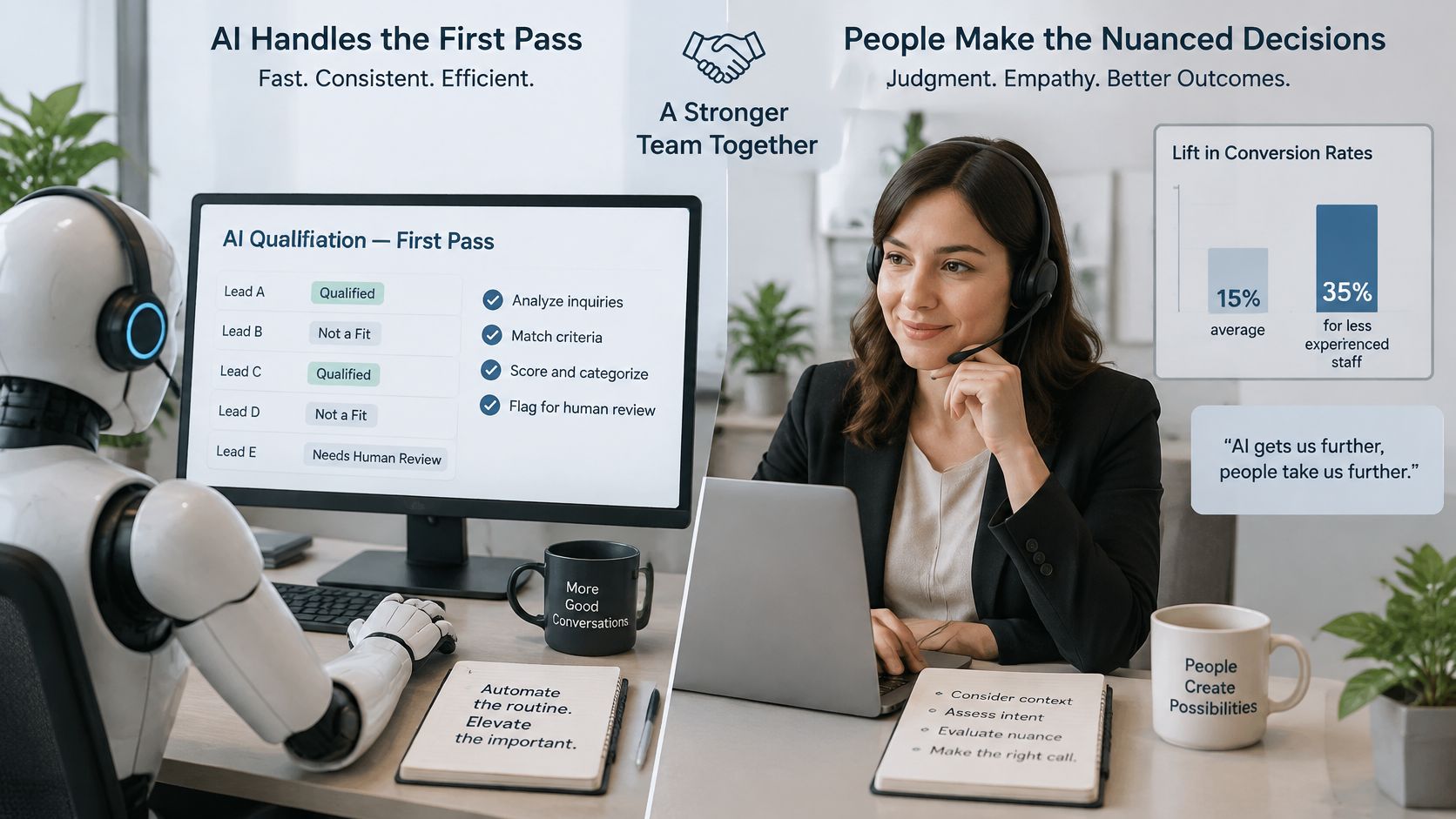
AI handles intake; people handle judgement. That division lets a small team stay reachable without pretending every conversation can be reduced to rules.
A study in The Quarterly Journal of Economics covering 5,172 customer-support agents found that generative-AI assistance increased issues resolved per hour by 15% on average. The tool supplied recommendations and documentation while human agents retained the conversation, a useful model for complementing staff rather than replacing them.
Keep the automated scope narrow
Start with after-hours intake, approved routine answers and a structured CRM handover. Build the knowledge base around opening hours, pricing rules, service areas, appointment policies and common troubleshooting steps.
- Approved answers: Use the same business rules in each supported language. Don't let translation change a price condition or eligibility rule.
- Unclear communication: Offer a person when the assistant can't understand the caller or confirm essential details.
- Human judgement: Escalate complaints, legal urgency, medical or safety reports, complex quotes and questions outside the approved knowledge base.
Don't advertise unlimited language coverage. Test the languages your customers use, including local place names and trade terminology.
Make escalation explicit
When a caller describes an emergency on the business's list, rednea captures the address and a callback number first, then transfers the caller to the technician on call. Staff should define that list before enabling the workflow.
The practical case for AI-supported lead qualification is a reliable handover, not autonomous professional advice. Review exceptions weekly and correct the knowledge base whenever an answer is wrong or incomplete.
Measure Speed and Fix the Leaks in Your Process
Response-time metrics show where enquiries stall before anyone takes responsibility for them. They also surface the calls that never received a response at all, which end-of-quarter conversion figures will never reveal.
The lead-response measurement analysis from SEOD recommends separating time to first contact from time to a qualified lead and examining performance beyond business-hours averages.
Track the delay customers experience
- Median time to first contact: The midpoint from enquiry arrival to a meaningful response. Count automated acknowledgements separately unless they begin intake.
- 90th-percentile time to first contact: The delay affecting the slower end of your enquiries, which exposes calls left waiting.
- Time to qualified lead: The elapsed time until enough information exists to choose an outcome.
- Time to appointment: The elapsed time until a slot is confirmed on the calendar.
Keep the CRM statuses consistent and split reports by source, hour, language and service type. That prevents strong daytime performance from hiding unanswered evening calls or incomplete non-English conversations.
Check who gets wrongly excluded
The scoring review already counts the leads your criteria wrongly accepted or rejected. The intake-side check is completion rate by language: started intake conversations as the denominator, completed intake records as the numerator. A band with low completion points to an availability or language problem, where callers gave up before anyone could qualify them.
Measurement caution: Conversion alone mixes intake quality with pricing, appointment capacity and the caller's eventual decision.
Business-hours averages create a second blind spot: an evening call nobody answered records no first-contact time at all, so the report looks better than the caller's experience was. Count missed calls and abandoned chats as their own line, then give each leak an owner. Stalls during staffed hours belong to the script or the routing rules. Gaps outside them are a coverage problem, and an intake workflow that captures the enquiry and hands urgent calls to a person closes them.
Set Up Your First Qualification Workflow This Week
Start where enquiries are most likely to arrive when nobody can answer: a ringing phone at 7 p.m., a form submitted after the office closes, a caller who needs an emergency technician rather than a brochure. The first workflow should narrow that gap, not rebuild every customer-service path.
- Day one: Write the criteria and routing outcomes. Prepare your emergency list, coverage boundaries and approved answers.
- Day two: Run ten conversations through the script and log each in the CRM template. Include unclear locations, refused follow-up and requests for a person.
- Day three: If phone intake is the gap, keep your existing number, set up call forwarding, then configure the emergency list, service area, job types and durations, and the questions callers ask every day.
Setup can stay small. With rednea, onboarding takes about 30 minutes: the team talks through your business, configures the assistant with you and tests it before you forward your existing number; you can also call a live demo number before paying anything.
On day fourteen, check one number first: how many qualified enquiries still needed a second call just to collect missing basics. If that count is high, add or tighten intake questions before you adjust any score cutoff. If callers ask for people, route that pattern to a human faster. Leave the rest unchanged until the next week, so each fix has a clean cause.
Try rednea, no strings attached
AI phone assistant for business. Hear a live demo in your browser, book a call with our team, or get started — from £90/month, cancel monthly, no minimum term.
GDPR-compliant · EU & UK GDPR · Multilingual