Call Booking Customer Service You Can Start Today


A small-business call-handling study found that 37.8% of calls went to voicemail. Treat that figure as a historical benchmark, not a current rate for every trade or location.
For a small team, the practical test is whether a caller's request becomes work someone can deliver. AI can finish routine bookings in the caller's language, while people handle calls that need judgment. Measure completed, valid appointments rather than pickups: a fast answer is no help if it books a stale calendar slot or promises a callback no one owns.
What Call Booking Customer Service Has to Finish
A historical study of 85 small and midsized businesses across 58 industries, monitored for 30 days, found that 37.8% of calls reached a live person. The Ascero missed-call report summarizes the study's figures, including the 24.3% of calls that received no response or a usable voicemail option. Use these results as a historical benchmark. They do not describe current rates in every country or trade.
For a plumber, clinic, estate agent or freelancer, the call may be the booking itself. A caller reporting a leaking radiator needs to know whether someone will come, when the visit is scheduled and what happens next. A name and number alone do not settle those questions.
Define what finished means
Check each call against three outcomes:
- Someone can act. The caller reaches a person or assistant that can answer, book or route the request.
- The appointment is deliverable. The slot fits the service, location and working calendar, including any required job duration and buffer.
- The outcome is recorded. The business receives a clear record of who called, what they needed and what was booked or promised.
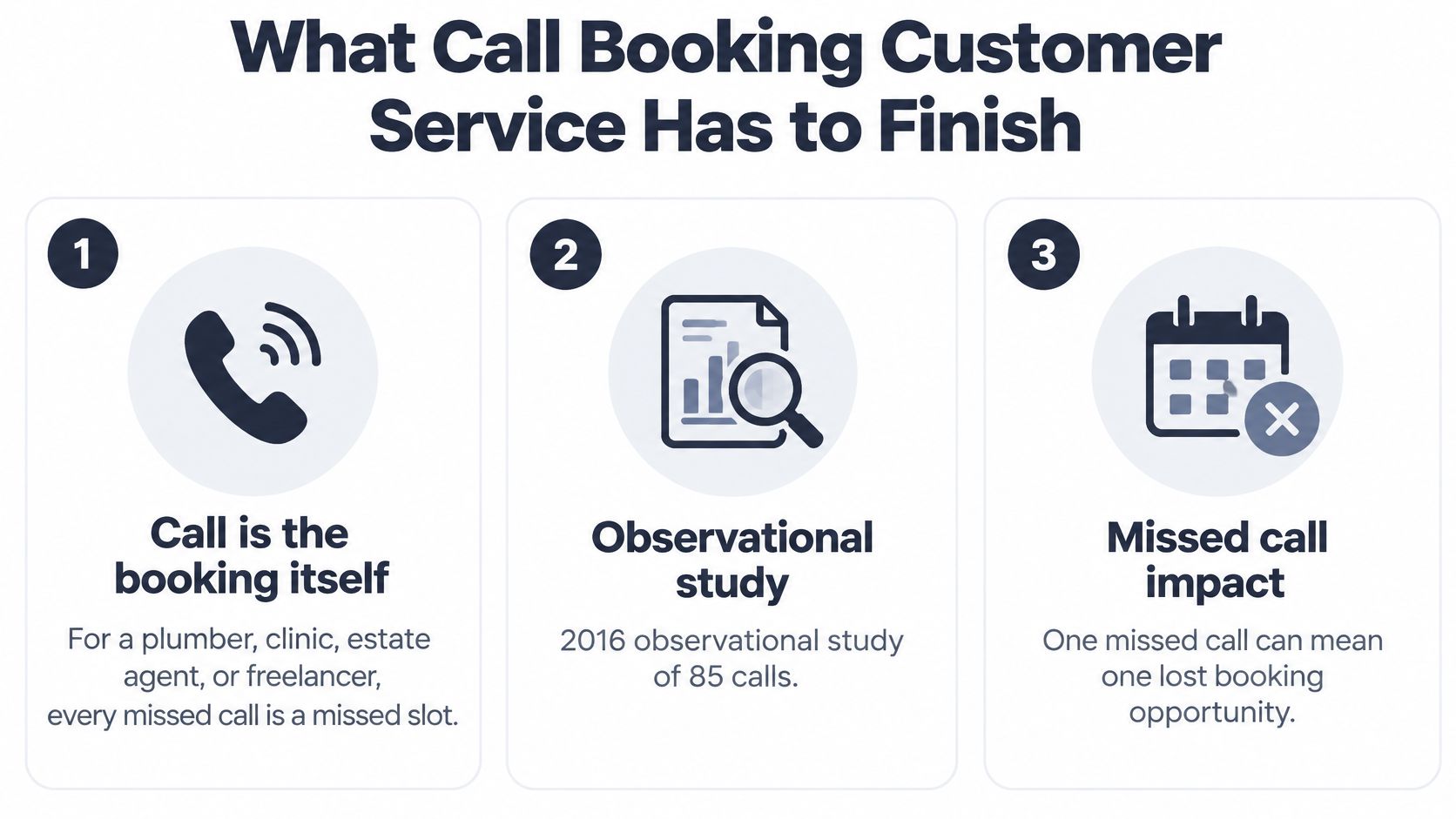
In the physiotherapy customer story, 95% of calls arrive when the front desk is closed or busy. That figure describes one practice. It illustrates why a reachable phone line and an available receptionist are different things.
Operational boundary: An answered call is a start, not evidence that the request is resolved.
AI can handle routine questions and bookings in the caller's language, then pass exceptions to a person. The practical test is whether the slot is truly available and the next step is recorded, not just whether the call was picked up.
How to Turn an Inbound Call into a Confirmed Slot
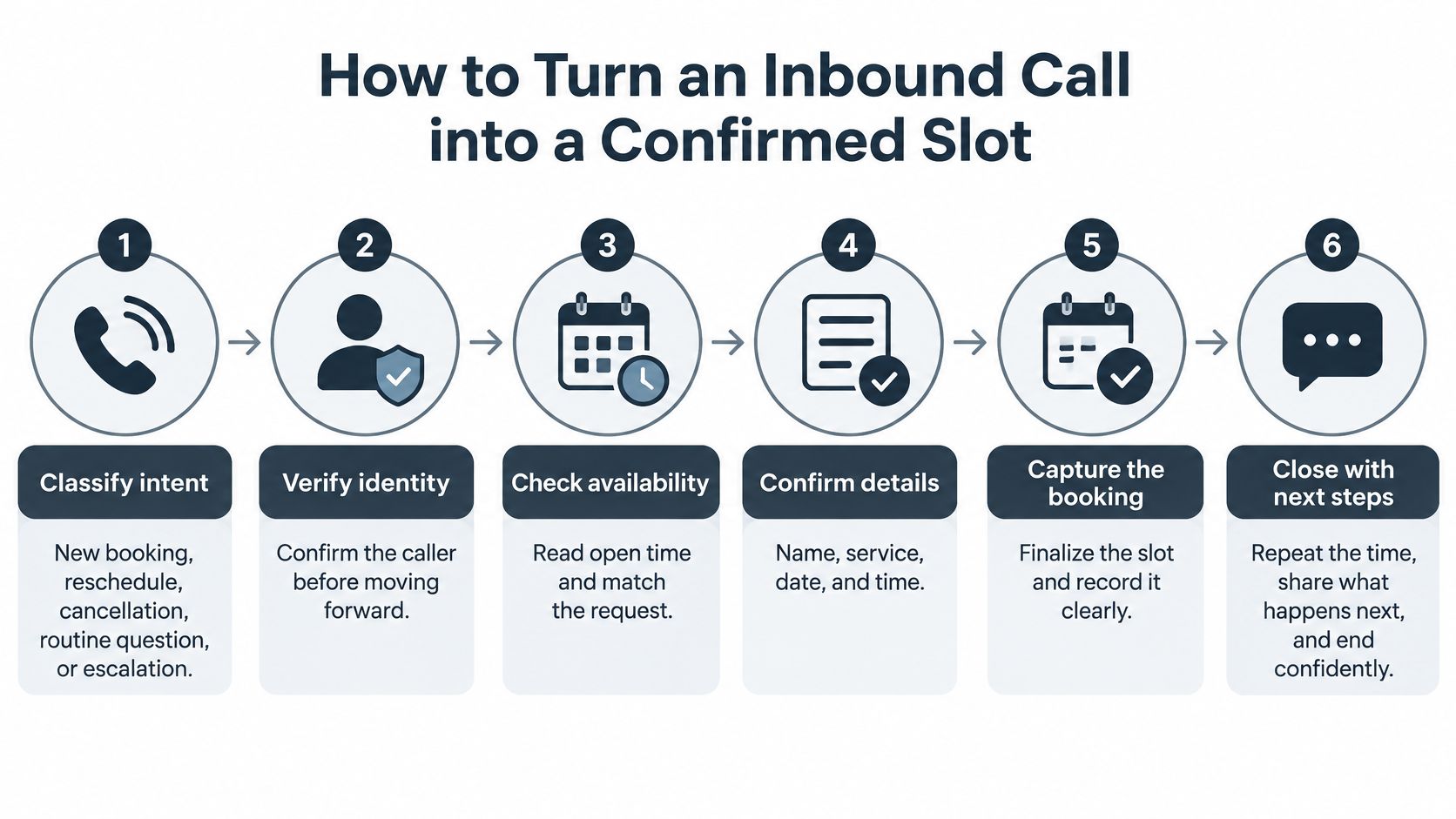
A confirmed slot takes more than a caller choosing a time. The assistant needs to check the job against live availability, save the booking, and make clear what happens next. Use this sequence for routine inbound calls:
- Classify the intent. Identify a new booking, reschedule, cancellation, routine question or escalation.
- Capture the details. Record the caller's name, mobile number, address or postcode, and what's wrong. For an existing appointment, gather enough information to locate the record.
- Check live availability. Use the working calendar. Confirm the service area, job type, duration and any buffer before offering a time.
- Offer suitable slots. Give two options when two fit. If only one is available, offer that one rather than inventing another.
- Read back the choice. Confirm the date, time, location, service type and contact details, then get the caller's agreement.
- Save and verify. Write the booking to the calendar and wait for confirmation that it was saved.
- Set expectations. Tell the caller what happens next. Record any issue the business still needs to resolve.
A completed interaction needs a defined outcome, and a disconnected call is not one.
What each call intent should finish as
| Intent | Assistant may finish | Person still needed | Done when |
|---|---|---|---|
| New booking | Offer available slots and save the chosen one | Price exception or unclear address | Slot is in the calendar and read back |
| Reschedule | Move the existing appointment to a free slot | Fee or policy dispute | New appointment is saved and the caller knows what changed |
| Cancellation | Cancel the appointment and record the reason | Refund or contract change | Cancellation is saved and the slot is available |
| Routine question | Answer from the approved information | Question outside that information | Caller gets an answer or a callback is recorded |
| Urgent or safety | Capture details and follow the business's transfer rules | The designated person, when required | The person is reached or a callback is recorded |
| New lead, not ready to book | Capture name, phone, address and problem | Outside-area request or negotiated price | The enquiry is recorded for follow-up |
At 19:00, a heating customer calls in Spanish. The assistant greets them with the business name and continues in Spanish; if the caller speaks English, it continues in English. It books routine work that fits the business's rules and transfers calls the business has designated for a person.
For a routine visit, it checks the calendar, offers suitable Thursday slots, confirms the caller's choice and saves the appointment. The business then receives a structured email summary in its configured language.
If the calendar cannot be read, the assistant records a callback request rather than claiming a slot is booked. Track that separately from completed bookings: a callback request is not a confirmed appointment, and a cancellation is not a reschedule unless the replacement slot is saved.
Calls the Assistant Must Hand to a Person
The assistant collects facts and books routine slots; a person decides anything with legal or similarly significant effects. GDPR Article 22 protects people against solely automated decisions of that kind, subject to specified exceptions. Where relevant exceptions apply, safeguards include human intervention, the opportunity to express a view and the ability to contest the decision.
For a small business, the practical boundary is straightforward: don't let the assistant independently deny service, reject a claim or materially change a contract. The UK Information Commissioner's guidance on AI and individual rights also makes meaningful review important. The reviewer needs the competence and authority to challenge the recommendation, not just approve it.
When a booking call must reach a person
| Trigger | Who takes it | Why not the assistant |
|---|---|---|
| Caller asks for a person | Transfer or callback per the business rules | The caller opted out of automation |
| Assistant is unsure or the line is chaotic | Person, with the notes already captured | A wrong slot is worse than a short wait |
| Caller disputes the answer | Reviewer who can overturn it | Rubber-stamping isn't human review |
| Complaint or sensitive data beyond the booking | Named staff member | Needs judgment and tighter data handling |
| Safety item on the emergency list | On-call person now | Electrical, gas or medical risk |
| Deny service, reject a claim, or change a contract | A person decides | Legal or similarly significant effect |
Write the emergency list in your own business's words. Burning smells, suspected gas leaks, no-water emergencies and chest pain shouldn't become autonomous routine bookings. Use an approved emergency response that includes appropriate emergency-service directions where needed, rather than leaving the caller waiting for an ordinary appointment.
Our assistant follows your rules to forward important calls or capture callbacks, with urgent calls reaching you immediately. Calls outside your emergency list are booked or logged as requests. A caller asking for a person gets a transfer or callback according to those rules; the escalation call-handling guide helps turn that promise into a usable handoff.
Keep disclosure and consent separate
Suggested AI notice: You're speaking with an assistant. Say person to reach the team.
If recording is enabled, use a separate, legally reviewed recording notice and consent process. Recording is a plan setting, not a paid extra, but enabling it doesn't establish permission to record.
CommLaw Group's guidance on AI customer service and telemarketing explains that AI-generated voices can fall under U.S. Telephone Consumer Protection Act rules, while recording can trigger state wiretapping laws, including all-party-consent requirements. Check each relevant jurisdiction and assess outbound reminders, follow-ups and marketing separately from customer-initiated inbound calls.
Pass the human the caller's language, intent, urgency and collected details, with a transcript only where appropriately captured. Keep data minimal; call data can be deleted on request, subject to applicable obligations.
Qualification Scripts That Work in the Caller's Language
A useful script asks only for details that affect the booking. An electrician may need the address to check the service area and a description of any safety issue. A clinic may need the appointment type and access requirements, not an unrestricted medical history.
Use the lines below as a starting point, then tailor them to your service. Keep routine questions short and make the next step clear.
A script you can adapt
- Greeting. “Thanks for calling [business name]. I'm the virtual assistant. You can ask for a person at any time.”
- Intent. “Are you booking, moving, cancelling, or asking a question?” Choose the right workflow before collecting details.
- Service type. “What would you like us to help with?” Match the answer to an approved appointment category and duration.
- Location. “What's the postcode or service address?” Check it against the service area before offering times.
- Urgency. “Please describe what's happening in your own words.” Apply the business's escalation rules to the answer.
- Access. “Is there anything the team needs to know about getting in or parking?” Record only the access details the team needs.
Offer a slot only when the request fits the booking rules. For a hypothetical boiler-service booking, read back the details: “I have Thursday at 10:00 at 14 Oak Street for a boiler service. Is that right?”
If the caller switches language, continue in the language they're using rather than restarting a menu. Confirm names, addresses and appointment details carefully. Fluent conversation can still mishear a street name.
Keep answers within a small approved library
Cover routine questions such as opening hours, service areas, typical appointment length, preparation instructions and cancellation procedures. Route questions outside that library for a callback. If the caller asks for a negotiated price, collect the service, location, contact details and question, then pass it to the appropriate person.
A French-speaking caller wants a dental hygiene visit. The assistant can qualify the appointment, confirm a mobile number and book without requiring an email address. The practice receives the caller's details and booking in its configured summary language. See how French-language support works.
The assistant can complete routine bookings in the caller's language; use completed slots, not pickups, to judge whether the script works. It must never invent prices, promise an unapproved estimate or give medical advice.
Calendar Rules That Stop Double-Booking
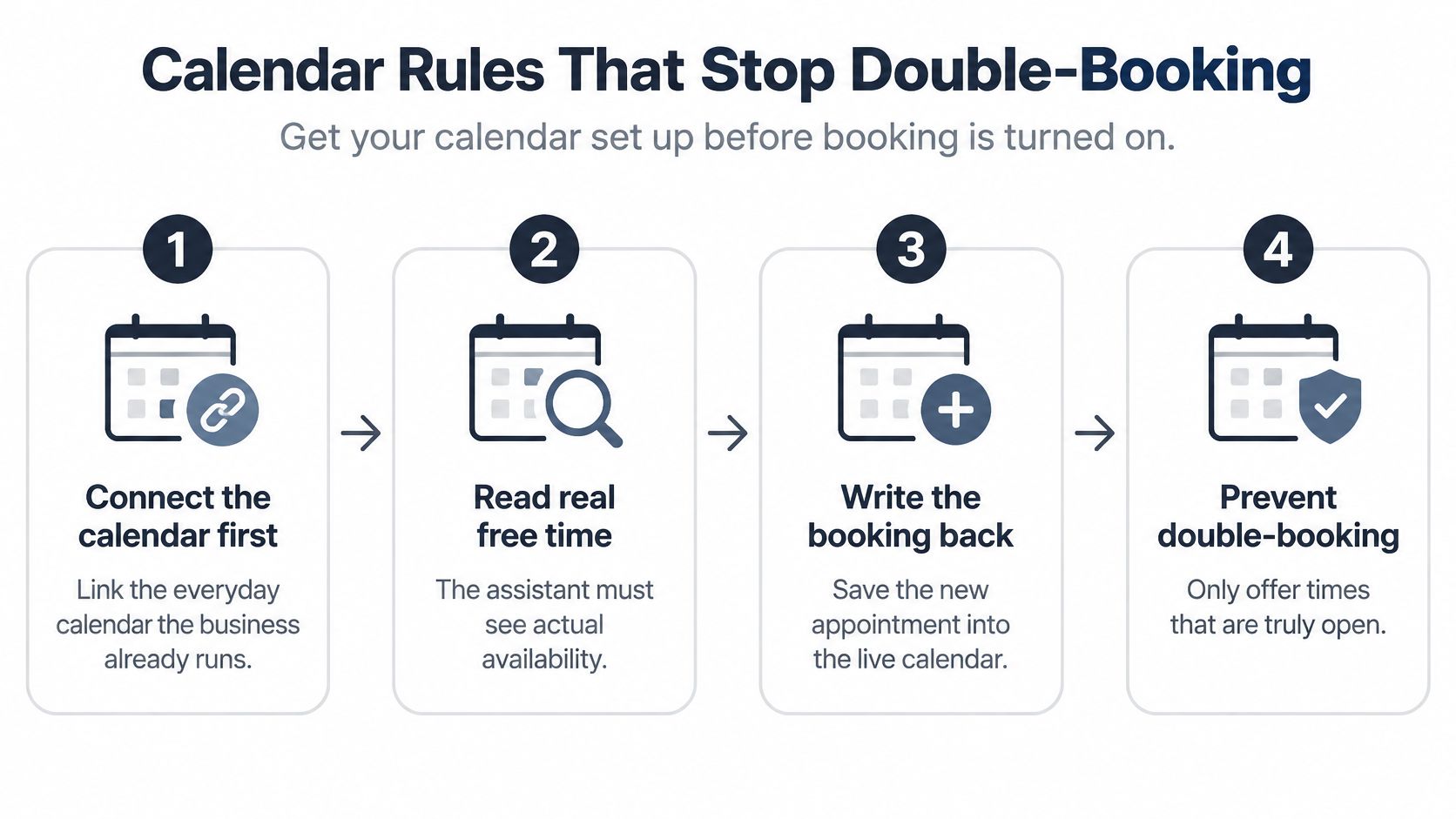
A booking is complete only when the appointment is written into the calendar the team really uses. Connect that working calendar before enabling call booking, and keep one authoritative record for appointments and blocked time. If someone plans to copy bookings from a separate diary later, callers may hear that a slot is free when the team cannot deliver it.
The assistant can read real availability and book directly during the call, respecting job durations and buffer times. Set the calendar rules first: staff availability, holidays, locations, resources and the work that still needs manual approval. For help setting up the connection, use this calendar appointment-booking guide.
Make free time mean usable time
A 60-minute visit with a 30-minute travel buffer needs more than a 45-minute gap. The calendar must leave room for the job and the buffer, not merely show an empty start time. Otherwise, a booking can look valid while leaving too little time to complete the work.
For a team with two technicians, apply territory rules before offering slots. Check shared resources too. Separate staff calendars do not prevent a conflict when two appointments need the same vehicle or treatment room.
After booking, send the business a structured email summary with the caller's name, cell phone number, address, problem and what was booked or promised. A caller does not need to provide an email address for an appointment: with the right Cal.com setting, a phone number is enough.
Confirm according to the risk
Review no-shows by service type, customer segment, lead time and booking channel before choosing a reminder approach. A single reminder sequence may not suit every appointment. The appointment-attendance evidence published on PubMed Central reports that, in a large hospital study, 60% of appointments were kept, 29% cancelled and 11% became no-shows. The same study found an AI-based intervention increased monthly attendance by 10%. These healthcare findings provide context, not a forecast for a trade business.
Keep human outreach for appointments where it is most useful. Use these rules to make follow-up specific:
- Capture permission and preference. Record the agreed contact channel and relevant consent.
- Make changes easy. Give callers clear cancellation and rescheduling instructions.
- Target live outreach. Prioritize higher-risk or long-lead appointments rather than calling everyone.
- Recover released capacity. Log the cancellation reason and offer an alternative slot promptly.
Tips for Scoring Bookings Rather Than Pickups
Measure whether calls produce usable outcomes, not just whether someone or something answers. Track completed bookings, qualified leads, no-show rate, reschedule rate, human-transfer rate and unresolved calls. Count a booking only when the appointment is written to the working calendar. An unresolved call has no completed outcome and no accountable owner for the callback.
If the answer rate rises while unresolved calls accumulate, the failure has moved downstream. The team may be reachable, but customers still have no confirmed next step. For an AI assistant, a pickup is only the start: it must finish routine bookings in the caller's language, use an available calendar slot, or hand the call to the right person.
Benchmarks for scoring call booking
Use these definitions to build a dashboard, not to impose a contact-center quota on a small team.
| Metric | Definition | Benchmark cited |
|---|---|---|
| Service level | Calls answered within a defined threshold | VA primary-care and pharmacy scheduling uses a defined answer-time target and an unanswered-call limit |
| First-contact resolution | Issues fully resolved in the first interaction | Cross-industry and technical-support benchmarks use different populations and should not be treated as interchangeable |
| Abandonment rate | Callers who disconnect before answer | No universal benchmark established by the cited evidence; set and review a local baseline |
| No-show rate | Booked appointments not attended | See the previous section for healthcare findings and guidance on applying them cautiously |
Add a service snapshot showing how many callers engage within your chosen threshold and how many disconnect beforehand. Set a threshold the team can maintain during a busy afternoon, and compare it with your own baseline rather than treating another setting's benchmark as a target. For no-show rates and attendance follow-up, use the guidance in the previous section rather than repeating a separate benchmark here.
Keep qualified leads separate from completed appointments. A lead needs contact details and a useful description of the request; interest alone does not make it booked work. Use lead-scoring automation to prioritize follow-up, and keep the booking total for confirmed appointments.
Listen for failures the dashboard misses
Review sampled calls across every language you claim to support. Include varied accents, vehicle noise, interruptions and mid-call language switches. The Dutch data-protection authority's guidance on human intervention explains the right to human intervention in certain automated decision-making processes.
- Intent accuracy. Did the assistant distinguish a cancellation from a request to move?
- Calendar accuracy. Did the saved service, location and timing match the agreement?
- Transfer reason. Did policy require escalation, or did uncertainty prompt it?
- Corrective action. Record the faulty buffer, missing territory rule or inaccurate approved answer, then change it.
If you can't point to the calendar entry, it wasn't booked.
Keep the report to one page. Show the headline measures, list unresolved calls separately, review sampled calls and document a rule change before the next review.
Start with Routine Calls and Add Judgment Later
I'd start with a three-week rollout that adds routine calls first. Keep a human route available from the first call, and make sure callers can use it in practice. The Information Commissioner's guidance on helping people exercise their rights explains how to help people exercise those rights.
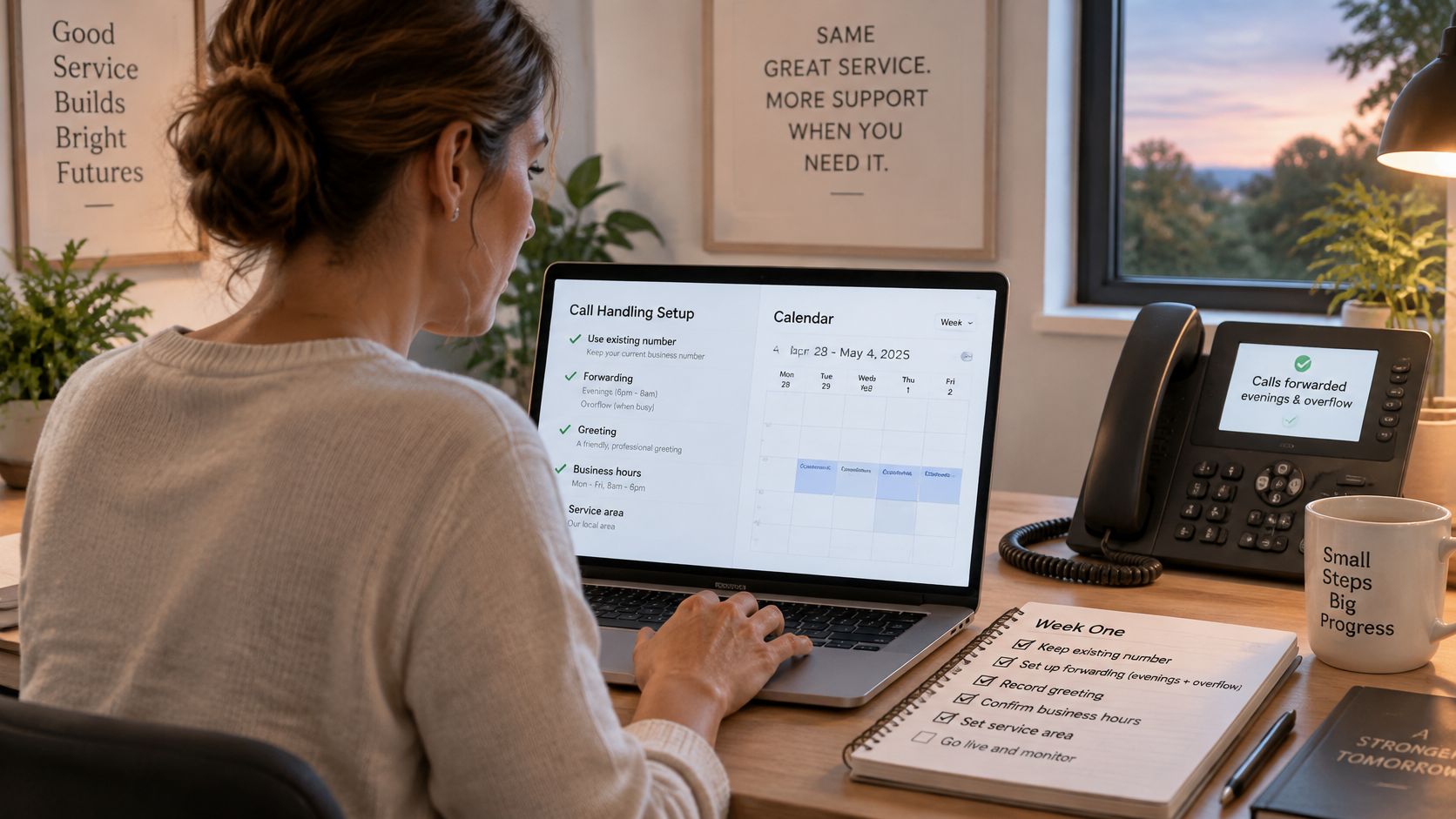
- Week one. Keep your existing number and set up call forwarding for evenings or overflow. Configure the greeting, service area, common questions and emergency list.
- Week two. Add approved job types, durations and buffer times. Test that bookings go into free calendar slots before enabling routine booking.
- Week three. Test the transfer rules, then review call summaries and completed bookings before expanding the assistant's role.
Use the transfer rules in section 3 to decide which calls need a person. Add a language only after sample calls show that routine bookings and handoffs work as intended. Track completed slots, not just answered calls, and review the outcome measures each week.
rednea's Basic plan includes 24/7 answering, calendar-integrated appointment booking, website chat, 10+ voices and email summaries. You can call the live demo before paying to hear how it handles a booking, a language switch and a request for a person. Test the calendar entry as well as the conversation, then forward the hours your team wants covered.
Try rednea, no strings attached
AI phone assistant for business. Hear a live demo in your browser, book a call with our team, or get started — from £90/month, cancel monthly, no minimum term.
GDPR-compliant · EU & UK GDPR · Multilingual