Appointment Booking Free: Tools, Limits and Fixes

In a March 2021 U.S. survey of 217 screened respondents reported by SchedulingKit, nearly 70% said they would choose online booking when a business offered multiple scheduling channels. That figure explains why so many tradespeople, clinics, and independent firms look for ways to keep appointment booking free at the calendar layer. Customers want self-service access outside normal office hours, and a zero-dollar web link looks like an easy win.
Demand for digital scheduling also stretches beyond what many providers currently offer. A nationwide U.S. survey of 1,049 adults published by Zion & Zion found that 35% had booked a doctor or health facility visit online in the previous six months, while nearly half wanted more opportunities to schedule medical visits by computer or smartphone. Still, judging a booking system only by whether the calendar costs nothing misses the key test. A booking setup works only if every type of customer, whether they prefer a web page, a phone call, an SMS message, or a quick conversation with staff, can complete a booking without hitting a dead end.
Free Appointment Booking Tools Compared at a Glance
A free booking tool can look like a simple fix for a busy schedule. Put a link on a website, let customers choose an open time, and the calendar fills itself. The useful question is narrower, though: how many customers can complete a booking through the channel they prefer, whether that is web, phone, SMS, or a short conversation with staff? A free calendar is only part of that path.
Think of the setup like a shop entrance. A zero-cost door helps only if people can reach it, understand what is inside, and get served once they arrive. The same applies to scheduling. A booking page that ignores staff calendars, service durations, or phone callers can leave customers standing outside.
| Option | Free tier includes | Main limit | Best fit |
|---|---|---|---|
| Built-in cloud calendar booking page | Public booking page and two-way calendar sync | Limited custom fields and tied to your existing account tier | Solo providers already managing work on one cloud calendar |
| Office-suite booking module | Booking page and automated reminders bundled with the suite | Requires a paid office-suite subscription to use the full feature set | Teams already paying for an office suite across staff |
| Open-source or API-friendly scheduling link | Booking links, calendar connections, and phone-number booking | Team routing and custom branding sit on paid plans | Solo providers comfortable spending half an hour on setup |
| Single-event free scheduler | Basic web scheduling for one event type | Limited to one event type and fewer integrations on the free tier | Businesses offering a single standardized service |
| Phone-only manual booking | No software fee at all | Consumes staff time on every call and loses leads when busy | Very low call volume with someone always near the phone |
What Each Option Means for a Working Business
A built-in cloud calendar booking page starts from the place where availability already lives. You share a link, customers pick an open slot, and the appointment lands on your schedule. That works well when one person owns the calendar and the service has a clear duration. The rough edges appear when intake questions need detail, when staff work from separate calendars, or when account features affect what the booking page can do.
An office-suite booking module can feel free because there is no separate scheduling invoice. The cost sits inside the suite subscription the business already pays for. That can be sensible for a team using shared email, files, and calendars every day. It is a poor reason to buy a full suite from scratch when scheduling is the only need.
An open-source or API-friendly scheduling link gives solo operators more room to shape the booking path. Depending on the setup, callers may book with a phone number instead of an email address, and outside tools can be connected later. rednea works this way with Cal.com: one setting can make a phone number enough, and the customer connects the calendar themselves. To connect a calendar, the customer creates a Cal.com account, connects Google or Outlook, sets up appointment types, and adds the generated API key to rednea. Setup is free, done with the customer, and requires no new hardware. That extra configuration buys flexibility, while team routing and white-label branding may still sit on paid plans.
A single-event free scheduler keeps the customer interface clean. It suits a business with one standard consultation and no need for different questions by service type. Once an initial inspection and a follow-up visit need different durations, the single-event structure creates manual work. Group sessions raise another set of tier limits, which are explained in the Fitness GM class scheduling breakdown.
Phone-only manual booking has no software fee, but it still spends staff attention. Every call pulls someone away from a job or another client. Calls during lunch, fieldwork, evenings, weekends, holidays, vacation, and sick days can become missed bookings. rednea covers those hours at a flat rate, answers calls around the clock, books appointments, answers simple questions, and captures customer enquiries. It reads real availability in Google Calendar or Microsoft 365 and books estimates or service calls during the conversation. It also respects job durations and buffer times, and books only free slots. Free software removes the license fee, but phone time still has a cost.
Verify before committing: Free-tier limits change often as software vendors adjust their plans. Check the live pricing and feature terms on any provider's current page before building your workflow around it.
A Three-Step Shortlist
- Count your distinct services. Write down every appointment type that needs its own duration, intake questions, or location rule. Include visits that staff must handle by phone rather than through a public page.
- Count your staff calendars. Note whether bookings land on one person's calendar or need to check availability across two or more team members, shared resources, or industry-specific systems.
- Pick the one row that covers both. Eliminate any category whose main limit breaks your service count or staff count on day one. Then test the booking path from the customer's side, because a slot is only useful when a real customer can reach it and reserve it.
Five Criteria That Decide Which Free Tool Fits
Choosing a free booking page by its homepage screenshots is how small businesses end up double-booked on a Tuesday morning. A 2025 Zoho and CINT survey of 1,733 working individuals summarized by SchedulingKit reported that 42% used appointment-scheduling software across regions, industries, and company sizes, a self-reported cross-sector figure rather than a small-business-only adoption rate, and linked scheduling software to operational gains such as reducing double-bookings.
Those operational gains only happen if the free tier passes basic technical checks. You can test any shortlisted tool in a single sitting, spending about ten minutes per criterion, before sharing the link with a single customer.
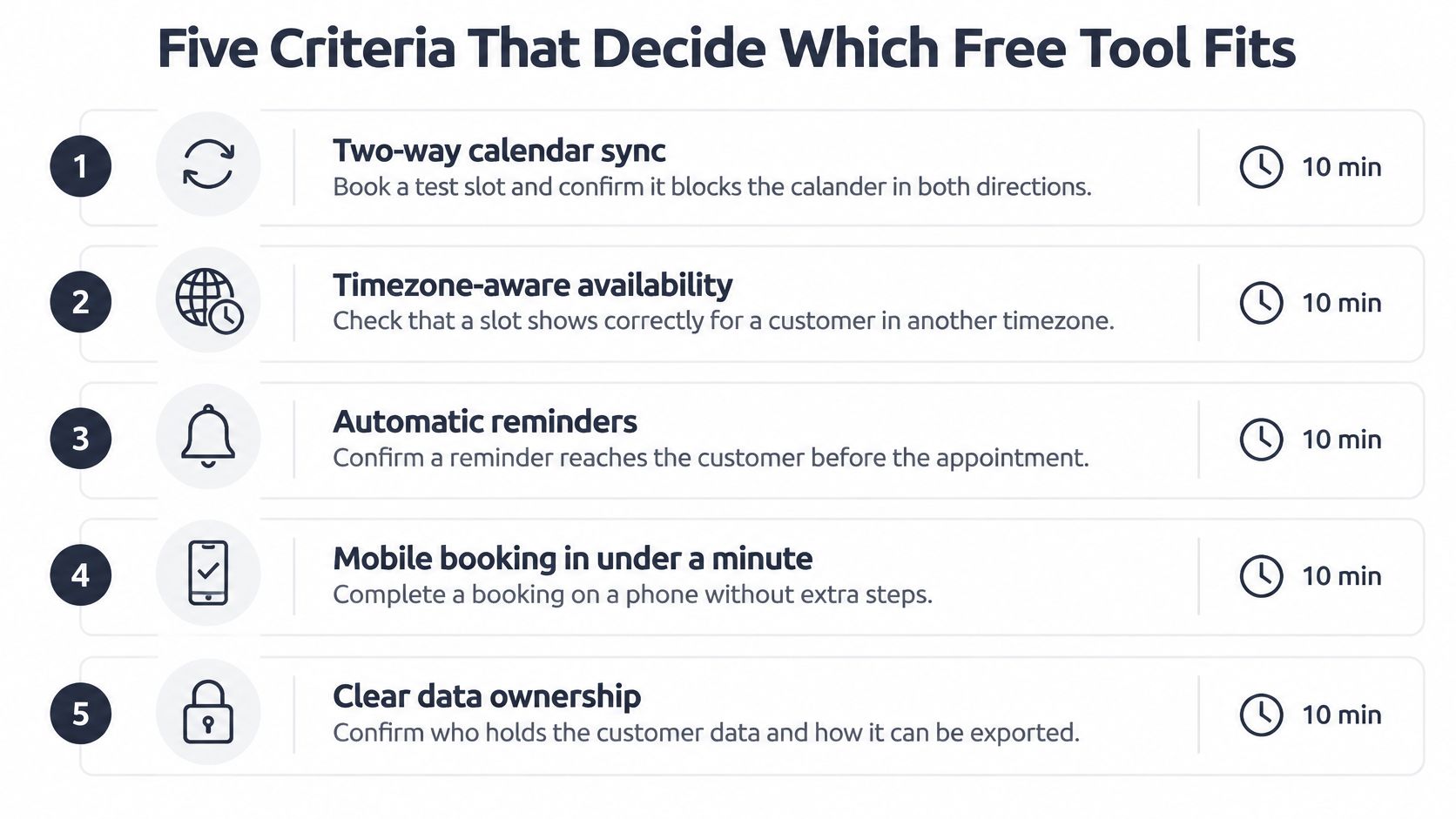
Five Ten-Minute Stress Tests
- Two-way calendar sync. Create a dummy personal event in your main calendar, then open your public booking page to confirm that slot disappears. Next, book a test appointment on the public page and confirm it blocks your main calendar within a minute. For a mobile tradesperson or solo clinician, one-way sync is worse than no sync because personal errands or walk-in jobs stay invisible to online bookers.
- Timezone-aware availability. Ask a friend in another timezone, or change your phone's timezone temporarily, and book a midday slot. Check the confirmation emails on both sides to verify the exact local hour matches what each side expects. A single timezone mismatch turns a remote consultation or regional service visit into a wasted afternoon.
- Buffer and travel time. Set a 30-minute buffer before and after a test service, book a 10:00 AM slot, and check whether 9:30 AM or 11:00 AM remains open. Plumbers, electricians, and home-visit therapists can't teleport between jobs, and a tool that packs appointments back to back guarantees late arrivals all day.
- Duplicate-booking protection. Open the booking link on your laptop and your smartphone at the same time, pick the exact same slot on both screens, and click confirm within two seconds of each other. One device must reject the second booking cleanly. If both go through, the tool lacks lock protection under real traffic.
- Exportable booking analytics. After running your test bookings, cancel one and mark another as a no-show, then look for a CSV or spreadsheet export button. You need clean access to your own booking, cancellation, and no-show history so you can measure baseline performance and take your customer records with you if you switch systems later.
Score Your Shortlist Before Publishing
Use the sheet below to grade each free option pass or fail while you run the tests. If you're weighing broader mobile features alongside these core checks, our guide to the best scheduling app for small business covers how calendar rules hold up under daily field use.
| Test | Pass when | Result |
|---|---|---|
| 1. Two-way calendar sync | Test slot blocks the calendar in both directions | Pass or fail |
| 2. Timezone-aware availability | Caller and business times match on both sides | Pass or fail |
| 3. Buffer and travel time | A 30-minute gap keeps the next slot clear | Pass or fail |
| 4. Duplicate-booking protection | The same slot cannot be booked from two devices at once | Pass or fail |
| 5. Exportable analytics | Bookings, cancellations, and no-shows export to a spreadsheet | Pass or fail |
Count the passes for every tool on your list. Keep the tool with the highest score, provided it also serves the customers who won't use a web link at all.
Where Free Booking Links Lose Customers
A free booking link on your website feels like the job is done: every customer can now pick a slot without calling. That assumption breaks down quickly in practice, because a link only serves the customers who can reach it, understand it, and finish it.
Healthcare evidence published in the Journal of the American Medical Informatics Association identifies digital exclusion, language barriers, confidentiality concerns, and socioeconomic inequality as recurring obstacles to technology-facilitated appointment systems, and a 2026 study in the same journal found that people relying only on a mobile phone and a cellular data plan, without a computer or conventional home internet subscription, were more likely to miss telehealth appointments.

Who a Web-Only Link Leaves Behind
The access gap isn't limited to hospitals. Contractors, law firms, estate agents, dental clinics, and solo consultants lose paying work whenever a free booking page replaces human or phone access instead of sitting beside it. A booking link works like a shop with a single entrance: it serves everyone who fits through that door and turns away the rest.
* Callers who need an answer before committing: Someone with a leaking pipe or a tricky legal question wants to know if you handle their problem and roughly what it costs before picking a time slot. * Older or less digitally confident clients: Captchas, drop-down calendars, and confirmation emails cause real drop-off for people who prefer speaking directly. * Customers on weak connections or shared phones: Families sharing one device or customers on spotty mobile data often abandon multi-step web forms halfway through. * People speaking another language: An English-only booking page shuts out local customers who feel comfortable booking by voice in their first language. * Privacy-sensitive clients: Someone booking a sensitive medical, legal, or financial appointment may not want to type personal details or an email address into a web form.
Removing unnecessary form fields helps on the web side. For example, appointments can be booked without the caller's email address because with one setting in Cal.com, a phone number is enough. Even a trimmed-down link works better when paired with direct calendar connections rather than acting as a standalone dead end, a distinction explored in depth when you compare booking links and integrations.
A free booking link can cut your admin workload while shrinking your customer base if it replaces your phone line instead of complementing it.
Count Your Last 20 Enquiries by Pathway
Instead of guessing how well a free link serves your audience, audit the last 20 real enquiries that reached your business across email, phone, text, and walk-ins. Ask one blunt question for each enquiry: could this person have completed a booking through each pathway below?
| Pathway | Count (out of 20) | Fix if the count is low |
|---|---|---|
| Web booking link | Record total | Check mobile usability, form length, and language access |
| Phone call | Record total | Check staffed phone hours or add an answering layer |
| SMS | Record total | Check that the customer's phone number alone can complete a booking |
| Staff-assisted | Record total | Check how much staff time each manual booking consumes |
Say a local plumber runs this audit on 20 recent enquiries and discovers that eight of the 20 came from callers who asked about call-out pricing or boiler models before agreeing to a visit. A web link alone could never have closed those eight jobs. Before you rely on any free link, cover at least two complementary pathways, typically web self-service for straightforward bookers and reliable phone booking for everyone who needs voice access or a quick answer first.
What No-Shows and Empty Slots Really Cost
A subscription price of zero looks attractive until a client fails to show up and leaves a one-hour gap in the middle of your workday. Total cost per attended appointment is the metric that matters, and it includes empty slots, follow-up calls, and confirmation time. Treat a booking tool like a door. A free door still costs you money if fewer customers can walk through it.
Recent UK data published by NHS England reported 16 million missed GP appointments in 2025, with no-shows occurring in 4.3% of appointments. A 2026 nationwide survey cited in the same release found that forgetting appointments was the leading reason for missed visits at 42.3%, followed by communication barriers at 27.5%. The same release also reported lower no-show rates for online-booked appointments, showing that digital convenience helps, yet does not eliminate empty slots on its own.
What Those Rates Look Like on a Small-Business Calendar
Applying the two benchmark rates across an average month of 4.33 weeks shows how quickly missed visits add up, even at modest weekly volumes.
| Scenario | Bookings per week | No-show rate | Empty slots per month |
|---|---|---|---|
| Small clinic, offline baseline | 20 | 4.3% | about 4 |
| Small clinic, online-booked benchmark | 20 | Lower than the offline baseline | about 2 |
| Busy trade or practice, offline baseline | 38 | 4.3% | about 7 |
For a solo clinician or small trade firm, four to seven empty slots every month represent hours you already staffed, drove for, or turned other paying customers away to protect. Moving from an offline baseline to an online-booked flow cuts those losses roughly in half, based on the figures above. Two missed appointments a month can still cost far more than a reminder or phone-confirmation layer. In high-volume clinics where missed visits disrupt entire days, reminders and clear rescheduling workflows matter because they help protect the working day, as explained in our guide to doctor appointment booking.
A free calendar works best when it matches how customers already contact you. A plumber taking calls between jobs needs a fast way to turn a phone enquiry into a booked visit. A clinic with many online bookers needs clear reminders. A practice serving clients who do not check email needs another route, such as SMS or a short voice confirmation. The useful question is simple: how many people can complete a booking through web, phone, SMS, or staff help?
Four Operational Decisions Free Tools Don't Make for You
Most free tiers stop at sending a generic confirmation email. They leave four practical rules completely up to you:
* Reminder channels for non-email readers: Many trades customers and older clients rarely check email during the day. Decide whether SMS or a short voice confirmation fits your audience better. * Confirmation rules: Determine whether a booking stands automatically or requires the customer to tap or say "confirm" 24 hours ahead so you can release unconfirmed slots early. * Cancellation and late-arrival handling: Write down your exact cutoff for free rescheduling, how you handle a 15-minute delay, and when you ask for a deposit on high-value jobs. * Reminder data privacy: Keep reminder messages concise and separate from sensitive appointment details, and know when and how customer contact data gets deleted once the visit is complete.
These rules work like the brackets that hold up a shelf. The shelf may look finished, but without them the whole thing sags under daily use.
Calculate Your Cost per Attended Appointment
Run this quick formula at the end of the month using real figures from your calendar:
(Monthly software cost + staff hours spent scheduling and chasing confirmations × hourly rate + revenue lost to empty slots) ÷ total attended appointments.
Once you see that number in black and white, keeping appointment booking free at the calendar layer stops being an abstract goal. You can tell immediately whether a zero-dollar link is saving you money or draining your margin. A free tool that loses phone callers, needs repeated manual confirmation, or leaves gaps unfilled can cost more than a paid layer that books directly into the business calendar and captures the details of every call.
Which Calls an AI Assistant Should Hand to a Human
A free booking link counts as working only when customers can finish a booking through the route they choose. Web booking suits some customers, while others phone, send an SMS, or rely on staff for help. An AI plus people model closes that gap by letting an AI phone assistant handle repetitive inbound requests and send conversations that require judgment to the right staff member.
An AI assistant works like a receptionist following a routing sheet. It greets the caller with the business name, gathers the reason for the call, checks real availability, and books only free slots that fit the business's job durations and buffer times. Calls outside those instructions go to a person.
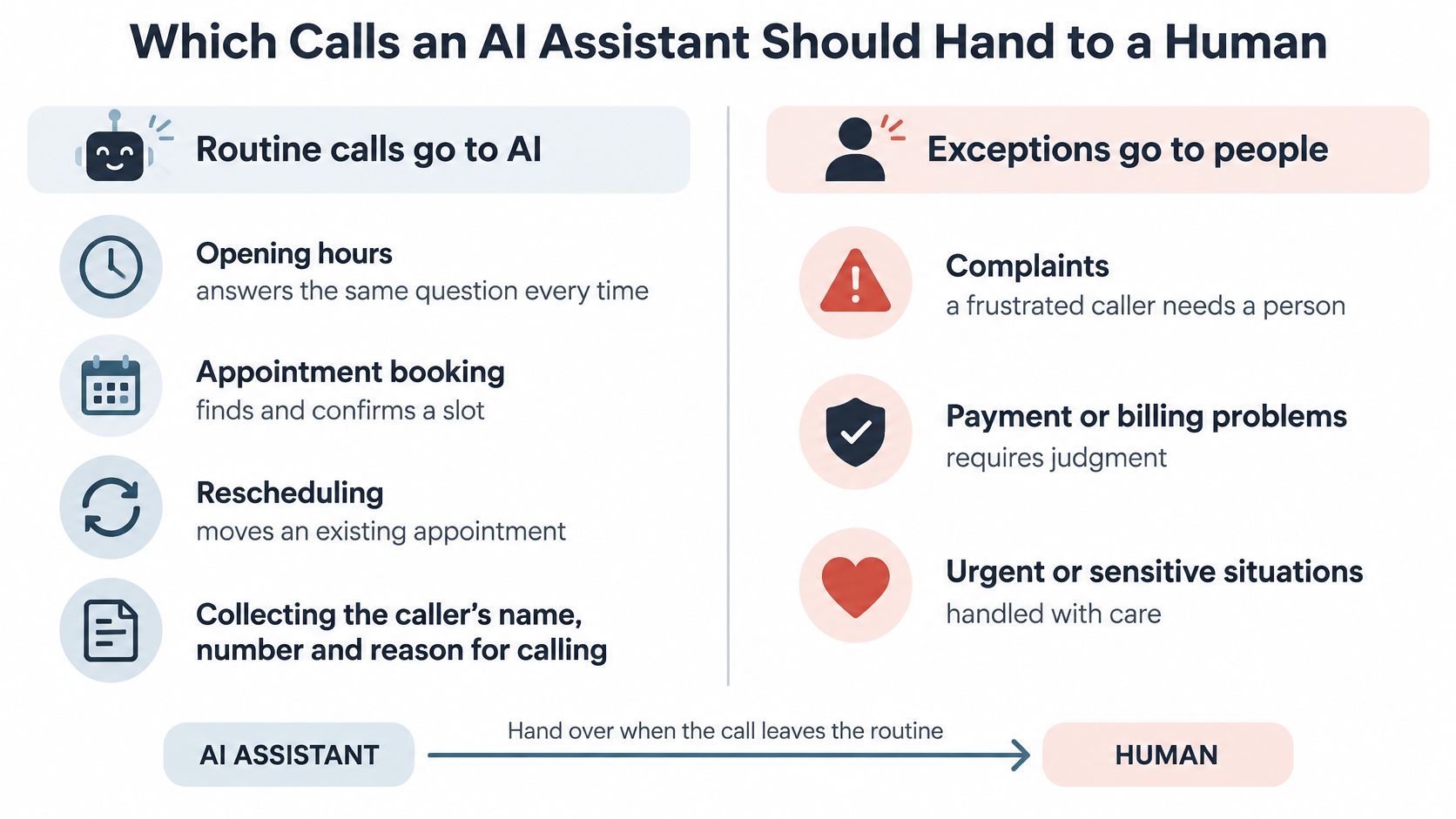
Where AI Works Best and Where People Stay in Charge
An electrician working on a roof cannot safely pull out a phone. In the physiotherapy customer story, 95% of calls arrive when the front desk is closed or busy. Tradespeople, clinics, and solo consultants can face the same problem throughout the day.
The routine part of the call is predictable. The assistant can share opening hours, collect the caller's name, cell phone number, address, and reason for calling, then check the calendar and book an available appointment. Afterward, the business receives those details by email, along with what was booked or promised.
Judgment calls belong with staff. Complaints, nuanced multi-room quotes, billing disputes, urgent safety jobs, and emotionally sensitive conversations require empathy, authority, or context that an automated system may not have. A clean transfer gives the caller access to that judgment without trapping them in repeated prompts.
AI is strong enough today to run the front door of your phone line reliably, as long as you give it clear rules on when to step aside for a person.
Four Escalation Rules You Can Copy Today
You do not need an elaborate call-center flowchart to set safe handoffs. Start with these four rules and adjust them as real calls reveal gaps:
- The caller asks for a person. Transfer the call whenever someone says they want to speak to a human, without extra loops or persuasion.
- The caller uses a word from your emergency list. Define the list in your own words, such as "gas smell," "burst pipe," or "chest pain." Matching calls route straight through, while other calls are booked or logged as requests.
- The job sits above your set value threshold. Send high-value projects or complex commercial enquiries to the owner or senior estimator after the assistant captures the basic contact details.
- The assistant cannot resolve the question after two attempts. Hand the caller to staff if the AI misunderstands the request or cannot confirm an answer twice.
Assign one named person to review escalated calls and emailed summaries at the same time each day, such as 15 minutes before closing. That review should confirm who called, what they wanted, whether an appointment was booked, and which promises still need follow-up. For a closer look at warm transfers and fallback paths, see the guide on escalation call handling.
Start with one measurable workflow, such as after-hours and busy-period appointment booking, before expanding into anything broader. Track how many calls get answered, how many appointments land on the calendar, and how reliably escalations reach your team.
Booking Calls in Other Languages Without Hiring Staff
A 2024 academic review published in the ACM Digital Library identifies multilingual support as a major application of AI in customer service. The review notes that China's Industrial and Commercial Bank used its "Gongxiaozhi" intelligent-service entry points for 310 million inbound and outbound business transactions in the first half of 2022, reaching 93.3% first-call resolution.
A small clinic or local trade firm doesn't need bank-level volume to benefit from the same mechanics. You apply the exact same principle at a manageable scale: let AI handle predictable, language-specific requests like booking, rescheduling, directions, standard pricing guidance, and basic intake details, while routing uncertain, sensitive, or high-value conversations to a human. That extends your service coverage across local communities without requiring every employee on your payroll to speak every customer language.
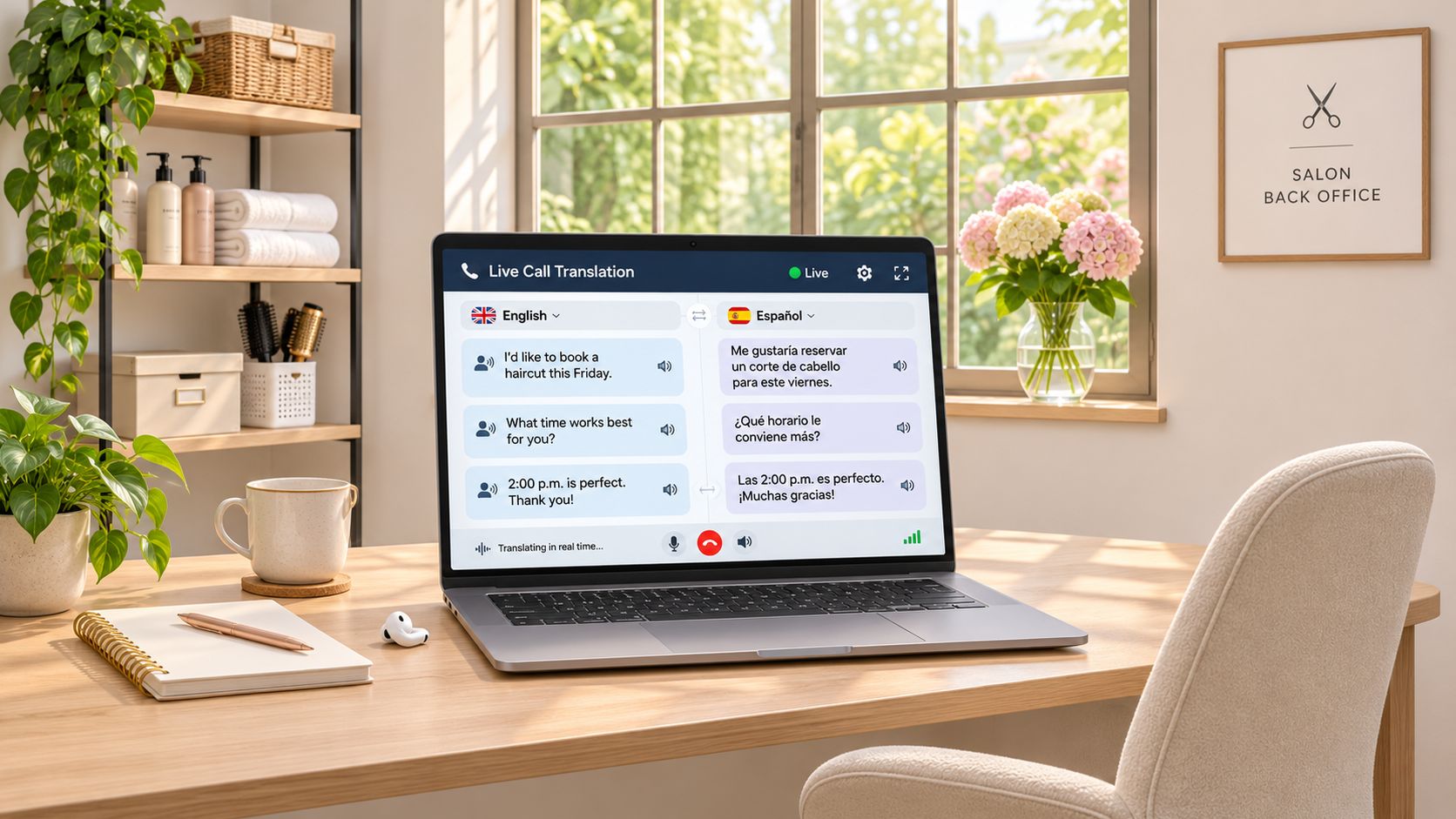
Four Steps to Launch Multilingual Phone Booking Safely
- List the five most common requests in each language your customers speak. Write out the exact questions callers ask about booking, location, hours, and basic pricing. An assistant can only answer reliably when you've clearly defined the scope in advance.
- Test a live booking in every supported language before going live. Call the line yourself or ask a native speaker to run through a full booking and reschedule. A phrasing that sounds natural in English can become awkward or confusing when translated into Spanish, causing callers to hang up mid-slot.
- Set a clear transfer rule for anything the assistant cannot confirm. Decide where an unconfirmed call goes and what structured summary gets emailed back to your team in your configured language. No caller should ever reach a dead end because they spoke a second language.
- Review call summaries after two weeks and refine failed phrases. Read through the first fortnight of logs to spot local slang, street names, or service terms that tripped the assistant up, then update your prompt rules once so the mistake doesn't repeat.
When configured well, an AI assistant greets callers with your business name, continues naturally in English or Spanish depending on how the caller speaks, books what can be booked straight into your calendar, and transfers what cannot. Always verify a provider's actual language coverage before committing, because many voice assistants support only two or three languages reliably. If you serve a bilingual neighborhood, our guide to using a bilingual virtual receptionist walks through how greeting detection and staff handoffs work in practice.
When a Free Tool Needs a Paid Layer
Knowing when to stay free and when to add a paid tier or phone layer saves you from overpaying early or losing bookings late. According to Verizon's 2025 State of Small Business Survey of 600 U.S. small and midsize business owners and decision-makers, 38% were already using AI across multiple business functions including customer service, and 24% were using AI-powered digital personal assistants specifically to help with customer service. Most of those firms didn't overhaul everything overnight; they added a targeted layer once a specific bottleneck showed up.
Five Triggers That Show You Have Outgrown a Free Setup
Run these five monthly checks to see if your free tool is still pulling its weight:
* A second staff calendar needs shared availability: Test whether your free tier still prevents double-bookings when two technicians or clinicians share incoming requests. * A second service requires distinct booking rules: Count how many appointment types now need separate durations, intake questions, or locations. * Missed calls cluster during fieldwork or after hours: Pull your phone call log for the last 30 days and compare unanswered call timestamps against when your calendar gets booked. * Email reminders stop reducing empty slots: Compare your monthly no-show rate before and after trying a new reminder timing or channel. * Customers need a channel or language your link lacks: Check your pathway audit to see if voice callers or non-English speakers are slipping away.
Compare Alternatives by Cost per Call and Transfer Rules
Whenever one of those triggers fires, compare the monthly fee of the next software tier or phone layer directly against the cost per attended appointment you calculated earlier. If two recovered bookings a month cover the fee, the paid layer pays for itself.
When adding phone coverage, weigh three realistic options side by side. Adding extra staff hours gives you full human judgment, yet costs the most per hour and still leaves evenings, weekends, lunch breaks, and sick days uncovered unless you hire shifts. A human answering service covers after-hours calls, though per-minute rates often climb steeply on nights and holidays, and operators rarely book directly into your live calendar during the call. An AI phone assistant covers routine booking and simple questions around the clock at a flat rate with no night or weekend surcharge, then transfers exceptions to your team. Whichever route you choose, compare price per handled call, direct calendar booking, and exact transfer rules rather than headline monthly pricing.
Choose Your Setup and Take the First Step
Small employers are still early in customer-service automation, which means you don't have to build a complex system on day one. A 2025 nationwide survey from the National Federation of Independent Business found that 24% of small employers were already using AI technologies, while 9% specifically used AI for customer service. Starting with one clear bottleneck, testing it with human review, and expanding only after the results prove reliable is the smartest way to adopt any booking tool.
Follow This Four-Step Decision Order
- Score your best-fit free tool against the five technical tests. Pick the option that passes calendar sync, timezones, buffers, duplicate protection, and data export.
- Audit your customer pathways. If your web booking link works smoothly for self-service clients but your phone pathway misses calls or loses callers with questions, add an AI phone layer rather than abandoning the free calendar.
- Stress-test the live calendar for one full week. Book, reschedule, and cancel test appointments across busy hours, evenings, and weekends to verify that buffers and notifications stay accurate under real conditions.
- Test a live demo before paying anything. Call a live demo number before signing up so you can hear how the assistant pronounces your actual service names, handles interruptions, and switches languages naturally.
How a Phone Layer Connects to a Free Calendar
Connecting voice booking to a free scheduling tool takes less work than most owners expect. With rednea, setup is free of charge, done with you, requires no new hardware, and is ready in about 30 minutes once we confirm your scope together. To connect a live calendar through Cal.com, you create a Cal.com account, link your Google or Outlook calendar, set up your appointment types, and add the generated API key to rednea. From that point on, callers can book open slots by phone without needing an email address, while every call summary lands neatly in your inbox.
The decision rule: Keep your free booking link alone if it passes every technical test and every customer pathway in your audit. Add a phone layer the moment any pathway fails.
Don't try to rebuild your whole office this afternoon. Take ten minutes today to pull your last 20 customer enquiries from your phone log, inbox, and messages, and tally them against the four pathways in the audit table. Those 20 rows will tell you immediately whether a free web link is enough or where your next booking is slipping away.
---
If your pathway audit shows that missed calls, after-hours enquiries, or language barriers are costing you bookings alongside your free web calendar, rednea can answer your phone 24/7 in English, Spanish, French, German, or Italian, book directly into your live calendar, and transfer complex calls straight to your team. Setup is free, handled with you in about 30 minutes with no new hardware, and every plan runs month to month with no lock-in. Visit rednea to try the live demo number and hear how it handles your own service calls before paying a cent.
Try rednea, no strings attached
AI phone assistant for business. Hear a live demo in your browser, book a call with our team, or get started — from £90/month, cancel monthly, no minimum term.
GDPR-compliant · EU & UK GDPR · Multilingual