What Is Virtual Receptionist


You're elbow-deep under a kitchen sink when your phone starts ringing. You can't answer without stopping the job, so the call rolls to voicemail. The caller may not leave a message. They may just dial the next contractor.
That situation explains what is virtual receptionist better than a feature list does. It's a remote service that performs the communication role traditionally handled by an in-office receptionist, answering calls, greeting customers, collecting details, providing routine information, transferring urgent calls, and scheduling appointments. The operator or system doesn't need to be at your premises, and the service can use a human, software, or both. A useful overview of the model is available in this explanation of what a virtual receptionist does.
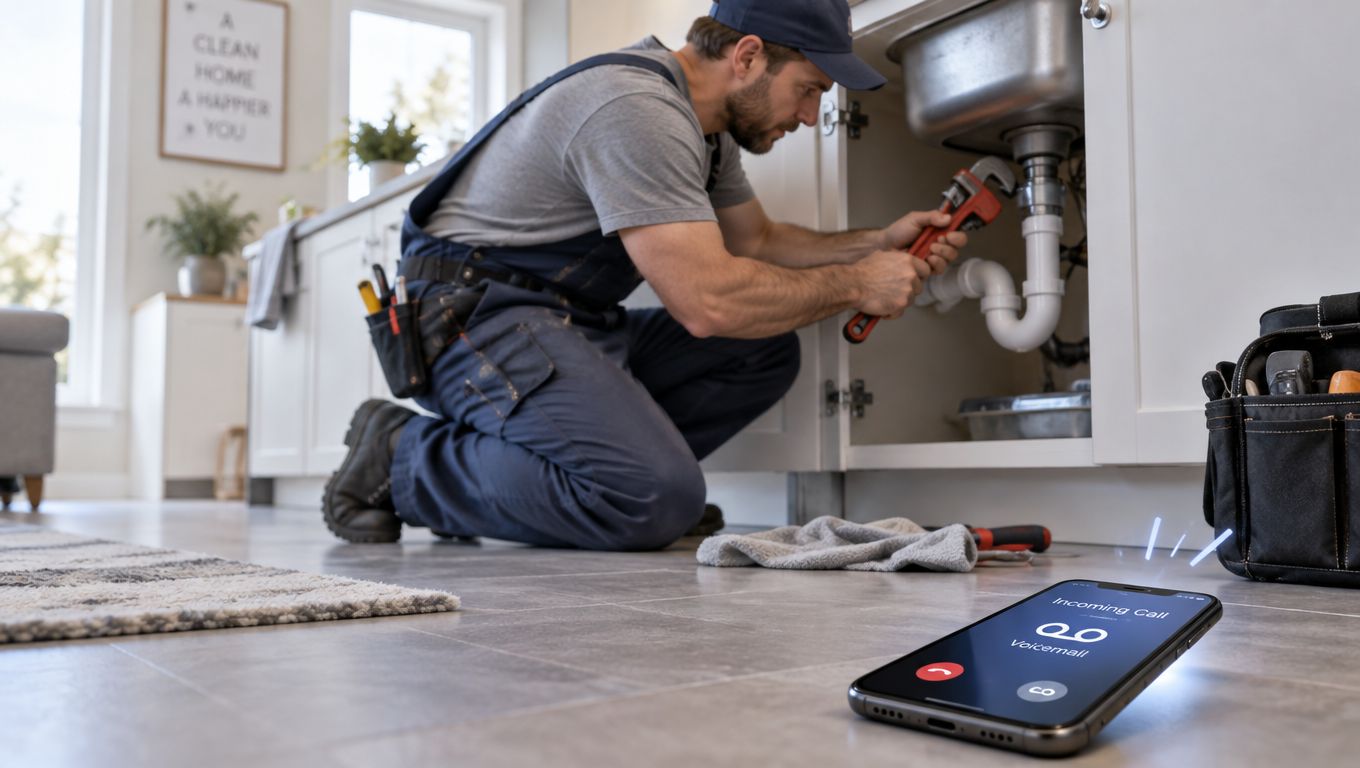
A virtual receptionist is more active than voicemail. It can answer immediately, understand why the caller is contacting you, capture the right information, and either complete a routine task or bring in a person. For a tradesperson, freelancer, practice, or small office, that makes it an operational layer between an incoming call and a lost opportunity.
If you don't know how many calls your business misses, start with a missed-call calculator. The answer will tell you whether the problem is occasional inconvenience or a recurring leak in your customer service.
The Call You Missed While Working
A customer calls while you are under a sink, driving between jobs, treating a patient, or in a consultation. The phone rings, voicemail picks up, and the caller moves on before you can respond. A virtual receptionist covers that gap without requiring staff to answer every call personally.
The practical choice depends on what the call requires:
- Voicemail waits: It records a message only if the caller stays on the line and chooses to leave one. Someone must review it and decide what happens next.
- A live receptionist responds: A remote human can ask follow-up questions, use judgment, reassure the caller, and handle unusual situations.
- An AI receptionist acts: Software can answer approved routine questions, collect defined details, schedule an appointment, and route exceptions according to rules you set.
The dividing line is operational. AI works well when the request is repeatable, the acceptable answer is known, and the next action follows a clear rule. A person should step in when the caller reports danger, needs sensitive advice, disputes an issue, or presents details outside the configured process.
Every option still serves the same first-contact function: identify the need, preserve the relevant information, and get the request to the right person. The delivery method changes, while ownership of the outcome remains with the business.
Practical rule: Treat the receptionist as a front-door process, not just a phone feature. Every call should end with an answer, a structured message, a booking, or a clear escalation.
Set this boundary before choosing a setup. Let AI handle repeatable demand, use humans for judgment and urgency, and keep voicemail as a fallback rather than the main process. A missed-call calculator can show whether unanswered calls are an occasional inconvenience or a recurring service problem.
A good virtual receptionist supports the owner without pretending to be the owner. It protects attention for technical work, empathy, professional judgment, and immediate intervention.
How a Virtual Receptionist Works
A caller may be standing outside a job site, waiting for an estimate, or trying to report a service issue. The virtual receptionist turns that conversation into a defined next step through four connected stages.
1. The call arrives. Your business number routes the call to the receptionist instead of an empty desk or voicemail box. Routing rules can direct calls differently during working hours, after hours, or when the team is already busy.
2. The system identifies the request. A software-based telephone agent combines telephony, speech recognition, dialogue management, business rules, and integrations to perform receptionist workflows without a continuously staffed desk. For a broader explanation, see how AI assistants work.
3. The agent collects useful information. Depending on the business, that may include the caller's name, service type, location, urgency, preferred time, and callback number. Asking for fewer, relevant fields keeps routine calls moving and gives staff a usable record.
4. The workflow runs. The receptionist can answer an approved FAQ, check calendar availability, create an appointment, send a message, transfer a call, or escalate the conversation. These actions should follow rules you can review and change.
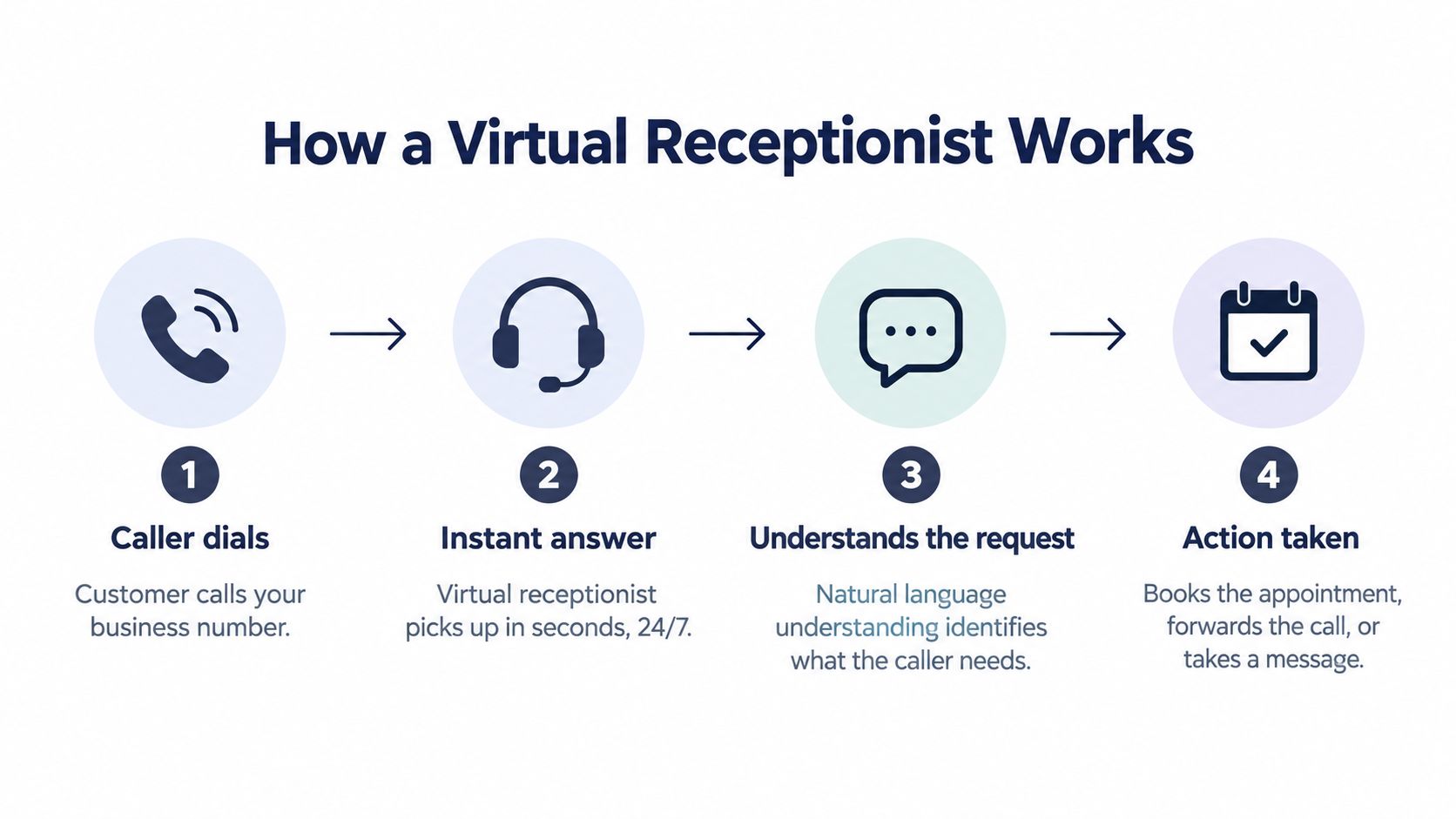
The useful output is a completed task or a clean handoff. A calendar entry needs the correct date, time, appointment type, and customer details. A message should explain what happened and what the caller expects next. An urgent transfer should reach a person quickly with enough context to prevent repetition.
Confirmation protects against avoidable errors. Voice systems handle interruptions, pauses, disfluencies, accents, background noise, and limited telephone audio. The agent should repeat fields such as an address, phone number, appointment time, or service type before saving them.
The operating boundary is straightforward. Let the system handle repeatable requests with known answers and defined actions. Bring in a person when the caller describes danger, needs sensitive advice, disputes an issue, or falls outside the configured process. Result quality depends less on a natural-sounding voice than on correct interpretation, rule selection, and accurate recording.
The Cost of Missed Calls
A tradesperson is under a sink, on a roof, or speaking with a customer when the next enquiry arrives. The phone rings, nobody answers, and the caller decides whether to leave a message or try another provider. That small gap can remove a sale before the business knows an opportunity existed.
A 30-day study of 85 small businesses across 58 industries found that only 37.8% of incoming calls were answered by a live person. Another 37.8% reached voicemail, while 24.3% received no response at all, according to this missed-call analysis.
These figures are not a current universal benchmark. The study took place in January 2016, so use it as evidence of a recurring operational problem, not as a forecast for every business. The underlying issue remains familiar: callers reach companies while staff are serving someone else, working away from the desk, or closed.
Why voicemail fails at the point of intent
A caller who reaches voicemail has already found the number, chosen to make contact, and started the buying or support process. Asking for a message adds friction when the caller wants an answer, an appointment, an estimate, or reassurance.
Some callers leave details. Others contact another provider. The missed call may therefore represent a lost lead, booking, or customer issue that remains unresolved.
Field-service businesses feel this problem quickly. Published call-analysis data reports that approximately 27% of inbound calls to home-service companies go unanswered, with an average missed sales call valued at about $1,200. Those figures describe one source and category, not a guaranteed result for every contractor. They still show why answering capacity deserves financial attention. The full data is available in this home-service missed-call analysis.
Measure the leak before choosing a solution
Start with call records. Separate calls that arrived without an available employee by likely outcome:
- Routine questions: Hours, service areas, directions, and basic pricing.
- High-intent requests: Estimates, new jobs, appointments, and availability.
- Existing-customer needs: Rescheduling, updates, billing, or support.
- Urgent situations: Safety risks, active damage, medical concerns, or time-sensitive legal matters.
For UK-specific benchmarks, see our analysis of the cost of missed calls in the UK. The decision is operational: use automation for repeatable requests with clear next steps, and route uncertain, sensitive, or urgent calls to a person. A virtual receptionist earns its place when it turns an unanswered call into a documented next action.
AI Receptionist vs. Live Human vs. Voicemail
The right comparison isn't “human or AI?” It's which type of call should each option handle. Voicemail is passive, a live receptionist brings judgment and empathy, and AI provides consistent coverage for repeatable interactions.
| Feature | Voicemail | Live Human | AI Virtual Receptionist |
|---|---|---|---|
| First response | Records a message if the caller stays on the line | Greets and converses with the caller | Answers and converses according to configured rules |
| Routine questions | Usually unavailable | Can answer from scripts or knowledge | Can answer approved FAQs |
| Appointment booking | Usually requires a callback | Can book during the call if access is available | Can book through a connected calendar |
| Simultaneous calls | Sends callers to voicemail | Depends on available staff | Can support multiple conversations, subject to system capacity |
| Sensitive situations | No judgment or triage | Strongest option for empathy and discretion | Should escalate to a trained person |
| After-hours coverage | Takes messages | Depends on the service arrangement | Can provide continuous coverage, subject to the plan |
| Best use | Low-cost message capture | Complex, emotional, or high-stakes conversations | Repeatable calls, qualification, scheduling, and routing |
A human receptionist remains the better choice when a caller needs emotional intelligence, detailed judgment, or a personal relationship. A patient describing a sensitive issue, a distressed customer, or a client asking for professional advice shouldn't be forced through an automated workflow that can't safely respond.
AI fits the middle ground. It can handle high-volume, low-complexity tasks, then transfer the calls that exceed its authority. That lets people focus on work where human attention creates the most value.
You can compare the categories in more detail through this guide to answering services, virtual receptionists, and AI. The practical decision isn't whether AI sounds human enough. It's whether you've defined what the agent may resolve, what it must never answer, and how a caller reaches a person when needed.
Key Features for Trades and SMBs
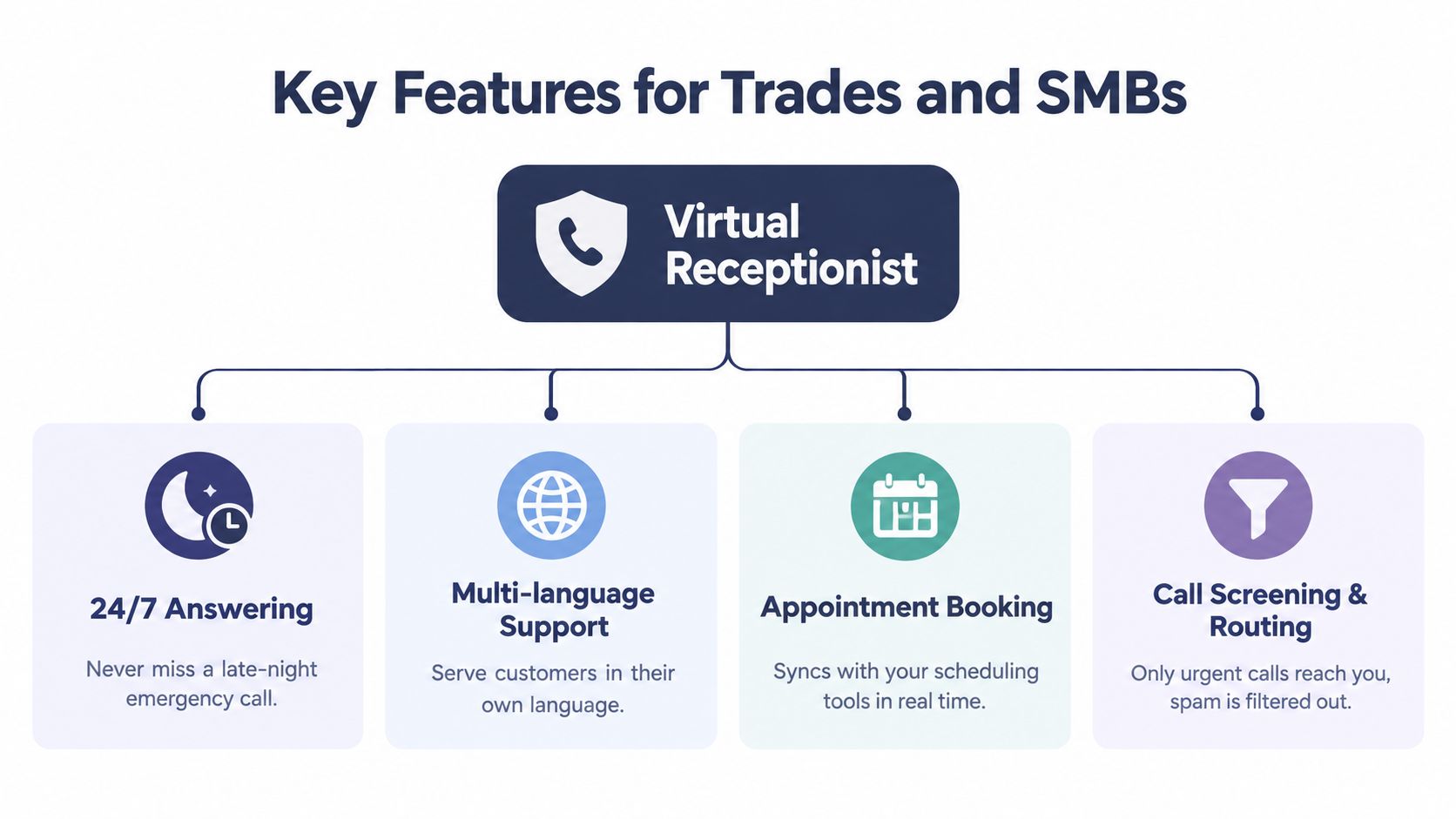
A plumber is under a sink, an electrician is driving, and a small office is already helping another customer when a new call arrives. The right virtual receptionist keeps that enquiry moving without giving AI authority it does not have. Choose features around two questions: what can be handled safely without a person, and what must reach the team.
Start with coverage and language
Continuous answering covers calls while staff are driving, on-site, serving another customer, or unavailable after hours. The primary business value is coverage of high-intent inbound demand when staff are on-site or unavailable. It should capture enough information for a useful next step, not merely keep callers occupied.
Multi-language support helps in diverse service areas, but only when the full interaction works in the languages customers use. Configure the greeting, intake questions, confirmation, and escalation process for each supported language. Do not advertise language coverage if the system cannot maintain the conversation, record the details accurately, and transfer appropriately.
Connect the call to the work
Appointment booking should check calendar availability before confirming a slot. CRM connectivity should create a usable lead record, with the caller's need and next action clearly visible. For a trades business, intake fields may include:
- Service type: What needs attention?
- Location: Where is the work required?
- Urgency: Is there active damage or a safety concern?
- Preferred time: When can someone attend?
- Callback details: How can the team reach the caller?
Smart escalation sets the operational boundary. An emergency plumbing hazard should reach a person or an approved emergency workflow. A question about opening hours can usually be answered automatically. Each rule should define the trigger, destination, and expected response, with a fallback when no person is available.
Operational test: If the owner cannot tell from the summary what the caller needs and what happens next, the system is collecting data, not providing customer service.
Privacy, Security, and GDPR Compliance
A virtual receptionist handles personal data, including names, phone numbers, appointment details, transcripts, recordings, and summaries. Privacy therefore belongs in the operating process, not in a technical footnote.
Voice recordings and transcripts are personal data. Callers should be informed at the beginning when AI or recording is involved, as explained in this practical GDPR guide for AI voice assistants. A brief disclosure at the start of the call satisfies transparency without requiring the caller to search a privacy policy.
Before activating the service, ask:
- Purpose: What information is collected, and why is each field needed?
- Processing location: Where are calls, recordings, transcripts, and summaries processed?
- Access: Which employees, contractors, or systems can view the information?
- Retention: How long are recordings and transcripts kept?
- Deletion: Can data be removed when it is no longer needed or when a caller requests deletion?
- Escalation limits: Will the system avoid medical symptoms, legal advice, payment details, safeguarding issues, and other restricted topics?
- Contracts: Are processing roles and responsibilities documented?
Data minimisation should shape the configuration. A routine appointment may need a concise summary, not a full transcript. If payment details are not required, the receptionist should be instructed not to collect them. Healthcare, legal, and other sensitive services need tighter rules and a dependable human fallback.
Set a clear boundary between automation and human judgment. The system can handle routine requests when it collects only the necessary information and records the next action. A person should take over when the caller raises a restricted topic, reports a safety concern, disputes information, or needs advice the system is not authorised to give.
The practical goal is a visible, limited, controllable data lifecycle before the first customer call reaches the system.
When to Start Simple with AI
Start with the calls that are frequent, predictable, and low risk. That usually means opening hours, locations, service descriptions, appointment requests, rescheduling, basic qualification, and message capture.
A simple rollout can follow this sequence:
1. Write the approved answers and prohibited topics. 2. Connect the calendar or lead destination. 3. Define urgent phrases and transfer conditions. 4. Test representative calls in every supported language. 5. Review summaries, bookings, misroutes, and escalations. 6. Expand only after the first workflow is reliable.
This hybrid model doesn't ask AI to replace the team. It gives the system the first contact and gives people the exceptions. The owner can keep working while the receptionist captures a lead, books a routine appointment, or sends a concise task for follow-up.
The quality threshold is practical. AI is good enough when it completes the intended task, confirms critical details, and gets out of the way when the request requires human judgment. It isn't good enough when the business can't explain why a call was routed, what information was recorded, or who is responsible for the next step.
Real-World Use Cases and ROI
An electrician can have the receptionist ask for the service, property location, urgency, and preferred appointment time. It can qualify routine estimate requests, then transfer an electrical hazard to a person instead of making an automated promise.
A dental practice can use it for appointment requests, changes, directions, and basic administrative questions. Symptoms, complaints, and sensitive patient concerns belong with the appropriate human team member.
A law firm can separate new-client intake from existing-client administration. The system can collect the matter type and contact details, route time-sensitive issues, and avoid giving legal advice. Staff receive a structured summary with clear follow-up responsibility rather than an unexplained voicemail.
For a home-service company, start with your own numbers: count missed calls over 30 days, multiply by average job value and close rate, then compare booked jobs before and after adding coverage. Example: 40 missed calls x 30% close rate x $400 average job = $4,800 potential pipeline at risk. Track the result for 4 weeks and compare added bookings with system and oversight costs.
The operating boundary is clear: AI handles approved, repeatable requests; people handle safety risks, complaints, sensitive information, and judgment calls. rednea provides an AI phone assistant for continuous answering, multilingual conversations, routine answers, lead qualification, calendar booking, urgent-call escalation, and concise summaries.
rednea lets businesses test one workflow, measure bookings and qualified follow-ups, and expand only after handoffs work reliably.
Try rednea, no strings attached
AI phone assistant for business. Hear a live demo in your browser, book a call with our team, or get started — from £90/month, cancel monthly, no minimum term.
GDPR-compliant · EU & UK GDPR · Multilingual