8 Phone Greeting for Business Templates


The phone rings while you're halfway through a plumbing repair, helping another customer at reception, or presenting to a client. You can't answer immediately, but the caller doesn't know that. They hear silence, a confusing menu, or a voicemail prompt, then decide whether to wait, leave a message, or call someone else.
A strong phone greeting for business should identify the company, set expectations, invite the caller to explain what they need, and create a clear next step. Speed matters too. Customer-service research says 55% of customers expect to communicate with someone within the hour after contacting a company, while industry guidance commonly places an acceptable pickup window at about 20–30 seconds, or roughly 2–3 rings. Customer-service expectations have turned the greeting into part of the service experience and conversion path.
The eight templates below cover language access, appointment booking, lead qualification, FAQs, follow-up, analytics, brand voice, and privacy. Adapt them for a human receptionist, an automated line, multilingual callers, or an AI assistant that handles routine work while your team keeps control of judgment and exceptions.
1. Multilingual Instant Greeting with Automatic Language Detection
A caller should not have to struggle through an unfamiliar language before explaining why they're calling. For a local business serving international customers, the first few words can determine whether the conversation feels accessible or difficult.
Template
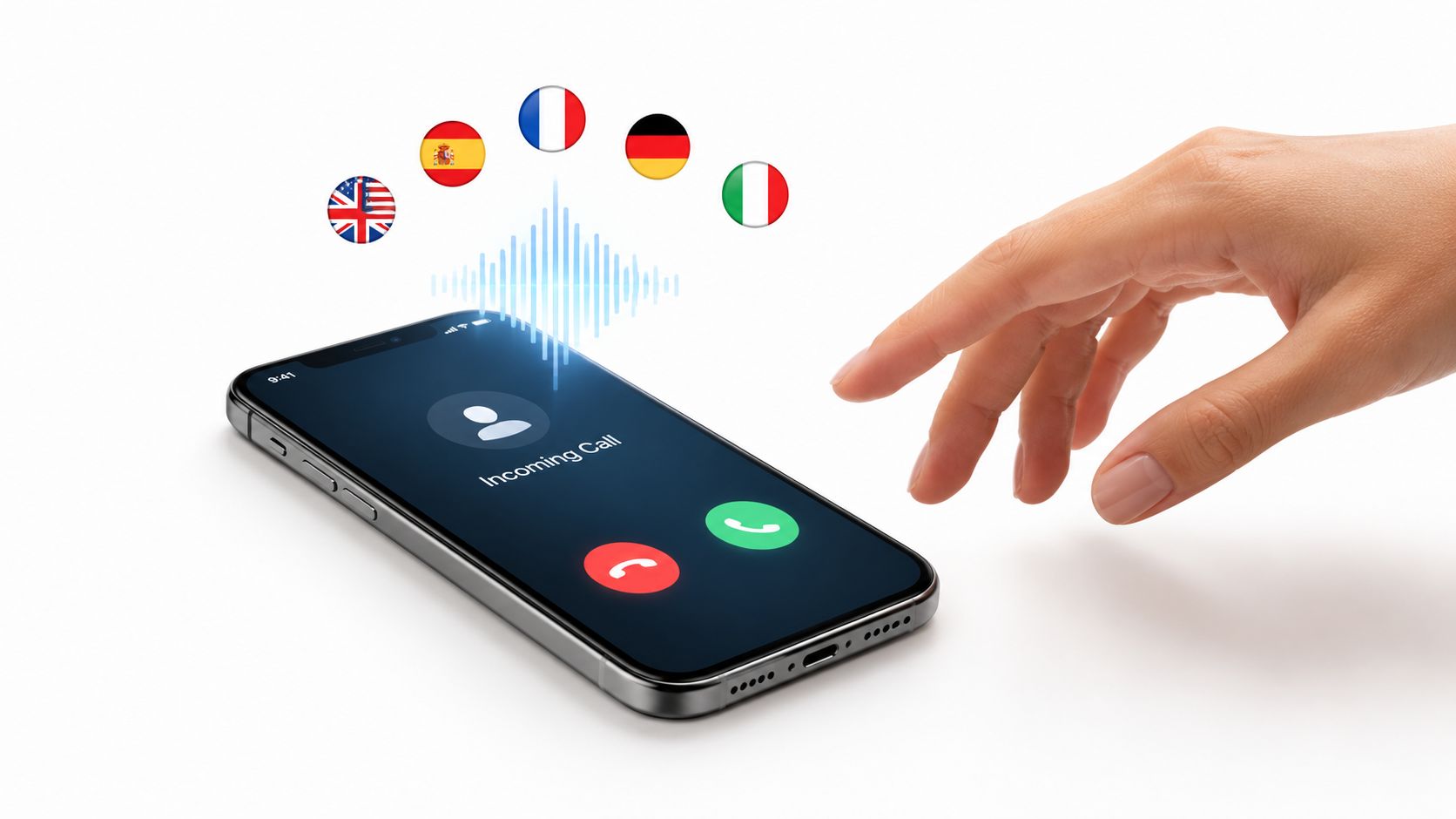
“Thank you for calling [Business Name]. How can we help you today? You can speak in English, Spanish, French, German, or Italian, and we'll continue in your preferred language.”
An AI phone assistant can listen to the caller's opening words, identify the likely language, and continue naturally. rednea supports conversations in English, Spanish, French, German, and Italian, which gives small businesses a practical starting point without requiring a separate line or multilingual receptionist for every shift. You can also review the assistant's language-handling approach in this guide to Spanish language support.
Make the fallback feel human
Automatic detection won't always be perfect. Background noise, short answers, accents, and callers switching languages can create uncertainty. Build a graceful fallback into the greeting:
“I want to make sure I understand you correctly. Would you prefer English, Spanish, French, German, or Italian?”
That sentence is more useful than pretending the system understood. If the caller selects a language the team can't support, the assistant should explain the available options, capture the caller's request, and route it to a person who can follow up.
Test the greeting with native speakers from the regions you serve. Review transcripts for misidentified languages, train staff on the fallback process, and record the detected language in your CRM so the next interaction starts with context.
Practical rule: Match the caller's language quickly, but never let language detection delay urgent routing or prevent access to a human.
2. Dynamic Appointment Booking with Calendar Synchronization
For a dental practice, contractor, consultant, or estate agent, the best greeting may be the one that gets the caller booked without another round of phone tag.
Template
“Thank you for calling [Business Name]. Are you calling to book, change, or cancel an appointment? I can check availability and confirm the next suitable time.”
An AI assistant can ask what the caller needs, check connected calendars, and offer available slots. rednea can connect with Google Calendar, Microsoft 365, and industry scheduling tools, then send concise email and optional SMS summaries. The Google Calendar integration guide explains the practical setup considerations.
Collect enough information to make the booking useful
A booking flow shouldn't stop at the date and time. For a field-service company, ask for the job type, address, urgency, and any access restrictions. For a dental practice, capture whether the caller is a new or existing patient and what type of visit they need. For a consultant, ask which service or project the caller wants to discuss.
Keep the flow short and offer a human handoff when the situation doesn't fit a standard appointment. A caller with a complicated scheduling request shouldn't have to repeat everything after being transferred.
Calendar accuracy matters more than a polished voice. Review availability regularly, account for travel or preparation time, and make sure cancellations and changes update every connected system. An assistant that books an unavailable slot creates more work than it removes.
Use a clear after-hours version
“Our team is currently unavailable, but I can help you request an appointment. Tell me what service you need and which days generally work for you, and we'll confirm the best slot.”
That approach preserves intent instead of sending every caller to voicemail. It also gives staff a structured request to review when they return.
3. Intelligent Lead Qualification with Routing Rules
A high-value enquiry needs more than a friendly welcome. The greeting should find out whether the caller needs an estimate, emergency assistance, a consultation, or a simple answer, then send the conversation to the right place.
Template
“Thank you for calling [Business Name]. To connect you with the right person, are you calling about a new project, an existing job, or general information? If it's a new project, what service do you need and when would you like to start?”
An AI assistant can capture a small set of useful details before escalating. For a renovation company, that might mean project type, property location, timing, and approximate scope. For a law firm, it could mean the broad case category, jurisdiction, and whether the caller is seeking a new consultation. For a healthcare practice, it might separate routine scheduling from urgent concerns without attempting to make a clinical judgment.
Use lead scoring automation to turn those answers into routing logic, but keep the logic understandable to your staff.
Start with two or three questions
Too many questions make the greeting feel like an interrogation. Begin with the information that changes the next action:
- Urgency: Does someone need help now, or can the request wait?
- Fit: Is the caller asking for a service the business provides?
- Scope: What broad problem, project, or appointment type is involved?
Then route according to clear rules. A serious emergency should reach a trained human or appropriate emergency service. A routine estimate request can create a CRM record and a callback task. A caller asking about opening hours shouldn't be forced through a sales qualification sequence.
“Qualification should reduce repetition, not make the caller prove they deserve help.”
Review transcripts with the people receiving the escalations. They can identify questions that produce poor leads, missing context, or unnecessary transfers. Update the wording based on that feedback, and let callers correct the assistant when it makes an incorrect assumption.
4. Knowledge Base Integration with FAQ Auto-Response
Many calls don't require specialist judgment. Customers want to know whether you cover their postcode, which documents they need, how to prepare for an appointment, or when someone is available. A good FAQ greeting answers those questions directly and gives the caller an easy escape to a person.
Template
“Thank you for calling [Business Name]. I can answer common questions about our services, availability, pricing approach, and appointments. What would you like to know?”
Connect the assistant to an approved knowledge base rather than letting it improvise from general information. Start with the questions your staff answer repeatedly. For a trades business, that may include service areas, emergency availability, payment methods, and preparation instructions. For a dental practice, it may include appointment types, opening hours, and cancellation processes. For a law firm, it may include practice areas and the information needed for an initial intake.
Give every answer a boundary
The assistant should know when it lacks reliable information. It can say:
“I don't have enough information to answer that accurately. I can take your details and arrange a callback from the team.”
That response is better than a confident but incorrect answer. Add a human escalation for sensitive issues, exceptions, complaints, complex troubleshooting, and anything requiring professional judgment.
Keep knowledge-base articles structured with consistent service names and current policies. Review transcripts regularly for new questions, outdated answers, and points where callers ask for clarification. If the assistant gives an answer, it can also ask whether the information helped and offer a person if it didn't.
Avoid turning the greeting into a long menu
A long list of topics makes the caller work before they've explained the problem. Invite a natural description first, then use the knowledge base to identify the likely answer. Humans should remain available without forcing every caller into a transfer.
5. Outbound Call Follow-Up with Personalized Voice
The first greeting matters, but the next contact often determines whether an enquiry becomes a completed appointment. Follow-up calls can confirm details, remind customers about bookings, recover unanswered enquiries, or ask whether a completed job needs attention.
Template
“Hello, this is [Business Name] calling about your recent enquiry. We're following up to see whether you still need help with [service]. You can tell me what you need, request a callback, or say that you no longer need assistance.”
An AI assistant can handle straightforward follow-up conversations, record the result, and send a summary to the CRM. Start with simple use cases such as appointment reminders, missed-call callbacks, and immediate responses to web enquiries. Those workflows have a clear purpose and a limited set of likely outcomes.
Keep the caller in control
The assistant should identify the business, explain why it's calling, and make opting out easy. It shouldn't pressure someone who says they're unavailable. Provide a clear route to a human and stop contacting people who ask not to receive further calls.
Use a professional voice that matches the company. A plumbing company may sound direct and practical, while a healthcare practice may need a calmer tone. Test the script with staff and a small customer group before using it broadly.
Log outcomes, not just attempts
A follow-up is useful only when the team knows what happened. Record whether the caller booked, requested a callback, declined, provided new information, or couldn't be reached. That history prevents duplicate calls and helps staff continue the conversation without asking the customer to start again.
Don't use outbound automation for disputes, sensitive disclosures, complex negotiations, or conversations where empathy and discretion matter more than speed. Those calls belong with a trained person.
6. Real-Time Analytics and Call Insights Dashboard
A greeting is a working part of your customer-service operation, so you need to know what callers do after hearing it. Look beyond call volume. Track whether people reach an answer, request a booking, abandon, or need a human.
Template
“Thank you for calling [Business Name]. Tell me what you need help with, and I'll connect you with the right option or team member.”
The wording is deliberately simple because the important work happens in the routing and measurement behind it. A dashboard can show recurring caller intents, escalation patterns, appointment requests, unanswered questions, and the points where callers leave the flow. Call reporting software can help turn those interactions into operational information.
Begin with a small measurement set
Choose metrics that connect directly to customer outcomes:
- Call volume: When are callers trying to reach you?
- Resolution rate: How often does the first interaction answer the need?
- Escalation rate: Which topics require people?
- Booking rate: How often do suitable callers complete the next step?
- Sentiment and feedback: Where do customers sound confused or frustrated?
Review these metrics with the team that handles the calls. A high escalation rate isn't automatically a failure. It may show that the assistant is correctly recognizing sensitive cases. A low escalation rate might mean the assistant is useful, or it might mean callers can't find the route to a person.
Test one change at a time
Try a shorter opening, a clearer booking prompt, or a different order for common options. Compare outcomes over a consistent period, then listen to representative transcripts before deciding whether the change worked. Qualitative review matters because a system can complete a task while still frustrating callers.
The strongest analytics connect calls to business records. If a caller books, opens a support case, or requests a quote, preserve that connection in the CRM. Otherwise, you'll measure activity without understanding value.
7. Custom Voice Cloning for Brand Consistency
Some businesses want automation without losing the sound customers associate with the team. A custom voice can make the greeting feel consistent across busy periods, after-hours calls, and different locations.
Template
“Thank you for calling [Business Name]. You've reached our phone assistant. I can help with appointments, common questions, and your request for a callback. How can I help today?”
A cloned team-member voice may suit a small company where the owner is central to the brand. A neutral professional voice may be better for a legal practice, healthcare setting, or multi-location operation. The choice should follow the customer's expectations, not the novelty of the technology.
Consent and disclosure come first
Obtain permission from the person whose voice is used, document how the recording will be used, and check the rules that apply to your industry and location. If callers may be interacting with AI, disclose that clearly where required. The assistant shouldn't imitate a person in a way that misleads customers about who is speaking.
Record a clean sample in a quiet environment and include the phrases the assistant will use most often. Test pronunciation of names, locations, technical terms, and multilingual greetings. Ask staff and selected customers whether the voice sounds clear, trustworthy, and appropriate for the brand.
Don't let voice become a distraction
A familiar voice won't fix a confusing call path. The assistant still needs to identify itself, understand the caller's goal, answer accurately, and transfer the conversation when a person is needed. Review the voice periodically, especially if the employee leaves or the brand changes.
8. EU GDPR and Privacy-First Design for Compliant Operations
A useful greeting should collect enough information to help, but not more than the business needs. That principle matters most for healthcare, legal services, financial questions, and any call involving personal or sensitive details.
Template
“Thank you for calling [Business Name]. This call may be handled by an AI assistant. I'll ask only for the information needed to help with your request. Please don't share confidential details unless we ask for them.”
Design the call flow around data minimization, clear purpose, access controls, retention limits, and secure integrations. rednea describes an approach built around EU and UK GDPR, European server infrastructure, necessary data storage, and real-time deletion on request. Your own obligations still depend on your role, industry, contracts, and the information you process, so review the relevant privacy documentation and obtain appropriate advice.
Build privacy into the greeting
Tell callers when AI is involved if required. Avoid asking for full medical histories, legal narratives, payment credentials, or identity documents during an initial greeting unless the workflow specifically requires them and has suitable safeguards. Capture a callback number, broad reason for contact, and preferred time when that's enough to start.
Train staff on what the assistant records and why. Make sure connected calendars, CRMs, transcription tools, and messaging services follow the same privacy standards. Test deletion requests and access processes instead of assuming they work.
Privacy rule: If the business doesn't need the information to complete the next step, don't ask for it and don't store it.
Use humans for complaints, sensitive disclosures, vulnerable callers, and decisions that require professional responsibility. Automation can organize and route those conversations, but it shouldn't replace accountable judgment.
Business Phone Greeting: 8-Point Feature Comparison
| Feature | Implementation complexity | Resource requirements | Expected outcomes | Ideal use cases | Key advantages |
|---|---|---|---|---|---|
| Multilingual Instant Greeting with Automatic Language Detection | Medium–High: real-time ASR + language switching and dialect tuning | Multilingual NLP models, good audio quality, testing with native speakers | Faster correct-language greeting, fewer hang-ups, better CX | Multilingual regions, SMBs serving international callers (trades, estate agents) | Seamless language handoff, improved first impression, no caller input needed |
| Dynamic Appointment Booking with Calendar Synchronization | Medium–High: real-time availability checks and integration work | Calendar APIs (Google/365), scheduling rules, buffer/time config | Higher confirmed bookings, fewer missed confirmations, lower admin load | Clinics, field services, salons, any business needing 24/7 booking | Converts calls to appointments automatically, reduces no-shows with reminders |
| Intelligent Lead Qualification with Routing Rules | Medium: build and tune qualification logic and priority rules | Defined qualification criteria, CRM integration, staff feedback loop | Faster routing of high-value leads, improved conversion rates | Sales-driven businesses, contractors, law firms, urgent services | Prioritizes high-value calls, captures structured lead data, reduces wasted time |
| Knowledge Base Integration with FAQ Auto-Response | Medium: connect and structure documents for retrieval | Curated KB/FAQ content, semantic search/setup, confidence thresholds | Large reduction in routine inquiries, consistent accurate answers | FAQ-heavy operations (trades, clinics, support desks) | 24/7 self-service, lowers cost-per-inquiry, consistent responses |
| Outbound Call Follow-Up with Personalized Voice | Medium: campaign setup, voice personalization, compliance checks | Voice assets or clones, campaign scheduler, CRM logging, opt-out handling | Lower no-shows, higher lead engagement, scalable outreach | Appointment reminders, post-service follow-ups, lead nurturing | Personalized outreach at scale, CRM-integrated interaction logs |
| Real-Time Analytics and Call Insights Dashboard | Medium: data pipelines, analytics dashboards, A/B test frameworks | Call transcription, sentiment tools, dashboarding, CRM linkage | Actionable insights, optimization opportunities, measured outcomes | Operations optimizing call performance, marketing, management | Identifies trends, supports A/B testing, links calls to business metrics |
| Custom Voice Cloning for Brand Consistency | Medium–High: voice model creation and legal/ethical checks | Clear voice samples, consent/legal review, testing and refresh cycles | Stronger brand recognition, higher perceived trust and conversions | Brands wanting consistent persona, high-touch services (dental, legal) | Familiar brand voice across channels, improved emotional connection |
| EU GDPR and Privacy-First Design for Compliant Operations | High: compliance-by-design, data residency and auditability | European infrastructure, encryption, consent management, audit trails | Reduced legal risk, stronger customer trust, audit readiness | Regulated industries (healthcare, legal, finance), EU/UK operations | GDPR-compliant operations, data minimization, real-time deletion and audits |
Turn a Greeting Into a Reliable Customer-Service Workflow
The best starting point depends on where callers experience the most friction. Appointment-led businesses should begin with booking. If your team spends much of the day answering repetitive questions, start with FAQ handling. High-value professional services may gain more from qualification and routing, while businesses serving multilingual communities should prioritize language access before adding more advanced automation.
Keep the first version small. Write a short, human-approved greeting that names the business, explains what the assistant can do, and asks an open question. Then define the boundary for escalation. For example, the assistant may book standard appointments and answer approved service-area questions, but a person handles complaints, unusual requests, urgent situations, and sensitive information.
Connect only the system the workflow needs at first. A scheduling business may need a calendar and confirmation messages. A sales-focused company may need a CRM and lead-routing rules. A service company may need job details, location capture, and a callback task. Test every integration with real scenarios, including cancellations, unavailable slots, interruptions, accents, wrong numbers, and callers who change their minds.
The opening greeting also needs an after-hours plan. A large share of demand arrives outside standard working times. One 2026 analysis of 1,446,980 business calls across 2,074 businesses found that 28.5% of inbound calls came outside standard business hours and 12.4% arrived on weekends, meaning more than 40% of demand occurred when a live receptionist was least available. The call analysis also reported that 51.2% of inbound calls were real leads and that callers handled by an AI receptionist had 99.0% positive or neutral sentiment. These figures point to a practical priority, answer promptly and preserve the caller's intent even when staff aren't available.
AI is most useful as a complement to people. It can answer, organize, qualify, book, summarize, and route routine work around the clock. Your team should retain control over judgment, exceptions, sensitive conversations, and decisions that affect customer safety or professional responsibility.
Start by reviewing the last group of calls your team handled or missed. Choose the repeated problem that costs the most time or loses the clearest opportunity. Turn that problem into one greeting, one workflow, and one escalation rule. Then review the early calls with staff and improve the system based on what callers actually ask, not what the original script assumed.
---
rednea provides an AI phone assistant for business greetings, multilingual conversations, appointment booking, FAQ responses, lead qualification, routing, and follow-up. Visit rednea to see how you can make your business easier to reach while keeping people involved where human judgment matters.
Try rednea, no strings attached
AI phone assistant for business. Hear a live demo in your browser, book a call with our team, or get started — from £90/month, cancel monthly, no minimum term.
GDPR-compliant · EU & UK GDPR · Multilingual