Managing High Call Volumes: A Practical Playbook

A customer calls while you're under a sink, halfway through a site visit, or with another patient already in front of you. A second call comes in, then a third. By the time you check your phone, you've got missed calls, incomplete voicemails, and no reliable way to tell which caller needs immediate help and which one just wants to know your opening hours.
That chaos isn't caused by call volume alone. It comes from unpredictable demand arriving faster than your people, phone lines, and processes can absorb it. The practical answer isn't always another receptionist. For many small and medium-sized businesses, the stronger model is a system that answers every call, identifies intent, handles routine work, and sends only the conversations requiring judgment to a person.
Understanding the True Cost of High Call Volumes
High call volumes can look like a growth signal, but a sudden surge can damage the operation that created the demand. An electrician may spend the morning driving between jobs while urgent enquiries, quote requests, and appointment calls pile up. A dental practice may have staff answering phones instead of supporting patients. A contractor may return calls in the evening, only to discover that the best leads have already contacted someone else.
Volatility is the true enemy. A team can often manage its usual workload, then fail when demand clusters into a short period. A 2025 analysis of 45 contractors and 13,175 calls found that weekly call volume could rise four- to fivefold without warning. During those spikes, 74.1% of calls went unanswered, compared with roughly 30% missed during normal periods. The dataset is limited, so those percentages shouldn't be treated as universal, but the operational pattern is highly relevant to trades and field services. The contractor call-volume analysis shows why average demand is a poor basis for planning surge capacity.
Why average volume creates bad decisions
Hiring for the peak means carrying peak-period labour costs during quieter periods. Hiring for the average means accepting that your business will be unreachable when demand suddenly rises. Adding another line doesn't solve the problem if nobody captures the caller's reason, urgency, preferred time, and contact details.
The hidden cost sits in unanswered demand. A busy signal, abandoned queue, or vague voicemail isn't merely a service inconvenience. It may represent an emergency, a qualified new customer, a rescheduling request that could have filled an open slot, or a routine question that an automated assistant could have resolved immediately.
Practical rule: Treat every incoming attempt as demand, whether a person answered it or not.
That means your reporting needs more than answered calls and average wait time. Track total incoming attempts, blocked calls, abandoned calls, repeat calls, voicemail completion, and the number of callers who eventually receive a response. If your dashboard counts only conversations that reached staff, it hides the part of the operation where demand is being lost.
Reframe the staffing problem
The right question isn't, “How many people do we need if everything goes wrong?” Ask, “Which calls must reach a human immediately, and which calls can be captured and resolved another way?”
That distinction changes the economics of high call volumes. A human should spend time making a safety decision, handling an upset customer, diagnosing an unusual fault, or closing a valuable opportunity. An automated system can collect an address, answer service-area questions, explain opening hours, record a job description, and offer an appointment without forcing a caller to wait.
Use a missed call calculator to turn missed attempts into a concrete operational review. The point isn't to produce a dramatic estimate. It's to identify where your business is losing access, then decide which parts of the experience require more staff and which require better routing.
Building a Triage System for Unpredictable Surges
Before you automate a call, define the outcome it needs to produce. “Answer the phone” is not a workflow. A useful workflow identifies the caller's intent, assesses urgency and business value, collects the information needed for the next step, and sends the call to the right destination.
Start by reviewing recent call notes, voicemails, and staff recollections. Group calls by what the caller wanted, not by the department that eventually handled it. A plumbing company might find that “new leak,” “quote request,” “appointment change,” “job status,” and “opening hours” are more useful categories than “sales” and “support.”
Separate urgency from complexity
Urgency and complexity are different. A routine appointment request may be simple but commercially valuable. A basic question about service areas may be low risk and fully automatable. A short call about a gas smell or electrical danger may require immediate human intervention even if the caller gives very little information.
Use this matrix as a starting point:
| Call Category | Examples | Ideal Handling Method |
|---|---|---|
| Safety-critical emergency | Active leak, electrical danger, urgent healthcare concern | Immediate human transfer or priority callback, with location and risk details captured first |
| High-value new opportunity | Quote request, treatment enquiry, property instruction, commercial job | Rapid qualification, calendar booking where appropriate, human follow-up with full context |
| Routine scheduling | New appointment, rescheduling, cancellation, availability request | AI-led booking or rescheduling connected to the live calendar |
| Basic information | Opening hours, service area, accepted payment methods, preparation instructions | Automated answer based on an approved knowledge base |
| Status and low-risk administration | Job progress, appointment confirmation, document request | Automated response, message capture, or scheduled callback |
| Complaint or sensitive case | Billing dispute, angry caller, unusual technical problem, accessibility need | Human escalation, never forced through a rigid automated path |
The “ideal method” must reflect your risk tolerance. Don't let an assistant improvise a safety answer, promise a service it can't verify, or offer a diagnosis outside its approved information. It should recognise the trigger, collect only safe preliminary details, and transfer or escalate.
Write the routing rules in plain language
For each category, document four decisions:
1. What does the assistant ask first? 2. What information must it capture? 3. What outcome can it complete without a person? 4. What exact condition triggers escalation?
For an emergency call, the assistant might confirm the caller's location, contact number, and a short description, then attempt an immediate transfer. For a routine booking, it can identify the service, check availability, confirm the appointment, and send the details to the team.
Keep the rules visible to staff. Your call queue management framework should reflect business priorities, not just the order in which calls arrive. A first-in, first-out queue treats a low-risk status question and a safety-critical issue as equivalent. Intent-based triage prevents routine demand from competing with calls where delay creates serious consequences.
Deploying AI Phone Assistants to Absorb the Shock
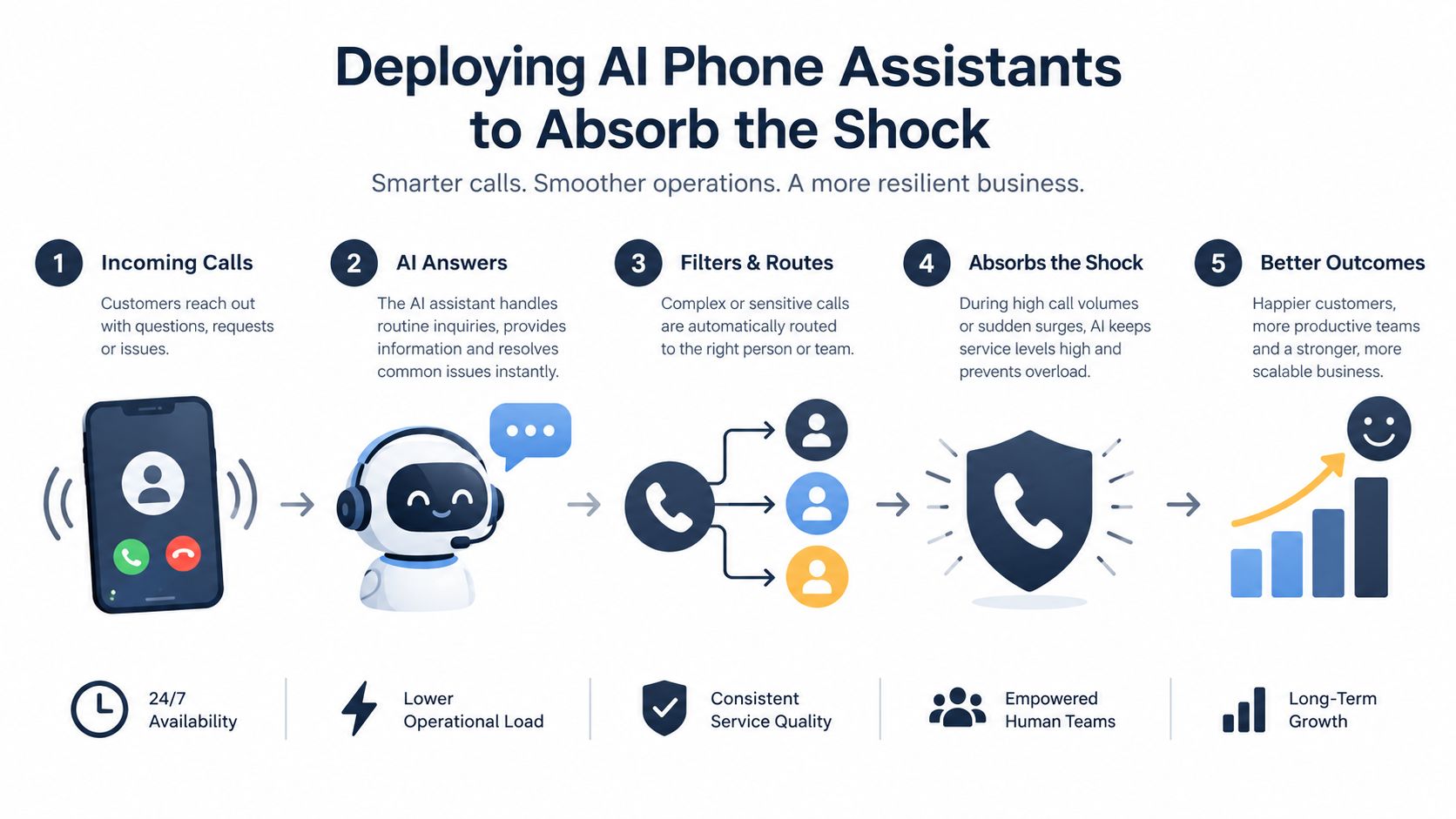
An AI phone assistant works best as an elastic first line, not as a replacement for professional judgment. It can greet callers immediately, continue handling simultaneous routine conversations, and capture useful information when your team is driving, serving a customer, or dealing with a rush.
The first deployment should be narrow. Give the assistant a controlled knowledge base and a small set of actions, such as answering opening-hours questions, confirming service areas, collecting job details, taking messages, and scheduling appointments. Expand only after staff have reviewed real conversations and confirmed that the assistant follows the rules reliably.
Make multilingual support an operational test
“Multilingual” shouldn't mean that a system merely speaks several languages. It must correctly understand names, addresses, appointment dates, product references, technical descriptions, and preferred contact methods in each language you support.
A 2025 review cited contact-centre research reporting that speech-recognition accuracy can fall by as much as 23% for non-native English speakers, which makes structured confirmation and language-by-language testing essential. The Small Business Administration research review supports treating language quality as a measurable operations issue rather than assuming that one successful English-language test proves the system is ready.
Use a confirmation pattern for critical information:
- Phone numbers: Repeat digits in grouped form and ask the caller to confirm.
- Addresses: Repeat the street, locality, and postcode or equivalent, then check for corrections.
- Dates and times: State the day, date, time, and time zone or local context.
- Names: Ask the caller to spell a name when it will be used for a booking or legal record.
- Job details: Summarise the problem in plain language before saving it.
Test real accents, background noise, fast speech, code-switching, and callers who pause or correct themselves. Track errors separately by language. If the assistant is uncertain, it should say so and escalate rather than confidently recording the wrong information.
For practical ideas on applying automation to field-service conversations, this guide to AI customer care for trades is a useful resource. The underlying principle is simple: let AI handle predictable intake while a qualified person owns the decisions that carry safety, financial, legal, or reputational risk.
Start with a controlled call flow
A dependable flow usually looks like this:
1. Immediate greeting: Identify the business and make clear that the caller is speaking with an automated assistant. 2. Intent detection: Ask what the caller needs instead of forcing them through a long menu. 3. Information capture: Collect only the details needed for the next action. 4. Resolution or booking: Answer from approved content, schedule an appointment, or record a complete message. 5. Human handoff: Transfer or create a priority callback when the rules require judgment.
An AI answering service can support this model when the business needs coverage outside opening hours, during site visits, or when several callers arrive at once. The value isn't that every call becomes automated. The value is that every caller gets a clear next step, and human attention is reserved for the interactions where it matters most.
Designing Escalation Paths and Callback Workflows
Automation earns trust through its handoff. If a caller explains a problem to an assistant and then has to repeat everything to a human, the business has created another source of friction. The transfer should include the caller's intent, urgency, contact details, language preference, summary, and any promised next action.
A hold queue and a structured callback solve different problems. A queue preserves a live conversation but makes the caller wait without knowing whether the wait will be reasonable. Generic voicemail ends the interaction with the caller responsible for explaining the issue later. A callback workflow captures the reason, urgency, preferred time, and clear expectations before the call ends.
Choose the recovery path by risk
Use live transfer when the issue is urgent, safety-related, emotionally charged, or likely to be lost if delayed. Use a priority callback when no human is available but the business can respond within a defined window. Use a scheduled callback for non-urgent enquiries where the caller prefers a particular time. Use an automated resolution for routine questions that don't require judgement.
A U.S. consumer survey reported that 75% of adults preferred a scheduled callback over waiting on hold, while 54% hung up within eight minutes and 28% said long hold times had driven them to leave a company. The sample was U.S.-focused, so apply the findings cautiously in other markets, but the operational lesson is broad. The consumer survey on missed-call economics points toward reliable recovery paths rather than indefinite waiting.
A callback promise is only useful if your team can keep it.
Don't offer a vague “we'll get back to you.” Confirm what happens next, record the preferred time, and create an owner for the callback. If the business can't meet the promised window, the system should update the caller rather than leave them guessing.
Escalate based on complexity, not convenience
Explicit escalation rules protect both customers and staff. Route complaints, billing disputes, unusual technical problems, requests outside the approved knowledge base, and conversations involving distress to a person. Don't make the assistant continue asking questions just because no transfer destination is currently free.
A study of 9,177 customer touchpoints from an AI-enabled telecommunications contact centre found that 69.2% were resolved by automation and 30.8% escalated to a human. Escalation rose to 87.0% for high-complexity cases, showing why a hybrid model is more credible than a promise of full automation. The contact-centre analysis of AI escalation provides a useful design principle: automate predictable work, then increase human involvement as complexity rises.
For contractors, the handoff should also preserve commercial context. A new customer asking for a quote may not be an emergency, but losing the enquiry still has a direct business cost. Guidance on lead management for contractors can help connect call capture with ownership, follow-up, and pipeline discipline.
Don't confuse a message with a workflow
A phone number alone isn't enough. The callback record should include:
- Caller identity: Name, number, and preferred language.
- Reason for calling: The caller's own description, plus a concise summary.
- Urgency: Emergency, priority, scheduled, or routine.
- Availability: Preferred callback window and any accessibility requirement.
- Next action: Transfer, appointment, estimate, document, or staff review.
- Accountability: The person or team responsible for responding.
That structure turns a missed call into managed work. It also gives staff a way to review whether the system is escalating too much, too little, or to the wrong person.
Aligning Human Staff with Calendar and CRM Integrations
AI can capture a call perfectly and still create back-office chaos if the information stays in a separate inbox. Staff then copy names into a calendar, retype addresses into a customer record, and call back without knowing what the caller already explained. Integration is what turns automated answering into an operational system.
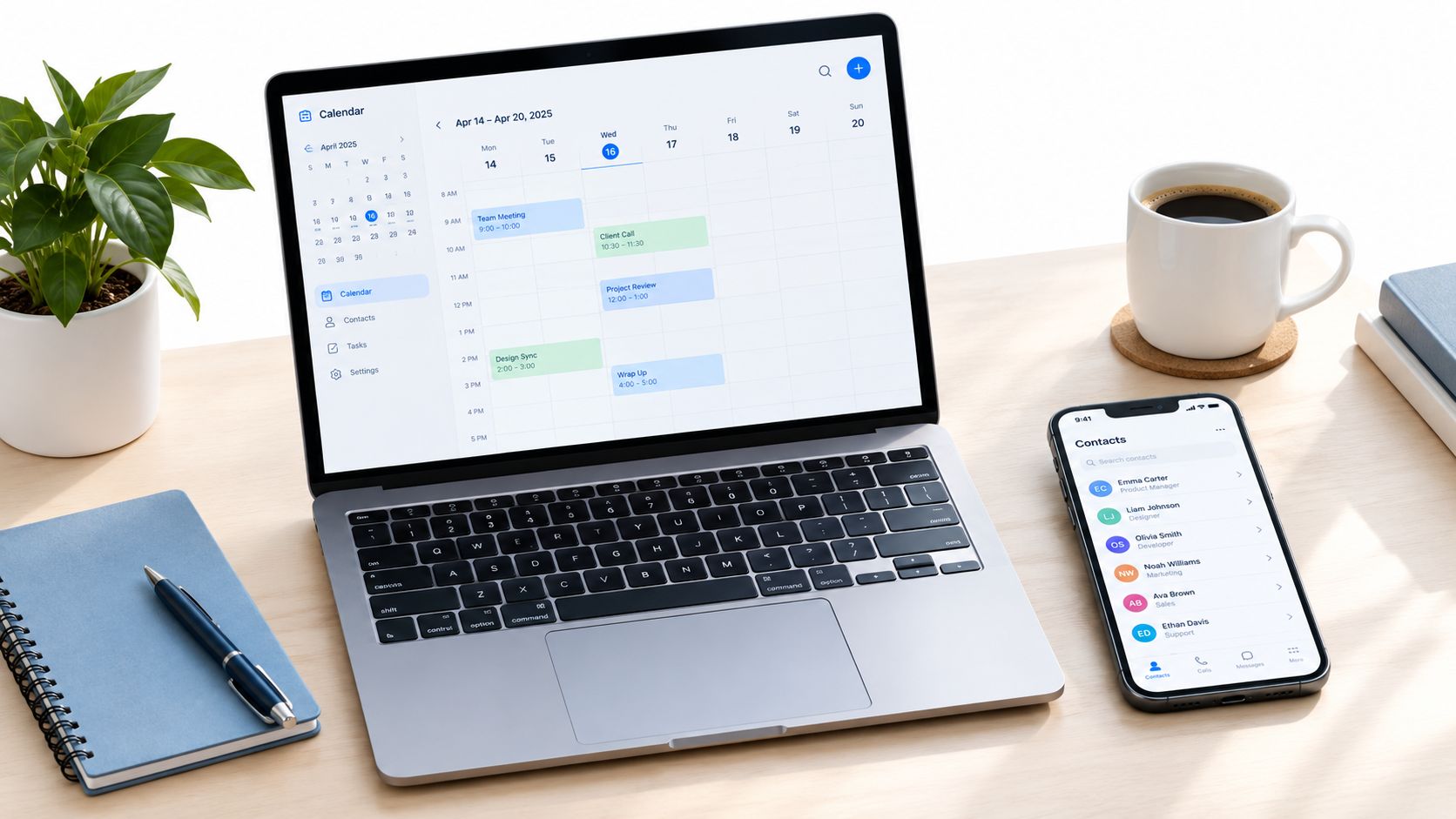
Connect the phone workflow to the calendar your team uses, whether that's Google Calendar, Microsoft 365, or an industry scheduling system. The assistant should see the availability rules that staff rely on, avoid blocked periods, apply service duration, and confirm the appointment in the same way a human coordinator would.
Give staff context, not transcripts
A full transcript can be useful for quality review, but it isn't the fastest format for a busy technician or practice manager. Send a concise email or SMS summary containing the caller, intent, urgency, language, appointment details, location, and requested action. Store the fuller record in the CRM when it is needed for compliance or follow-up.
The staff member should be able to answer one question immediately: What do I need to do next? If the caller requested a quote, the summary should include the job type and location. If the caller changed an appointment, the new time should already be reflected in the calendar. If the caller needs a human because the case is sensitive, the escalation reason should be obvious.
The CRM phone integration workflow should be tested from the caller's perspective. Make a call, book an appointment, trigger an escalation, and check every destination. Confirm that the right contact record updates, the calendar avoids conflicts, and staff receive the same language and urgency information the caller provided.
Use automation to redesign the workday
Small teams often lose capacity through interruption rather than conversation length. A technician who stops repeatedly to answer basic questions may complete fewer jobs, while a receptionist who handles every booking manually has less time for complex cases.
A better division of labour is deliberate:
- AI handles: Opening hours, service areas, routine FAQs, intake, appointment requests, rescheduling, and message capture.
- Administrative staff handle: Exceptions, customer recovery, complex scheduling, document review, and follow-up.
- Qualified professionals handle: Safety decisions, technical diagnosis, sensitive health or legal matters, and high-stakes complaints.
- Managers handle: Rule changes, quality review, escalation trends, and staffing decisions.
Small businesses don't need to automate everything at once. U.S. Census Bureau analysis found that businesses with 1–4 employees increased AI use from 4.6% to 5.8% during 2023–2024, supporting a measured starting point focused on repetitive inbound work while complex cases remain with a human. The small-business AI adoption analysis reinforces the practical approach: prove reliability on a narrow workflow before adding broader authority.
Monitoring Metrics and Your Surge Readiness Checklist
A phone system can appear healthy because staff answered the calls that reached them. That view misses blocked attempts, abandoned callers, repeat contacts, and people who never left a message. During a surge, those omissions become the most important part of the report.
The Virginia Employment Commission received about 3.3 million calls in June 2020 but answered only around 6%. The episode demonstrates why total incoming attempts, not only answered calls, must be part of any accessibility and resilience review. The Virginia Employment Commission summary provides a clear warning for smaller operations: answered calls can look stable while unmet demand becomes enormous.
Track the flow from arrival to outcome
Review these metrics during ordinary periods and after every unusual spike:
- Total incoming attempts: Shows the actual demand placed on the system.
- Answered calls: Indicates how much work reached a human or automated assistant.
- Blocked and abandoned calls: Reveals where callers failed to enter or complete the process.
- AI resolution rate: Shows which approved intents finish without human involvement.
- Escalation frequency: Helps identify whether the rules are too broad, too narrow, or poorly understood.
- Callback completion: Measures whether promised callbacks really happen.
- Callback delay: Shows how long callers wait after requesting recovery.
- Booking completion: Confirms that appointment requests become real calendar events.
- Repeat contact: Highlights answers that failed to resolve the original need.
- Language-specific errors: Finds recognition or confirmation problems hidden by an overall average.
Don't optimise one metric in isolation. A higher automated resolution rate isn't a success if callers repeat themselves, receive incorrect information, or abandon the process. A low escalation rate may mean the assistant is efficient, or it may mean that people can't reach a person when they need one.
Run a practical readiness check
Use this checklist before your next predictable busy period or as soon as you identify a recurring surge:
1. Audit call reasons. Review recent calls and group them by intent, urgency, and commercial value. 2. Approve the knowledge base. Remove outdated hours, prices, service areas, and policy information. 3. Define prohibited answers. List safety, legal, medical, financial, and technical topics that require human review. 4. Test every supported language. Use real names, addresses, dates, accents, background noise, and corrections. 5. Confirm critical details. Make the assistant repeat phone numbers, addresses, appointment times, and job descriptions. 6. Verify calendar synchronisation. Test booking, cancellation, rescheduling, blocked time, and duplicate prevention. 7. Check CRM records. Confirm that summaries, contact details, source, urgency, and next action arrive in the right record. 8. Exercise escalation. Call with a complaint, unusual problem, urgent scenario, and unknown question. 9. Test callback promises. Request different callback windows and confirm that staff receive ownership and context. 10. Set a review rhythm. Examine failed calls, corrections, abandoned attempts, and language-specific issues after each surge. 11. Create a fallback. Decide what callers hear if the calendar, CRM, transfer line, or knowledge base is unavailable. 12. Assign responsibility. Name the person who can change rules, review quality, and act on missed demand.
Surge readiness isn't a bigger phone bill or a larger rota. It's a tested path from every caller to the right outcome.
Start with one high-volume, low-risk intent. Let the system answer it, measure the result, and have staff review the exceptions. Then add another workflow only when the first one works reliably in the languages and conditions your customers use.
---
rednea provides a 24/7 AI phone assistant that answers simultaneous calls, captures intent, books appointments, sends concise summaries, and escalates important conversations to your team. Visit rednea to see how you can absorb high call volumes without hiring permanent peak-period staff.
Try rednea, no strings attached
AI phone assistant for business. Hear a live demo in your browser, book a call with our team, or get started — from £90/month, cancel monthly, no minimum term.
GDPR-compliant · EU & UK GDPR · Multilingual