GDPR Compliance Automation: A Practical Guide for SMBs

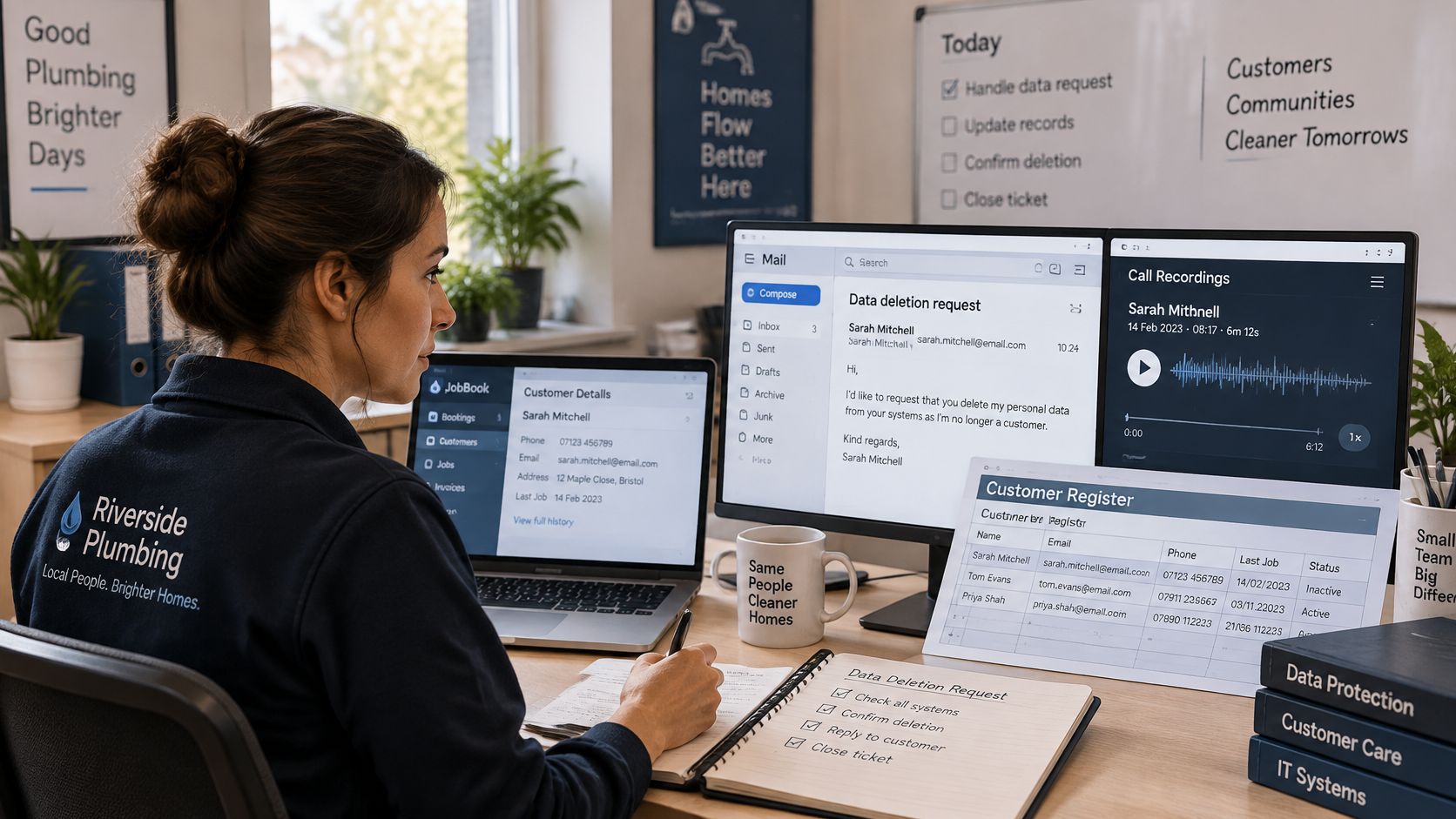
A former customer of a plumbing firm asks for their personal data to be deleted. Their details sit in the booking system, a call recording, an email tool and a spreadsheet. Without a process, the owner has to remember where to look, chase each system and hope nothing was missed.
That's the practical problem GDPR compliance automation is meant to solve. For a small business, it isn't about buying a large compliance platform or handing decisions to a machine. It's about making recurring tasks reliable, keeping evidence of what happened and assigning a person to own each automated action.
What GDPR Compliance Automation Actually Means
GDPR compliance automation is software that carries out recurring data-protection tasks and keeps evidence that each task was completed. In the plumbing firm's case, it can route the deletion request, locate connected records, start a deadline tracker and record which systems confirmed deletion. It can't decide whether the business has a valid reason to keep some information or take responsibility for an incomplete process.
A building's fire-alarm system provides a useful comparison. A well-run system tests each detector, logs the result, and flags one that needs attention. A binder of inspection forms on a shelf might contain policies, but it won't test a detector or tell the owner that an inspection is overdue. Automation is useful for the same reason: it turns written rules into repeatable actions and records.
Three layers to make explicit
The rules say why you collect information, how long you keep it and who may access it. A plumbing firm might need a caller's name, address and a description of the repair to schedule a visit, but not their details for unrelated marketing.
The workflows apply those rules. They can capture consent where needed, limit form fields, route requests and delete information when its retention period ends.
The evidence shows what the system did, when it did it and which person owns the outcome. If a deletion workflow reports an error, someone needs to investigate rather than treat a green dashboard status as proof that every copy is gone.
GDPR applies to businesses that process personal data, not only large companies. Appointment details, caller information and call recordings can all relate to identifiable people. The regulation's application date, 25 May 2018, marked the start of an enforceable framework. In its account of the first 18 months, the European Commission reported 785 fines issued by 22 EU and EEA data-protection authorities, illustrating why compliance needs ongoing records, not a one-time policy file (European Commission account of GDPR enforcement).
A useful test is to sort each obligation into three groups: what software can do, what needs a named person, and what calls for specialist advice. That division keeps the process practical and stops a software purchase from being mistaken for accountability.
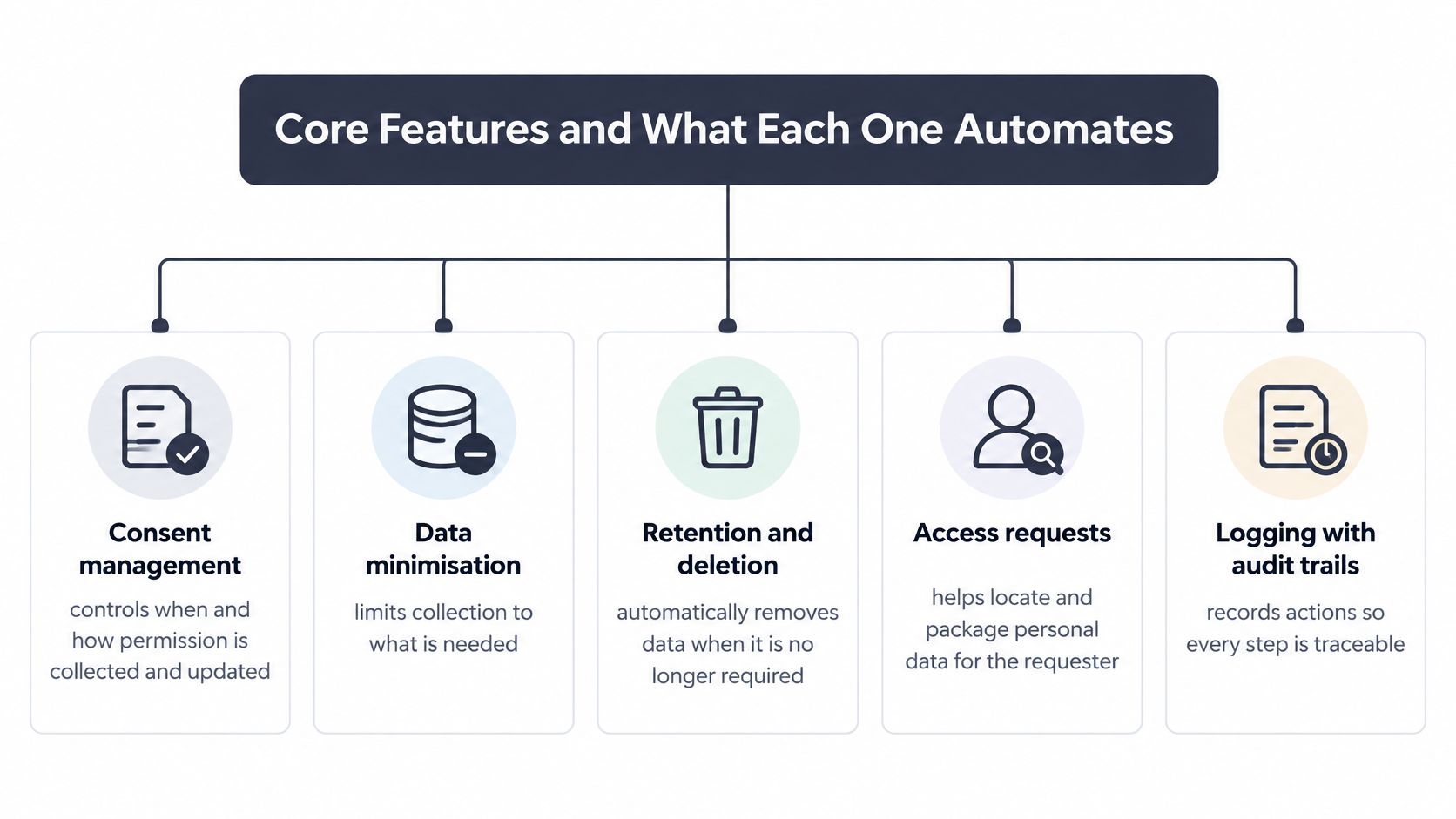
Core Features and What Each One Automates
| Control | What It Automates | Evidence It Leaves |
|---|---|---|
| Consent management | Records opt-in, stated purpose and timestamp at the start of each contact | Consent log showing the wording version shown |
| Data minimisation | Limits the fields collected per call or form to what the purpose needs | Field list per purpose in the processing register |
| Retention and deletion | Applies retention periods and deletes data across connected systems | Deletion confirmation per system, including backups and transcripts |
| Access requests | Routes requests, starts the deadline clock and collects the data for the reply | Dated request record and the response file sent |
| Logging and audit trail | Captures who accessed or changed data, and when | Timestamped, exportable event log with purpose and recipient fields |
What the five controls look like in practice
At the start of a call or booking form, consent management can capture the choice, timestamp and exact wording shown. That record is useful only if it reflects what the person saw and the purpose for which information will be used.
Data minimisation means the booking flow asks for information needed to arrange the visit, not extra details for a separate purpose. If the business wants to send marketing, it should handle that purpose separately rather than adding the option to a service request.
With retention and deletion, the business sets the period for recordings, transcripts and customer notes. Software can apply that schedule across connected systems, but the owner still needs to confirm that the period is appropriate and that deletion reaches every relevant copy.
Access-request handling starts with a dated record, sends the request to a responsible person and tracks its progress. Logging then records who viewed or changed information and when, so a later review doesn't depend on someone's recollection.
The log needs enough context to answer questions, not merely prove that an event occurred. The European Data Protection Board says that a DPIA should describe processing, assess necessity and proportionality, identify risks and specify measures. Its guidance also connects DPIA material to records of processing activities that supervisory authorities may inspect. A useful event record therefore includes a purpose identifier, data category, controller or processor role, recipient, retention deadline, legal-basis reference and the result of an access or deletion action (EDPB guidance for small and medium-sized enterprises).
An event log without those fields can look complete but still fail to explain why information moved or whether a request was fulfilled. Test deletion across primary storage, backups, search indexes, transcripts, logs and downstream systems. For a voice workflow, see how an AI answering service can handle inbound calls, then check whether the controls around that workflow leave evidence for each action.
Use the table as a vendor test: ask for a demonstration of every row. A control that exists only in sales language isn't a working control.
Why Enforcement Makes Automation Worth Paying For
A missed deletion request rarely starts as a legal dispute. It starts as a voicemail transcript nobody purged, a calendar entry kept past its retention deadline, or an access request that sat in a shared inbox while the owner was on holiday. Enforcement files are full of these ordinary failures, repeated across teams.
The European Data Protection Board's 2024 reporting recorded 416 fines in Germany and identified Ireland as having the largest national total by value, at approximately €652.0 million (EDPB Annual Report 2024). Enforcement is spread across regulators and continues year after year. Supervisory authorities hold corrective powers that include warnings, orders to erase data, restrictions on processing, and temporary or permanent bans, which is why a business needs dated evidence of its controls.
Automation earns its place when it builds that evidence chain without extra paperwork. A workflow routes the request to a named owner, records when it arrived, what systems were searched, what was deleted, and who confirmed completion. Spreadsheets and memory leave gaps. A logged chain shows the decision and the person behind it.
Use a risk-tiered test before you pay for software. Count the recurring tasks your business handles in a typical month, name the owner for each, and ask what would be missed if that person were unavailable. My recommendation: automate the repetitive steps with clear rules, such as retention timers and request routing, and keep a person responsible for exceptions, extensions, and legal judgement.
How to Automate Requests, Retention and Deletion
| Request type | Reply deadline | What to Record |
|---|---|---|
| Access request | One month from receipt | Date received, identity check, data located, reply sent |
| Deletion request | One month from receipt | Systems purged, backups scheduled for purge, confirmation sent to the person |
| Correction request | One month from receipt | Field changed, previous value retained for the record, systems updated |
| Complex or multiple requests | Up to three months in total | Extension notice sent within the first month and the reason recorded |
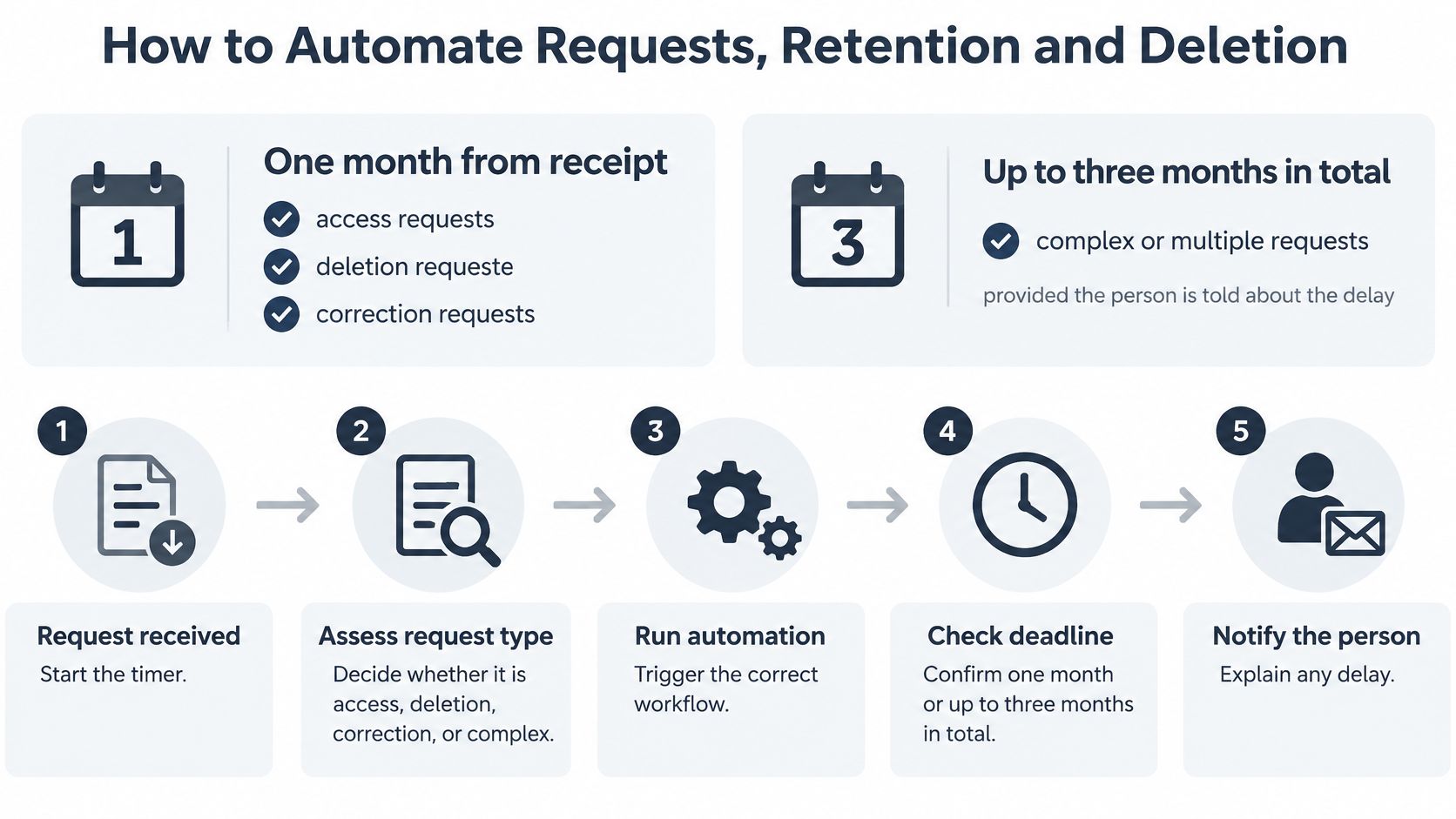
Under GDPR, an organisation generally needs to reply to an individual-rights request without undue delay and within one month. If a request is complex or multiple requests are involved, the deadline can be extended by up to two additional months, provided the person is told about the extension within the initial one-month period (EDPB guidance on respecting individuals' rights).
Build one workflow from receipt to confirmation
- Set retention periods. Record a period for each data type, such as call recordings, transcripts, CRM notes and appointment details. The business chooses and reviews those periods; software can apply them, but it can't decide what is necessary for the purpose.
- Connect the relevant systems. Link the phone, booking and customer-record systems to the same request process. A common slip is to remove a record from the main app while leaving copies in a transcript, backup or search index.
- Log each request when it arrives. Record the date received and start the deadline clock immediately. Don't wait until someone opens an email or forwards it to the right colleague.
- Verify the requester's identity. Make sure you're dealing with the person concerned before releasing or removing their information. Use a proportionate check, and avoid asking for more information than needed to verify the request.
- Locate their information across systems. Search using a consistent identifier, such as a verified email address or customer reference, and check each connected store. An incomplete search can make a response look timely while leaving relevant data undiscovered.
- Carry out the requested action. Provide access, correct the relevant information or delete what should be erased. Keep a copy of the response sent and record any exception that needs human review.
- Confirm the result. Tell the person what action was taken and record the outcome, including any system that could not complete the operation automatically. A dashboard showing “success” is not enough if the business hasn't checked the connected copies.
For an AI phone service, the business remains responsible for instructions and the retention schedule. rednea processes call data on the business's instructions and offers configurable retention, so the business can carry out deletion requests. Before going live, run a deletion with a dummy record, follow it through every connected system and confirm the result rather than relying on the workflow status alone.
Benefits, Risks and Where a Human Must Decide
The gain from automation is predictability in the routine layer. The same rule applies to each call and booking form. Requests get routed with the received date intact. Records stay exportable, so staff can check what happened without reconstructing events from memory.
Those gains hold only when a named person owns each automated step. I recommend a risk-tiered minimum: low risk actions like routing, redacting and scheduling deletion can run automatically with spot checks, medium risk actions like summaries sent to a customer record need same-day review, high risk outcomes stay with a human decision maker. A system can misclassify a caller, keep sensitive detail in a summary, push an inaccurate note into a CRM, or report a deletion while copies sit in another store. The owner reviews exceptions and fixes the underlying rule when the workflow fails. That is the evidence chain.
GDPR sets two boundaries here. Personal data must be adequate, relevant and necessary for its stated purpose. Decisions based solely on automated processing that have legal or similarly significant effects carry extra duties to inform, to offer human review, and to allow challenge (Your Europe guidance on GDPR for businesses). Call recordings sit under related disclosure and consent duties, which differ by market, so check the rules on when recording a phone call is legal in the UK before you switch on routine recording.
Start customer service with the routine layer
Let the assistant handle opening-hours questions, service areas and pricing ranges, appointment availability, order-status information, basic troubleshooting and message taking. It can do that in the caller's own language. Staff take over when the situation is unusual, sensitive or consequential. Collecting details to book a service call is routine. Deciding a complaint, or a person's eligibility for an important service, is not. Keep employment, credit, healthcare access, legal rights and other significant outcomes with a person who reviews the record before acting.
Research on a generative-AI conversational assistant used by 5,179 customer-support agents found issues resolved per hour increased by 14% on average, with novice and lower-skilled workers improving by 34% while experienced and highly skilled workers saw minimal impact (National Bureau of Economic Research study). In the same study, analysts found agents spent about 9% less time per interaction, handled roughly 14% more chats per hour and resolved about 1.3% more chats overall (NBER Digest summary).
Treat these findings as a reason to pilot a human-and-AI workflow and measure your own results. Track average handling time, interactions completed, escalation rate and resolution rate from the first week.
Working rule: Automate minimising, routing, redacting and deleting. Keep consequential decisions with a named human who owns the outcome.
Evaluating a Vendor Before You Sign
A compliance badge is a claim, not a complete answer. Ask for written details about how the service handles personal data, and check that the contract matches the vendor's explanation. Use the checklist to compare evidence, not marketing language.

| Criterion | What to Ask the Vendor | Red Flag |
|---|---|---|
| Lawful transfers | Which sub-processors sit outside the EU and which transfer mechanism covers each one? | Vague answer or no contract for a sub-processor |
| Data location | Where are calls, transcripts and recordings stored? | Storage location not named in the contract |
| Deletion | How is a deletion request executed, and how long do copies persist in backups? | Dashboard toggle only, with no proof of deletion |
| Model training | Is customer data used to train AI models? | Any training on customer data without a clear opt-out |
| Change notice | How much notice is given before a new sub-processor is added? | No notice period or no right to object |
| Access controls | Who at the vendor can view recordings and transcripts, and how is that logged? | Shared logins or no role-based limits |
Ask for evidence that matches the claim
For example, rednea is fully compliant with the EU GDPR and UK GDPR. A buyer should still review the data-processing agreement and the details relevant to their own setup. For sub-processors that aren't certified under the EU-U.S. Data Privacy Framework, EU and UK Standard Contractual Clauses are in place.
All customer data, call transcripts and recordings are stored in Switzerland, which the EU recognises as providing adequate protection. Check that the location is clear in the contract, and consider the full data flow, not just where recordings are stored. If you're assessing data residency requirements, make sure your own processing record reflects the locations and recipients involved.
Request a written answer to every row, then score each vendor against the same six criteria. Treat any red flag as a stop until it's resolved in writing. A provider that can't name its sub-processors or explain how it verifies deletion hasn't yet shown the evidence you need to assess the service.
Confirm the Minimum Controls Before You Automate
For routine calls about bookings and basic service questions, start with a small control set: a short disclosure at the start of the call, a defined retention period, deletion on request, a signed processor contract, role-based access and an incident-escalation route. Assign a person to review exceptions and keep the workflow's evidence. That is more useful than building paperwork no one maintains.
Treat the work as a project if calls may contain health, legal or other sensitive information, if you record calls at scale, or if data moves outside the EU. Assess whether a data protection impact assessment, a data protection officer or a sector specialist is appropriate before deployment. The right depth of review depends on the actual processing and its risks.
For rednea, the business can confirm in writing that only data that is absolutely necessary is stored and customer data can be deleted in real time on request. Customer data is never used to train AI models. Customers also receive at least 30 days' advance notice of changes to the sub-processor list and may object to new sub-processors under the DPA. Review those terms against your own use case, and see our practical guidance on customer data protection.
This week, write down the minimum controls your business needs, shortlist vendors against the checklist and book a specialist review if any part of your processing falls into the higher-risk tier.
---
rednea is an AI phone assistant for small businesses that answers calls, detects the caller's language and can book appointments, answer routine questions, qualify leads or escalate calls to staff. Its configurable retention and deletion controls can support the evidence chain behind your GDPR process, while a named person remains responsible for the rules and exceptions. Visit rednea to see whether it fits your customer-service workflow.
Try rednea, no strings attached
AI phone assistant for business. Hear a live demo in your browser, book a call with our team, or get started — from £90/month, cancel monthly, no minimum term.
GDPR-compliant · EU & UK GDPR · Multilingual