AI Receptionist for HVAC: A Practical Setup Guide


It's the first cold snap of the year, both technicians are already on jobs, and your phone is ringing in an empty office. One caller has no heat, another wants a tune-up, and a third is asking about a replacement quote you sent last week. You can't answer from a crawlspace, and by the time you call back, two of them have booked someone else.
That's the exact problem an AI receptionist for HVAC work solves. It doesn't replace your dispatcher or your technicians. It answers immediately, asks the same intake questions every time, writes a clean job record, and sends the calls that need judgment straight to a person. Start simple, prove it on overflow and after-hours calls, and expand only when the handoffs are solid.
Which Calls an AI Receptionist Handles and Where They Go
| Call type | What the AI collects | Outcome |
|---|---|---|
| No heat in freezing weather, existing customer | Address, callback number, system type, whether occupants are vulnerable | Emergency triage; on-call human if risk rules are met |
| No cooling in a heatwave, home occupied | Address, system age, thermostat reading, occupant details | Priority booking or on-call escalation per your rules |
| Safety symptom (gas odor, CO alarm, burning smell) | Location, callback number, whether people are outside | Emergency guidance and immediate human escalation; no booking |
| Routine tune-up or maintenance plan | Plan status, equipment type, preferred window | Booked against technician availability |
| New system or replacement quote | Home size, system type, age of current unit, timeline | Qualified lead; site visit or quote call booked |
| Warranty or invoice question | Job number, warranty status, caller name | Logged and routed to office staff; no commitments made |
| Follow-up on an open repair | Prior job reference, issue description | Booked or routed to dispatcher |
| Sales pitch or spam | Caller name and purpose only | Politely closed and logged |
How to read the routing logic
The table has one job. It tells the AI what to collect, and it tells your dispatcher where each call lands without a callback just to fill in blanks. Routine work gets booked, qualified leads get a site visit, and anything with risk goes to a person. If a call doesn't fit a row cleanly, the AI should collect contact details and route it to the office rather than guess.
Set the AI to answer on the first ring and work through the fields for that call type in order. A no-heat caller gets asked about occupants and system type, not about a maintenance plan. A quote caller gets asked about home size and unit age, not pushed into the next open repair slot. That separation is what keeps fast answering from creating a messy schedule.
Day one rule: If the AI can't match the call to a row with confidence, it takes a complete message and routes it to a human. A clean handoff beats a wrong booking every time.
What the AI must never do
Draw hard lines before launch. The AI must never promise a repair time it can't guarantee, quote a price it wasn't given in writing, or confirm a warranty claim. It can say what happens next, who will call back, and what information that person will have. Diagnosis, pricing, and exceptions stay with your people.
For the safety symptom row, don't follow the booking path at all. That call follows the escalation rules covered in the emergency section, even if the caller asks to book a visit. Every field in this table also needs to match a field in your job record, so a dispatcher never receives a call type with missing data. Later, when you count your own call logs, you'll tag calls using these same types, which makes the pilot results straightforward to compare against your baseline.
Why Missed HVAC Calls Cost More Than Voicemail Shows
| Time to first response | Contact rate |
|---|---|
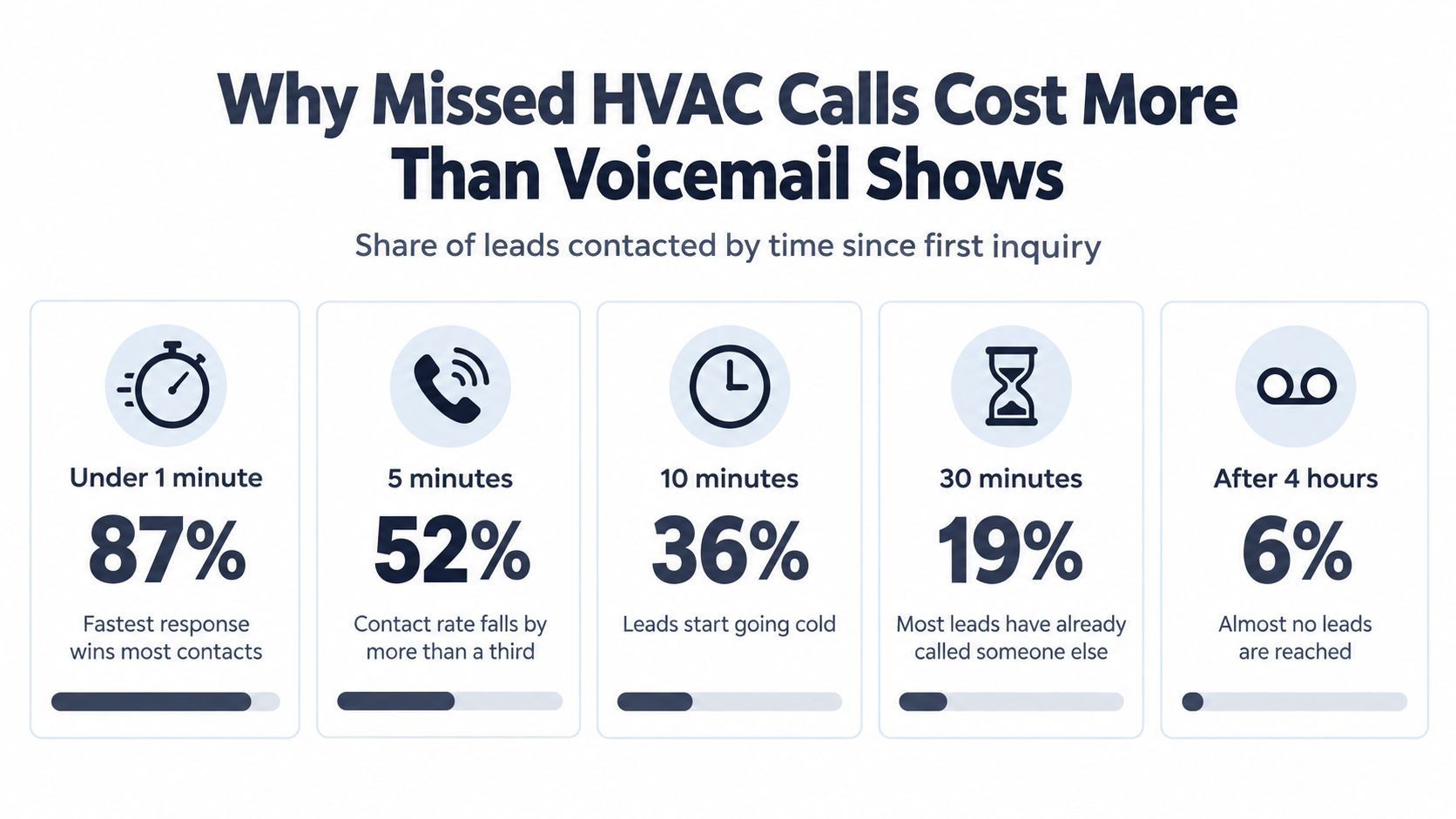
| Under 1 minute | 87% |
| 5 minutes | 52% |
| 10 minutes | 36% |
| 30 minutes | 19% |
| 4 hours or more | 6% |
The lead-response benchmark reports contact rates of 87% when a lead is contacted in under one minute, compared with 6% after four or more hours. Treat these figures as planning benchmarks, then compare them with your own call outcomes. Market, season, and call mix can affect results.
Technicians spend long stretches on roofs, in crawlspaces, and driving between jobs. They cannot answer every call, and taking calls during hands-on work can pull attention from the job. A 2024 analysis of home-services call data reported that 27% of calls to businesses in the sector went unanswered. Only 52% of inbound home-services calls were answered by a person on the first attempt, with rates ranging from 32% to 74% by trade. The analysis also found 82% of surveyed customers said they would call a competitor if a business did not answer, while only 30% would wait three to five minutes on hold.
During peak periods, unanswered calls can mean lost opportunities, especially when a caller needs urgent service. Use your own logs to estimate the revenue at risk rather than relying on a general figure. For a broader explanation of how unanswered calls affect businesses, read this breakdown of the cost of missed calls.
Work out your own loss in four inputs
Start with your records, not someone else's revenue estimate.
- Missed calls per day: Count voicemail and no-answer calls in your logs.
- Real opportunities: Exclude spam, suppliers, and wrong numbers.
- Conversion rate: Use the share of answered opportunities you normally book.
- Average job value: Use booked work, not quoted work.
Multiply the four figures to estimate the value of missed opportunities over the period you are measuring. Keep the calculation tied to calls the business could realistically have booked, rather than treating every missed call as revenue lost. An AI receptionist can provide first-line intake, capturing the caller's details and reason for calling while technicians continue their work. People still handle diagnosis, judgment, and decisions about what service to provide.
Emergency Triage and When the AI Must Hand Off
A caller reports a gas odor while the office is handling routine service requests. The AI should capture the location and alert a person immediately, not place the call in the booking queue. Fast human escalation is the right outcome on a high-risk call. A booking is the wrong one.
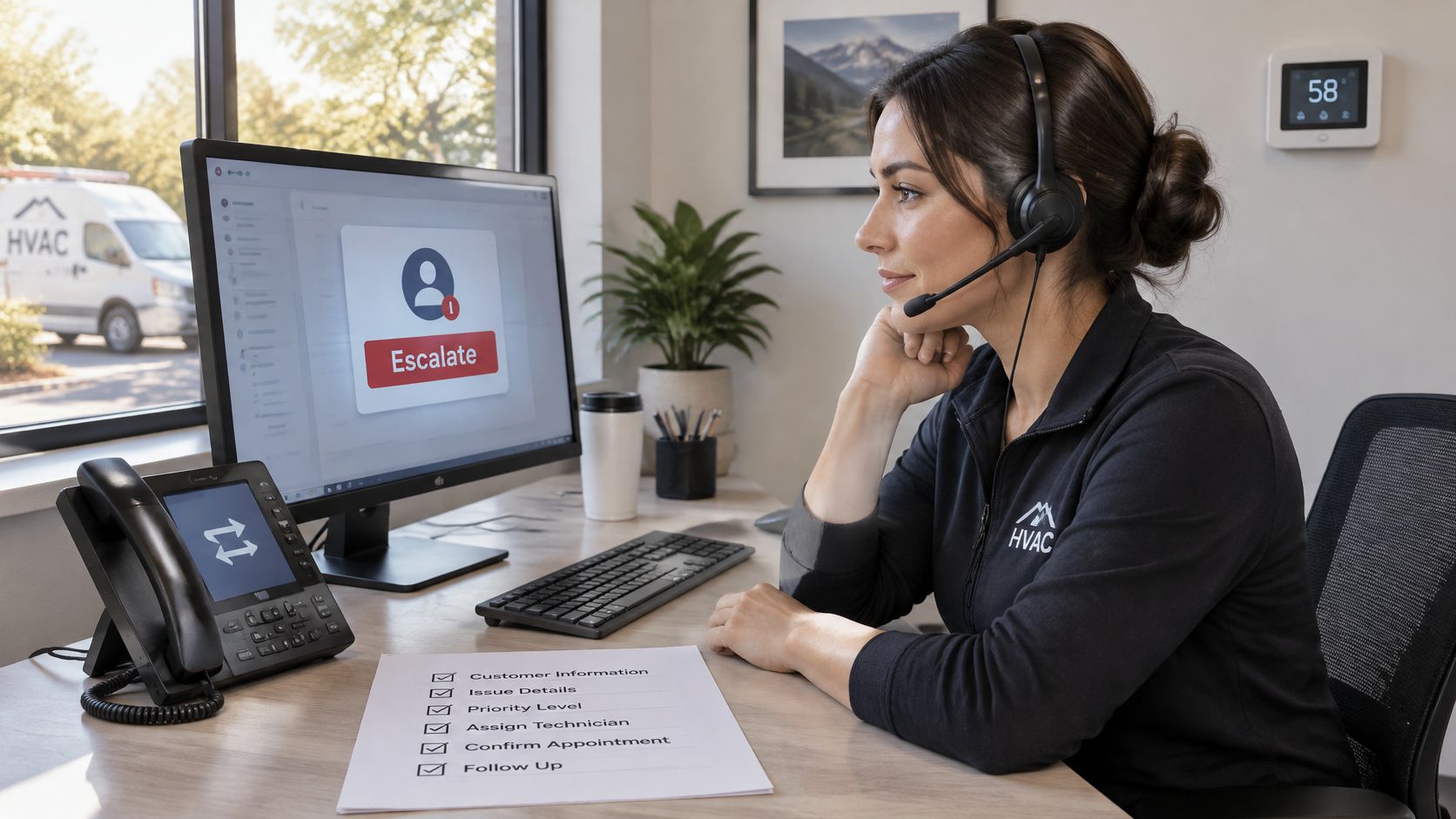
Set immediate escalation for suspected gas odor, a carbon-monoxide alarm or symptoms, a burning electrical smell, water near electrical equipment, and no heat in dangerous cold when infants, older adults, or medically dependent occupants are at home. When the risk is unclear, route the call to a dispatcher. A person can reassess urgency; the AI should not try to resolve uncertainty by diagnosing the problem.
The risk-based script in six steps
- Confirm the address and callback number first. If the call drops, the team still has the details needed to reach the caller and direct help.
- Ask only safety-critical questions. Find out whether people are outside, an alarm is sounding, or anyone feels unwell. Leave equipment age and warranty status for routine intake.
- Give emergency instructions where appropriate. Direct the caller to leave the property and contact emergency services rather than wait for a technician.
- Page the on-call technician. Include the address, reported symptom, and callback number in the first alert.
- Repeat and widen the page if there is no answer. Use a short response window set by your team, then page again and text the on-call phone and owner.
- Log the handoff. Record the time, reason for escalation, caller language, and what the AI said or promised. The next person can then act without restarting the call.
Build these rules into your escalation call handling setup as clear routing conditions. The AI handles intake and passes along the caller's words; a person decides what action to take. For safety symptoms, measure time to human contact and whether the handoff record is complete, rather than judging the call by bookings.
For multilingual calls, have the AI repeat the address slowly and ask the caller to confirm it before escalation. This simple check helps catch a wrong street number before the page goes out. Before launch, run three mock emergency calls, one in each language you support. Confirm that each call reaches a person, triggers a fallback contact if the first page goes unanswered, and leaves a usable record for the dispatcher.
Wiring the Intake Fields into Your Scheduling and CRM
The AI is only as useful as the record it writes. A friendly call that produces a vague note still forces your dispatcher to call back, and you've lost the speed you paid for.
| Field | Why dispatch needs it | Example value |
|---|---|---|
| Service address or ZIP code | Routes the job to the right territory and travel buffer | 482 Maple Street, ZIP 60614 |
| Equipment problem | Matches the job to a technician with the right skill | Furnace fails to ignite |
| System type and age | Checks parts and truck stock before the visit | Gas furnace, 14 years old |
| Urgency | Sets priority tier and escalation path | Emergency, same day or scheduled |
| Warranty status | Determines pricing, parts and who approves the visit | Under manufacturer warranty, yes |
| Preferred window | Matches the request to open technician slots | Tuesday, 8 AM to 12 PM |
| Contact details and language | Enables callback and follow-up in the caller's language | Phone number, Spanish |
Checks that must pass before a slot is confirmed
Never let the AI confirm a time just because a calendar gap exists. It should check technician territory, skill match, working hours, travel buffer, and existing commitments first. A furnace specialist across town with no drive time built in isn't an available slot, no matter what the calendar shows.
Connect the tools your office already lives in. That usually means Google Calendar or Microsoft 365 for availability, your industry scheduling tool for dispatch, and the CRM that holds customer history. Get the CRM phone integration right and every call ends with a concise email or optional SMS summary showing urgency, address, requested service, and escalation reason. That summary is the handoff step most setups forget, and it's the one your dispatcher will judge the whole system by.
The need is not theoretical. A 30-day observational study of 85 small businesses across 58 industries found that only 37.8% of inbound calls were answered by a live person, while another 37.8% went to voicemail and 24.3% received no response. For a small HVAC team, a reliable intake layer that writes the fields above solves that gap without replacing anyone.
Run this three-part test before launch
- Off-shift test: Try to book a technician who is off shift and confirm the system refuses it.
- Territory test: Book jobs across two territories back to back and confirm the travel buffer applies.
- Summary test: Check the CRM record shows urgency, address, requested service, and escalation reason without opening the full transcript.
If any test fails, fix the field mapping before you touch the greeting or voice. The intake fields here should match the routing table call types exactly, so no call lands without the data dispatch needs to act on it.
Compliance, Consent and Data Retention Settings
Call recordings and transcripts aren't harmless logs. They can contain names, addresses, access codes, health details, details about vulnerable occupants, and payment information. Treat them as sensitive business records from day one, not as a setting you'll tidy up later.
GDPR-oriented guidance on AI voice systems identifies recordings and transcriptions as personal data, recommends a clear disclosure before interaction, and says businesses need a documented lawful basis for each call type, with outbound sales calls generally requiring stronger consent than inbound service requests. It also notes U.S. call-recording rules vary by state, with some jurisdictions requiring all-party consent, while automated marketing calls have additional permission and opt-out obligations. Your customer data protection settings need to reflect that split between service and marketing, not blur it.
Configure these settings before the first live call
- Disclose automation at the greeting: Tell callers they're speaking with an automated assistant, so consent starts from honesty.
- Announce recording where required: Match the wording to the caller's state or country rules.
- Separate service and marketing workflows: Keep consent for a repair visit apart from consent for sales calls.
- Never take card numbers by voice: Send a payment link instead, so card details never enter a transcript.
- Collect only the intake fields: If dispatch doesn't need it, the AI shouldn't ask for it.
- Set a written retention period: Decide how long transcripts live, then delete on schedule.
- Process deletion requests and log completion: The record of deletion matters as much as the deletion itself.
- Restrict transcript access to named staff: Dispatchers and owners, not every login in the business.
- Always offer a route to a human: Callers who don't want automation need a real alternative.
A provider built for EU and UK GDPR, with European server infrastructure and real-time deletion on request, reduces the configuration work because retention, access, and deletion controls are already in place. It doesn't remove your responsibility to set them correctly for your business.
Adapt this greeting, then check the recording wording against your state's and country's rules before using it:
"Thanks for calling [Company]. You are speaking with our automated assistant, and this call may be recorded. I can take your details for a service visit, or connect you to a person now if this is an emergency."
These are operational settings, not legal advice. Have a lawyer confirm the rules for each state and country you serve, document the lawful basis for each call type, and review the setup whenever you add outbound calls, a new language, or a new service area.
Setup, Pilot and Success Metrics
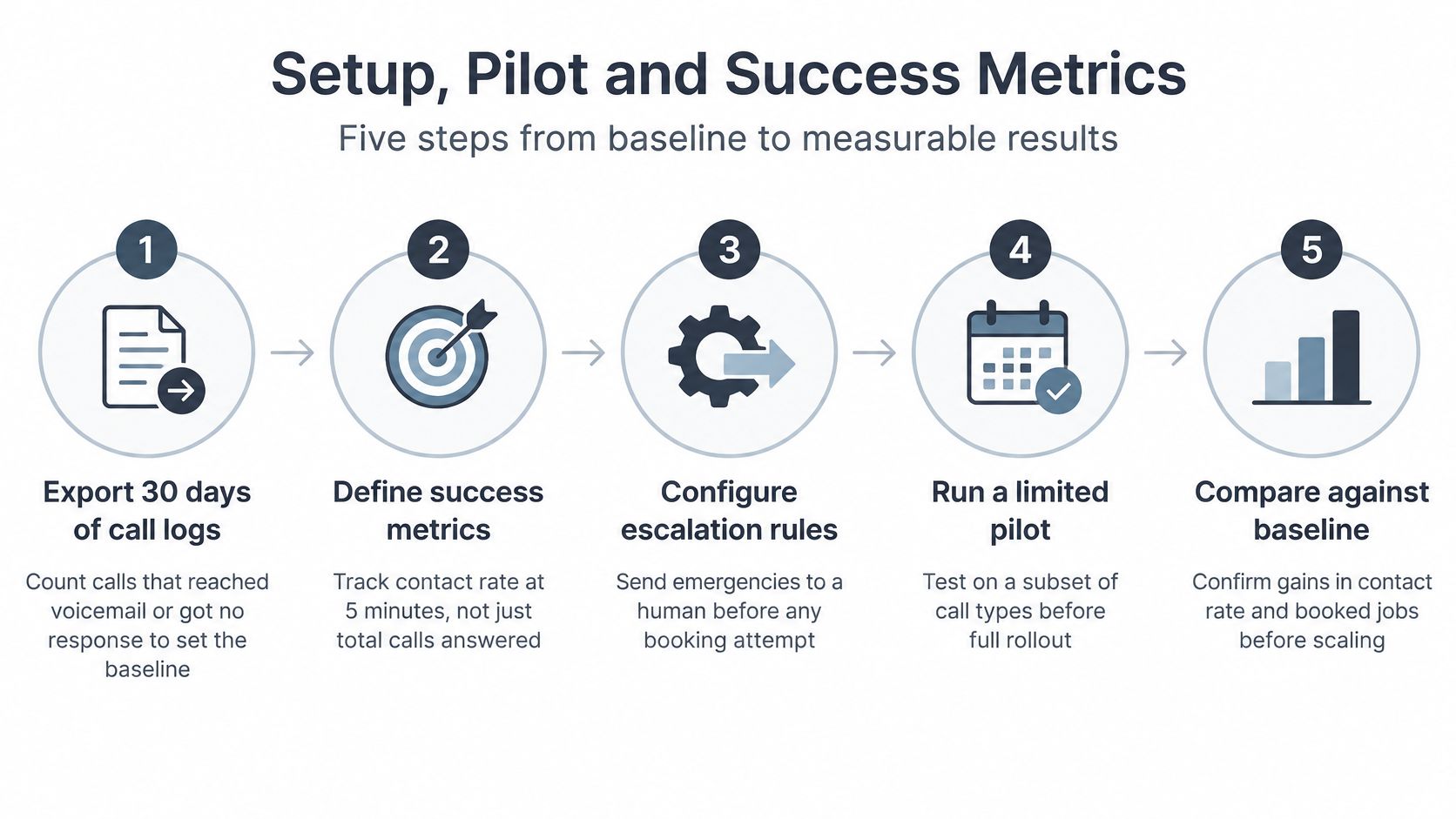
A workable rollout starts with a baseline, a narrow pilot, and a rule for expansion. Keep the AI focused on structured intake and routine bookings. On safety calls, the right outcome is a fast human handoff.
The setup and pilot procedure
- Export 30 days of call logs. Count calls that reached voicemail or got no response. Use that figure as the baseline, then compare it with the pilot's answer rate.
- Tag every call by type and language. Use the routing table categories and begin with languages already present in your records, such as English and Spanish for a U.S. contractor. Add languages according to caller demand, not a feature list.
- Write the greeting, intake questions, and escalation rules. Include the automated-assistant disclosure, safety triggers, and fallback paging order. Keep questions short and arrange them in the order dispatch needs the information.
- Connect the calendar and CRM. Set technician territories, working hours, skill tags, and travel buffers before testing bookings. A calendar with incorrect territories can schedule the wrong job efficiently.
- Make at least 20 test calls. Cover normal speech, accents, unusual street names, background noise, and each supported language. Check names, addresses, and technical terms. Run three mock emergency calls, one per language, and confirm each reaches a person with a complete audit record.
- Launch on after-hours and overflow only. Run the pilot for two to four weeks while keeping a human line during working hours. For a company with one or two technicians, start with this line because the missed-call cost can be high while the pilot scope stays limited. Larger teams can pilot one service area or call type, then route by location once results hold.
- Review transcripts weekly with your dispatcher. Look for repeated questions, failed transfers, missed emergencies, and complaints. Change one script problem at a time so the effect of each adjustment is clear.
Multilingual coverage can help a small team answer more callers without extending staff coverage. A customer-support benchmark reports AI-powered multilingual systems cover an average of more than 50 languages, compared with roughly 3–5 languages for traditional multilingual support teams. Treat those vendor figures as planning benchmarks. Test each language on real calls, have the AI repeat names and addresses slowly, and route safety issues, payment disputes, and complex technical questions to a person.
Metrics that show whether the handoff works
Track the seven outcomes below weekly.
- Answer rate: Share of calls picked up without voicemail or no response.
- Time to qualification: Time needed to capture the full intake record.
- Booking rate: Qualified calls that become confirmed, feasible appointments.
- Emergency escalation accuracy: Whether safety and urgent calls reach a human correctly.
- Abandoned-call rate: Callers who hang up before intake is complete.
- Booked-job revenue: Revenue from jobs the AI captured, tracked in your CRM.
- Repeat-question rate: How often a human has to ask again for information the AI already collected.
Repeat-question rate shows whether the handoff gives dispatch usable information. Customer-service deployment guidance recommends measuring how often a human agent must ask again for information collected by AI. If dispatch keeps re-asking for addresses and system types, the AI is answering calls without completing its intake job.
Set the go or no-go rule before launch. Emergency escalation must be correct on every test call, with no exceptions, and the repeat-question rate must fall during the pilot. If either condition fails, keep the pilot narrow and fix the script or field mapping before expanding to daytime calls.
Segment results by emergency versus routine, after-hours versus working hours, language, and service area. A strong overall booking rate can conceal a weak Spanish intake flow or a territory where travel buffers keep breaking. Start with one line and one dispatcher reviewing transcripts, then make one weekly fix based on the results.
Write down the baseline from your last 30 days of logs, choose an after-hours or overflow pilot line, and schedule a two-week review with your dispatcher. Expand one call type at a time only when escalation remains accurate and repeat questions fall. The AI handles structured intake; your team keeps diagnosis, pricing, and safety decisions.
---
If you're ready to stop sending callers to voicemail while your technicians are on site, rednea answers 24/7 in your callers' languages, books against your real calendar, writes the intake record into your CRM, and escalates emergencies to your on-call human instead of trying to book them. Setup is handled for you, so you can start with after-hours and overflow, review the transcripts and summaries after every call, and expand only when your pilot metrics say it's working.
Try rednea, no strings attached
AI phone assistant for business. Hear a live demo in your browser, book a call with our team, or get started — from £90/month, cancel monthly, no minimum term.
GDPR-compliant · EU & UK GDPR · Multilingual