Answering Service for Contractors That Books More Jobs

You're halfway through a job when the phone rings. You can't safely answer while standing on a roof, tracing a fault behind a wall, or explaining a repair to a homeowner. The caller reaches voicemail, waits for a callback, and often contacts the next contractor instead.
That's why an answering service for contractors should be treated as more than an outsourced receptionist. The right system protects the first few minutes of a lead, identifies whether the caller needs emergency help or routine scheduling, and gets qualified work onto your calendar while your crew stays focused.
This guide explains how contractor answering works, what missed calls can cost, which features deserve attention, how pricing models differ, and how to launch a practical AI plus human workflow. You don't need to automate everything on day one. A simple first step, such as instant answering and appointment intake, can create a reliable foundation before you add advanced routing, multilingual support, or outbound follow-up.
If you want to estimate the revenue exposure created by unanswered calls, use this missed-call calculator for service businesses as a starting point.
Introduction Why Every Missed Call Costs Contractors More Than You Think
The call you can't take
A homeowner calls an electrician while you're testing a panel. A property manager rings a plumbing company while the only office employee is unloading materials. A roofing prospect calls after hours because that's when they finally have time to discuss a leak.
In each situation, the contractor may be ready to help. The problem is timing. The person who answers first can gather the address, understand the need, and offer the next available appointment. The person who calls back later may be perfectly qualified, but the opportunity has already cooled.
A missed call isn't automatically a lost job, but it creates unnecessary friction at the exact point when buying intent is high. The caller has already taken action, and the business has to preserve that momentum without pulling a technician away from billable work.
What this guide helps you decide
A modern answering service can greet callers around the clock, answer routine questions, qualify leads, book appointments, and alert a human when judgment is needed. AI makes that coverage practical for small crews because it can handle repetitive conversations without requiring a full-time receptionist, while people remain available for emergencies, complicated projects, and sensitive customer situations.
The useful question isn't "Should I get an answering service?" It's more specific:
- Which calls need a human immediately?
- Which callers can be qualified and booked automatically?
- How quickly can the system respond?
- Can it work in the languages your customers use?
- Does it fit your calendar, CRM, and dispatch process?
The best setup behaves like a well-trained front desk. It doesn't try to replace your crew. It keeps the phone from becoming a bottleneck, captures useful information, and gives your team a cleaner handoff.
What an Answering Service for Contractors Really Does
Think of the service as a virtual front desk attached to your business phone number. A basic voicemail system records a message. A traditional answering service may take that message or transfer the call. A modern AI-powered service can have a conversation, collect job details, and move the caller toward a useful next step.
The five jobs of a virtual front desk
First, it answers immediately. The caller hears a professional greeting instead of silence or a generic voicemail prompt. That first response establishes that the business is reachable, even when every technician is occupied.
Next, it identifies intent. The system can ask whether the caller needs an emergency repair, a quote, an appointment, an update, or general information. A burst pipe shouldn't enter the same queue as a routine maintenance request.
Then, it collects qualification details. Depending on the trade, that might include the caller's name, address, service type, property details, urgency, preferred appointment window, and a short description of the problem. The goal isn't to diagnose a technical issue. It's to gather enough context for the next person to act.
After that, it answers repeat questions. Service areas, opening hours, appointment availability, accepted payment methods, and basic preparation instructions are often suitable for automation when the information is accurate and approved by the business.
Finally, it books or escalates. The system can place a suitable appointment on a connected calendar, send a summary, or route an urgent call to the on-call person. A human should remain in the loop when the situation is dangerous, ambiguous, emotionally sensitive, or outside the approved workflow.
Practical rule: Automate the predictable path, not the entire business.
How the conversation works
Speech recognition turns the caller's words into usable input. A language model interprets the meaning, chooses the next question, and produces a natural response. The caller doesn't need to press through a long menu if the system can understand a request such as, “I've got water coming through the ceiling and need someone tonight.”
Language handling should follow the same operational logic. A multilingual system can detect whether the caller prefers English, Spanish, French, German, or Italian, then continue in that language. For a broader rollout, review the last ninety days of conversations across calls, email, chat, social messages, reviews, and contact forms to identify actual demand, then separate language from location so regional policies remain correct. A phased launch, beginning with one additional language before adding more, is safer than attempting every language at once.
You can explore how a contractor-focused AI answering service can fit this virtual front-desk model. Whatever provider you evaluate, test whether it can distinguish a routine booking from a situation that deserves immediate human attention.
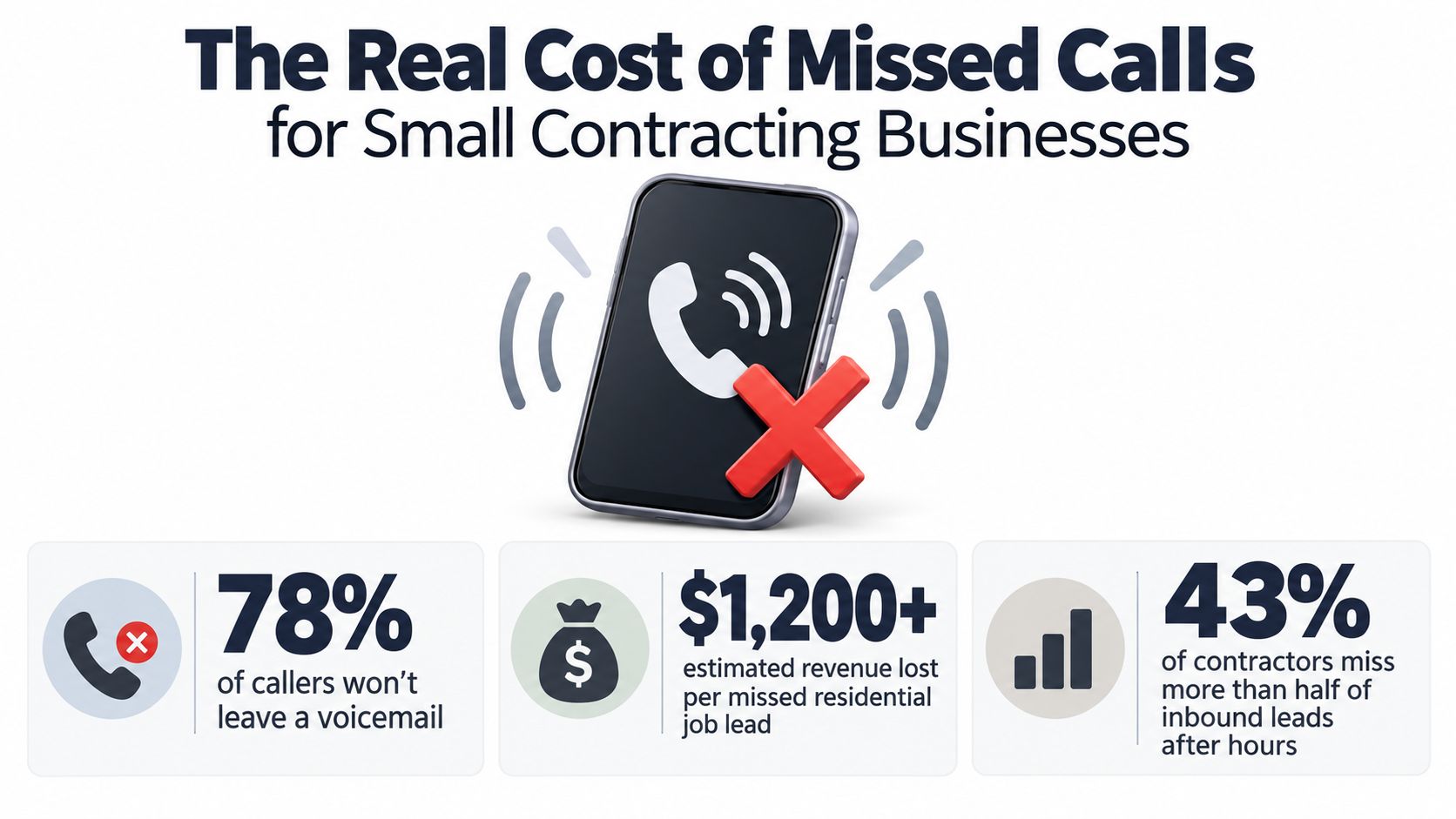
The Real Cost of Missed Calls for Small Contracting Businesses
A 2026 nationwide audit examined 2.4 million incoming contractor calls and found that businesses failed to answer 38% of calls with a live human within 90 seconds. The same audit estimated that the average home-service business lost more than $78,000 per year in revenue from missed calls. You can review the full 2026 contractor missed-call audit for the methodology and context.
The size effect is especially relevant to field service. Solo operators and businesses with fewer than three employees missed 52% of calls, while businesses with ten or more employees missed 27%. A small crew often has the highest exposure because the same people are driving, working, quoting, purchasing materials, and answering the phone.
After-hours demand is a separate problem
During standard business hours, the audited contractors missed 29% of calls. After 5 p.m. and on weekends, the missed-call rate rose to 84%. That gap changes the buying decision. A service that only covers lunch breaks may help, but it won't address the period when many homeowners finally begin searching for help.
Independent call-analytics research summarized in 2026 found that home-service and contractor businesses typically missed 20% to 45% of incoming calls. One benchmark reported business-hours missed-call rates of 20% to 30%, compared with 35% to 45% after hours, while top performers using receptionist or AI assistance brought missed calls to under 8%. The call-analytics summary on the missed-call crisis provides the category context.
These figures don't mean every missed call represents the same job value. They do show that phone responsiveness is an operating constraint, not a minor administrative detail.
Why voicemail rarely repairs the leak
One independent study reported that 85% of callers who reach voicemail never call back, and 80% don't leave a message. It modeled typical local service businesses as losing $62,000 to $126,000 per year from missed calls, with higher-value verticals exceeding $150,000 annually. Those figures come from the missed-call revenue study.
Speed matters before the caller starts comparing alternatives. Responding within 60 seconds can increase conversion by 391%, while waiting five minutes can cut the odds of qualifying a lead by 80%, according to speed-to-lead research for contractors. The practical design target is simple: answer, qualify, and trigger booking or escalation in under a minute.
Key Features to Look For in a Contractor Answering Service
Buy the workflow, not the word “AI.” A polished voice is useful, but it won't help if the service can't book the right appointment, recognize an emergency, or give your technician enough context to act.
The core comparison
| Feature | Why It Matters for Contractors | What Good Looks Like |
|---|---|---|
| Instant answering | Callers need a response while intent is fresh. | The system greets callers immediately and avoids unnecessary voicemail. |
| Intent and urgency detection | Emergency work can't sit beside routine requests. | It asks direct questions, identifies risk, and escalates according to your rules. |
| Calendar booking | Manual callbacks create delays and double entry. | It connects with Google Calendar or Microsoft 365 and books approved appointment types. |
| CRM connection | A lead shouldn't disappear into a separate inbox. | Caller details, transcript, outcome, and next action reach the system your team already uses. |
| Language detection | English-only intake can exclude otherwise qualified customers. | It supports English, Spanish, French, German, and Italian, with a controlled rollout by demand. |
| Transparent billing | Variable trade volume makes surprises difficult to absorb. | Per-minute charges, included allowances, top-ups, and overages are visible before launch. |
| Privacy controls | Calls can contain addresses, access details, and personal information. | GDPR protections, European servers, and real-time data deletion are clearly documented. |
| Call routing | Not every call belongs with the owner or field crew. | Emergency, sales, existing-customer, and routine calls follow separate paths. |
| Summaries and alerts | Technicians need the facts, not a long recording. | Email summaries and optional SMS alerts show the caller, job type, urgency, and next step. |
| Analytics | You can't improve a workflow you don't measure. | Reports show unanswered calls, intent categories, booking outcomes, escalations, and peak periods. |
AI, human, or hybrid
An AI-first service suits repeatable work such as service-area checks, appointment requests, basic availability, and structured lead intake. A human-only service may be preferable when every caller expects nuanced judgment or when your scripts change constantly.
A hybrid model is often the practical middle ground. AI handles the first line and sends complex, urgent, or emotionally difficult conversations to a person. Research summarized for small-business AI customer service found that 61% of consumers said AI agents improved their experience in the past year, while 54% still preferred human agents for complex issues. The same source reported 18% to 32% automation resolution for standard FAQ and booking queries without human escalation in small businesses using AI chatbots, as described in this small-business AI ROI guide.
A good handoff feels like progress, not a transfer. Give the human the caller's details, intent, urgency, and conversation summary so the customer doesn't have to start over.
Small businesses are already using AI across customer service. Talkdesk reports that 51% of small businesses have integrated AI into customer service operations, with 74% using AI-powered chatbots, 51% using AI knowledge bases or help centers, 39% giving live agents AI assistance, 38% using AI analytics, and 32% using voice AI or IVR systems, according to the 2026 multilingual AI customer-service guide. That pattern supports a staged approach. Start with answering and intake, then add booking, summaries, escalation, multilingual coverage, and analytics as the team gains confidence.
Pricing Models and How Contractors Should Choose
Answering-service pricing usually follows one of three structures. The right choice depends on how often your phone rings, how long conversations run, how much after-hours coverage you need, and whether the system is booking work or only taking messages.
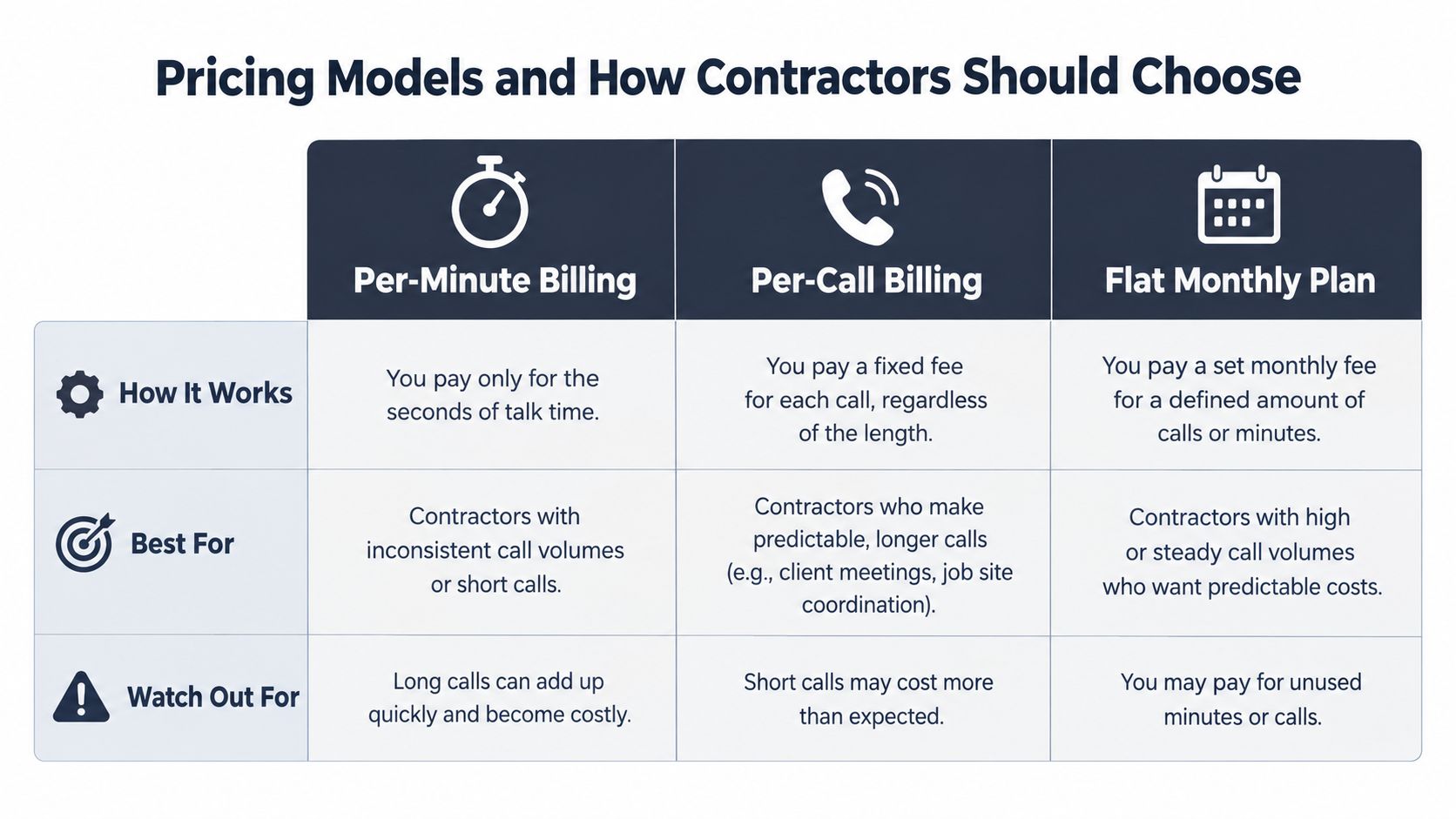
Per-minute billing
You pay for talk time. This can work well when call volume is uneven, conversations are short, and you want the bill to track actual usage. Ask whether transfers, recordings, hold time, setup, and outbound follow-up count toward billable minutes.
Per-minute billing can become harder to forecast during storm events, seasonal surges, or a new marketing campaign. Request a sample invoice that shows how a short booking call and a longer qualification call are treated.
Per-call billing
You pay according to the number of handled calls or completed interactions. This model is easier to understand when your team wants a consistent cost per contact, but definitions matter. Confirm whether abandoned calls, repeat callers, transfers, and calls that end before qualification are included.
A per-call plan may be suitable when conversations are similar in length. It can be less attractive when a simple appointment request and a complex project intake receive the same charge.
Flat monthly plans
A flat plan provides a predictable recurring cost, often with usage limits or fair-use terms. It's useful for budgeting and can suit businesses with stable call demand. Read the overage rules carefully, especially if the plan includes seasonal top-ups or a fixed number of minutes.
For a practical explanation of usage-based trade-offs, see this guide to usage-based pricing.
A simple buying calculation
Start with your call log, not a sales estimate. Review missed calls, after-hours calls, average conversation length, booking requests, emergency calls, and calls that were outside your service area. Then compare the expected monthly service cost with the value of the jobs you could realistically recover.
Don't assume every captured call becomes revenue. Separate urgent jobs, qualified quote requests, routine scheduling, existing-customer questions, and low-fit inquiries. A plan that captures the right calls and routes them correctly may be more valuable than a cheaper plan that generates a pile of incomplete messages.
Ask for flexible top-ups if your demand changes. Contractors should be able to increase coverage during busy periods without buying an oversized plan for quiet months.
Setup Checklist and Call Scripts That Win More Jobs
A useful launch doesn't require a long technical project. Gather your operating rules, connect the systems your team already uses, and test the caller experience before sending all calls through the service.
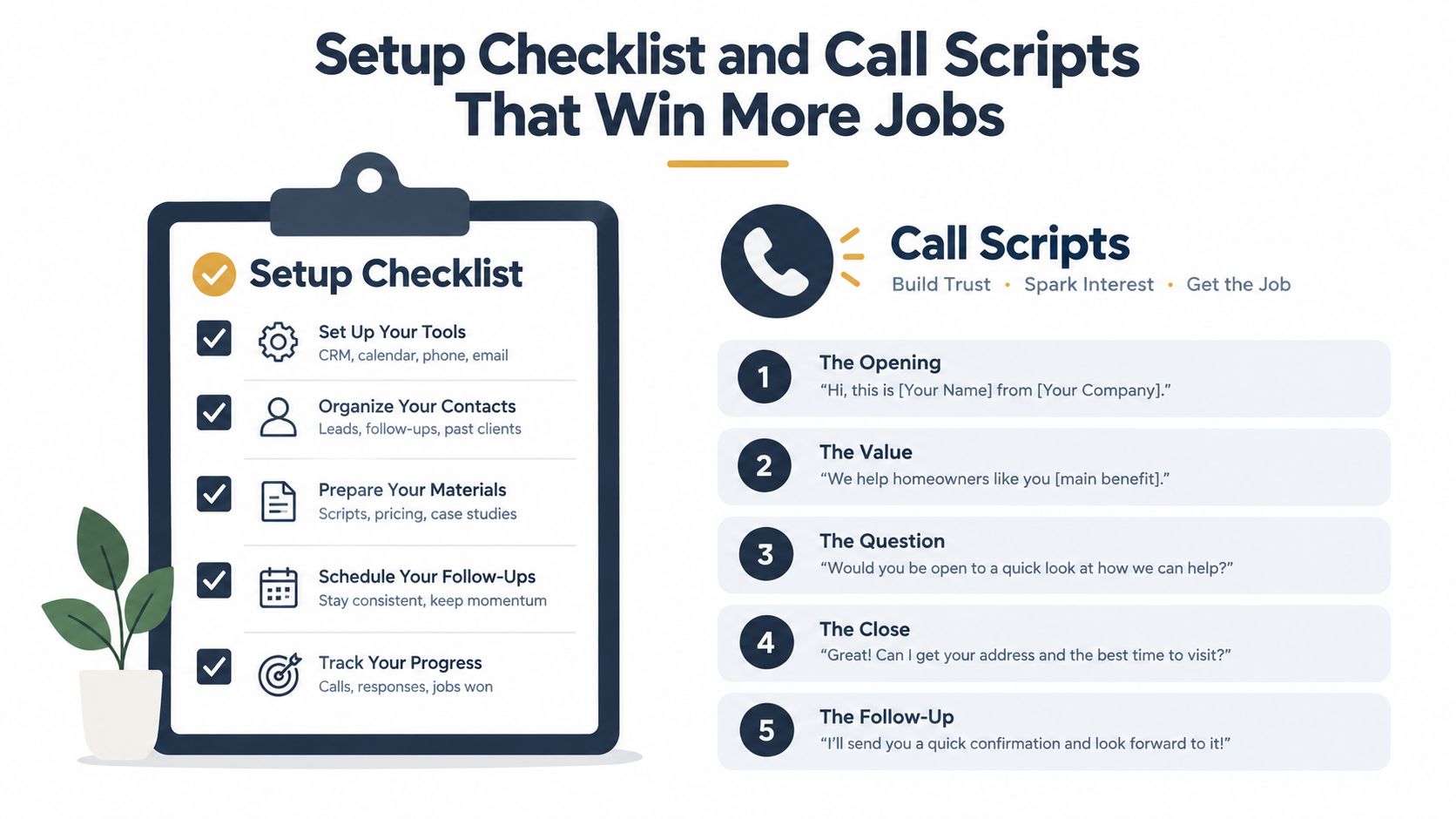
A practical launch sequence
- Connect the calendar and CRM. Decide which appointment types can be booked automatically and which require approval. Make sure the team can see the caller's details without searching through separate systems.
- Define your service area. List towns, postal regions, property types, and jobs you don't accept. This prevents the assistant from promising work your crew can't fulfill.
- Write the urgency rules. For plumbing, active flooding, sewage backup, or loss of essential water service may require escalation. For electrical work, smoke, burning smells, exposed live wiring, or a complete outage may need a different path. Your rules should tell the assistant what to ask and who to notify, not encourage it to diagnose a dangerous condition.
- Set language and escalation preferences. Choose the languages you can support, decide whether a caller can switch languages, and identify the human contact for urgent calls, quote approvals, and customer complaints.
- Test the complete booking flow. Call from an outside number. Try a routine booking, an emergency scenario, an out-of-area request, a caller speaking another supported language, and a caller who needs a person. Confirm the calendar entry, summary, notification, and escalation.
For additional examples, review these customer-service scripts for business calls.
Three scripts worth adapting
Emergency plumbing
“I can help get this to the right person. Is water actively running, where is the property located, and can you safely shut off the main supply? I'll mark this as urgent and send the details to the on-call team.”
The assistant should avoid promising an arrival time unless the calendar or dispatch rules confirm it.
Electrical quote request
“I'll collect a few details so the electrician can prepare. What type of property is this, what work do you need, and what address should we use? Would you prefer the earliest available assessment or a later appointment?”
This separates a genuine project from a general pricing question without dismissing either caller.
General contractor scheduling
“What project are you planning, where is the site, and what stage are you at now? I can record the details and offer an available consultation time.”
The tone should remain helpful when a caller is comparing prices. Capture the scope, timeline, and contact details, then route the lead according to your sales process.
Conclusion Start Simple and Let AI Complement Your Crew
An answering service for contractors works best when you treat it as a lead-speed and triage system, not a replacement for your office or field judgment. The system's first job is to respond quickly. Its next job is to separate emergency calls, qualified opportunities, routine requests, and poor-fit inquiries so each one receives the right treatment.
AI is already capable of handling repeatable customer-service work such as answering common questions, collecting job details, scheduling approved appointments, and sending concise summaries. Human support still matters when the caller describes a complex project, faces a safety concern, is upset, or needs an exception to your normal policy. That division of labor protects response speed without forcing your crew to trust automation with every decision.
Start with one workflow. For many contractors, that means after-hours answering, service-area qualification, and appointment requests. Add one language based on real customer demand, measure recovered calls and booked appointments, then expand into emergency escalation, CRM updates, outbound follow-up, or multi-location routing.
The goal isn't to make the business feel automated. The goal is to make it feel reachable. When a homeowner calls during a job, they should receive a useful response, and your team should receive the information needed to act.
---
rednea provides a 24/7 AI phone assistant that answers calls, detects supported languages, handles routine questions, qualifies leads, books appointments, and forwards important calls to people. Visit rednea to see how a contractor answering workflow can start with one simple use case and grow with your crew.
Try rednea, no strings attached
AI phone assistant for business. Hear a live demo in your browser, book a call with our team, or get started — from £90/month, cancel monthly, no minimum term.
GDPR-compliant · EU & UK GDPR · Multilingual