Answering Service for Law Firms Guide to AI Integration

A prospective client calls just as you step into court. Another calls after office hours, when your receptionist has gone home. By the time you return the voicemail, the caller may already have explained the problem to another firm. For a solo or small practice, this isn't a minor inconvenience. It can interrupt intake before your team checks conflicts, qualifies the matter, schedules a consultation, or discusses fees.
A modern answering service for law firms can keep that first conversation moving without pretending to replace legal judgment. AI can greet callers, identify their language, collect approved intake details, answer routine administrative questions, and book appointments. Human staff can handle sensitive disclosures, urgent matters, conflicts decisions, and legal questions.
The practical objective is simple: make the firm reachable, capture usable information, and give attorneys a clear next action. This guide shows how to introduce that workflow gradually, evaluate vendors responsibly, and build safeguards around confidentiality and professional duties. Start with the fundamentals at rednea's law-firm resource, then adapt the process to your practice areas and staffing model.
Introduction to Answering Service for Law Firms
An answering service is more than a backup phone line. It's an intake layer that protects the short window between a caller's decision to seek help and your firm's ability to respond.
Telephone access remains operationally important. The American Bar Association's 2023 Websites & Marketing Technology Report found that 86% of surveyed lawyers used telephone or voicemail to communicate with clients, compared with 92% who used email. Voice communication therefore sits just six percentage points behind email, which makes phone accessibility a current business requirement rather than an outdated habit.
For a small firm, the workflow should begin narrowly:
1. Define the approved call script. Decide what the system may ask, explain, and schedule. 2. Create an escalation path. Identify which calls reach a person immediately and which become routine summaries. 3. Connect the operational tools. Link calendars, intake records, and secure staff notifications. 4. Review performance regularly. Check whether summaries contain the right details and whether urgent calls reached the right person.
AI handles repeatable availability and structured capture. Your attorneys and trained staff retain responsibility for conflicts, advice, representation, and decisions involving risk. That division lets the firm become more responsive without handing legal judgment to a voice assistant.
Understanding the Key Concepts
Think of an answering service as a 24/7 receptionist with a decision tree, not as an automated lawyer. The first layer welcomes the caller, identifies the reason for the call, detects the preferred language, and collects only the information your firm has approved. AI can manage predictable questions about office hours, consultation availability, locations, and appointment scheduling.
A human layer remains essential when the caller describes immediate danger, an arrest, detention, a court deadline, an existing-client emergency, or a situation that requires empathy and interpretation. The AI should recognize the trigger, record the relevant facts, and transfer or alert a person according to written rules.
The intake record matters
A useful call summary should capture more than a name and phone number. At minimum, configure fields for:
- Caller identity and callback details
- Matter category and jurisdiction
- Urgency and important dates
- Opposing or involved parties
- Referral source
- Requested next action
The opposing-party field deserves special care. Collecting names before substantive discussion can support a conflicts-check process and reduce the chance that the system receives unnecessary sensitive information before the firm is ready to evaluate representation.
The system can send a structured summary to a CRM, practice-management record, email inbox, or secure staff queue. A human then reviews the record, confirms the appropriate next step, and decides whether the firm can proceed. A law-firm AI answering service should therefore be judged by the quality of the handoff, not just by whether it answers the phone.
Why Law Firms Need This Service
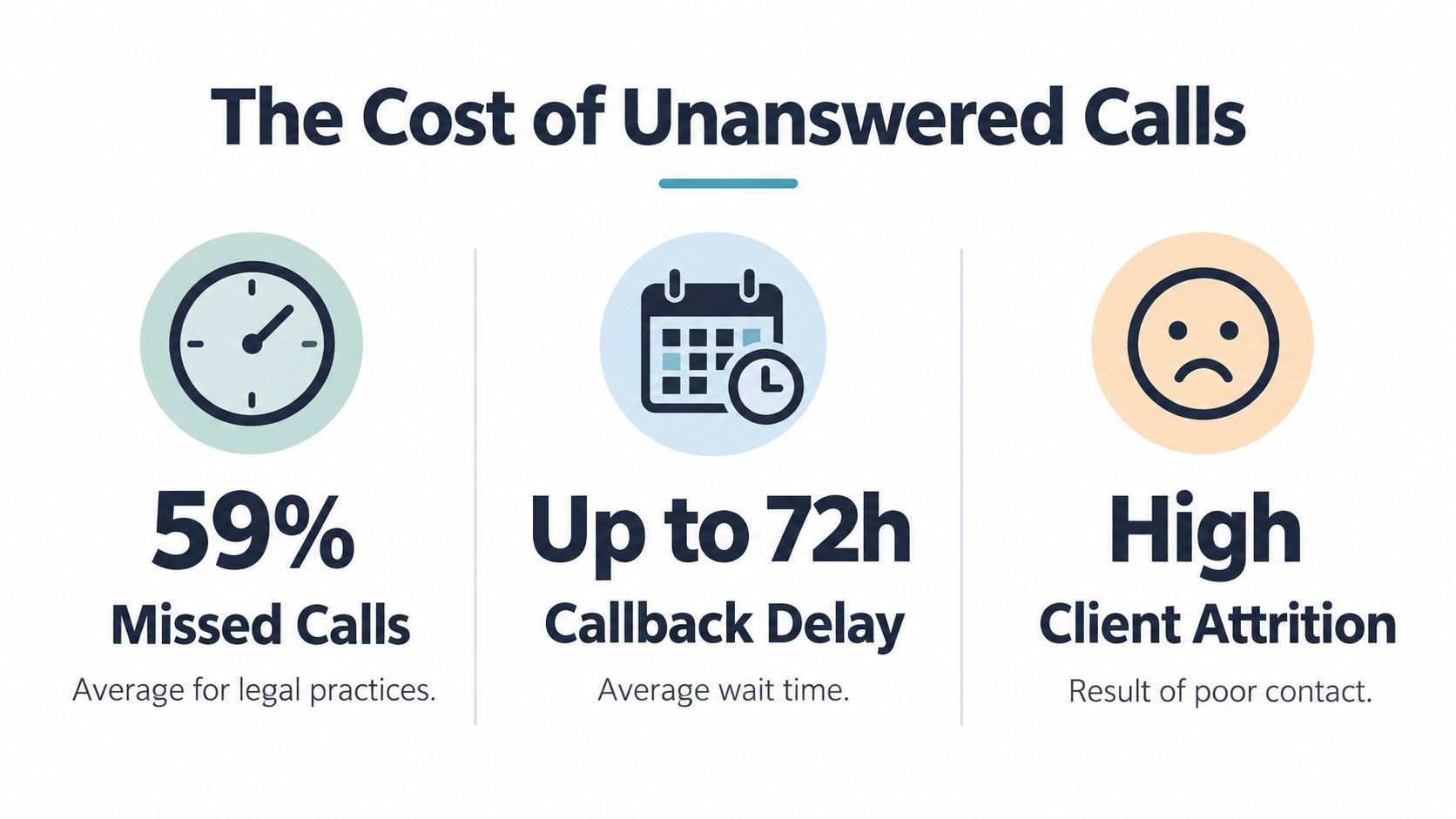
A missed call can stop intake before it starts. The caller hasn't reached the conflict-check stage, discussed a consultation, or learned whether the firm handles the matter. They have only encountered friction.
The Clio secret-shopper research found that 56% of calls to law firms were answered by a person, while 39% reached voicemail. More than half of voicemails weren't answered within 72 hours, and 60% of phone responses were rated unsatisfactory. The same research identified a satisfactory interaction as one that answers questions, demonstrates relevant experience, explains how the caller can learn about rates or total cost, and clarifies next steps.
That changes the buying question. You aren't just asking, “Who picks up?” You're asking, “Can this workflow preserve a useful first conversation when my team is unavailable?”
Where the business value appears
The strongest use cases involve practices where callers often need timely direction, such as criminal defense, personal injury, family law, immigration, or emergency injunctions. AI can answer immediately, gather the approved facts, and offer a consultation slot. A staff member receives context instead of a blank voicemail notification.
Practical rule: Treat every unanswered call as an intake interruption, not merely a missed conversation.
The service should also preserve expectations. It must never promise representation, predict an outcome, or imply that a consultation has created an attorney-client relationship. Its role is to keep the process moving until a qualified person can review the matter.
Must-Have Features for AI-Supported Answering Service
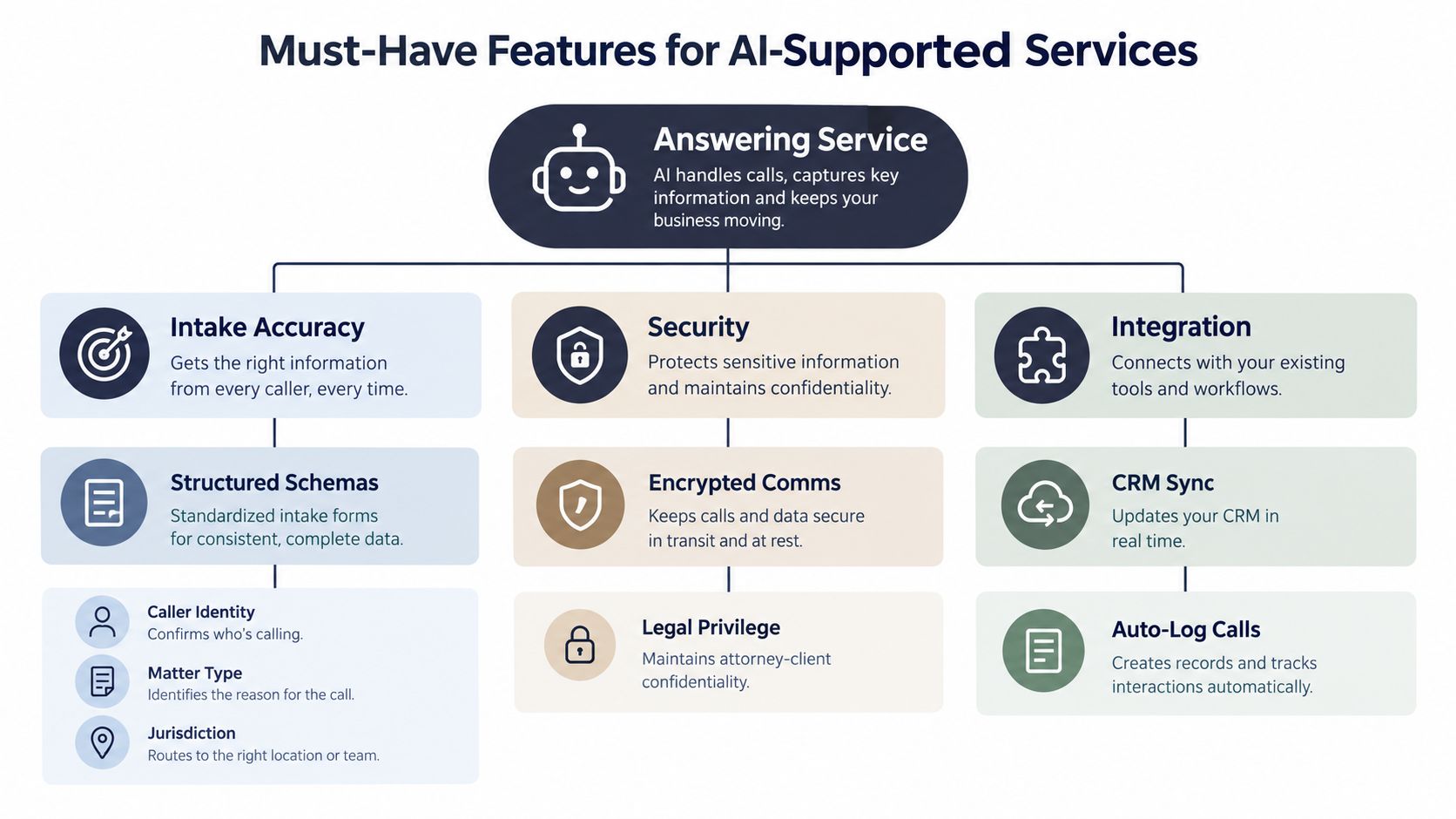
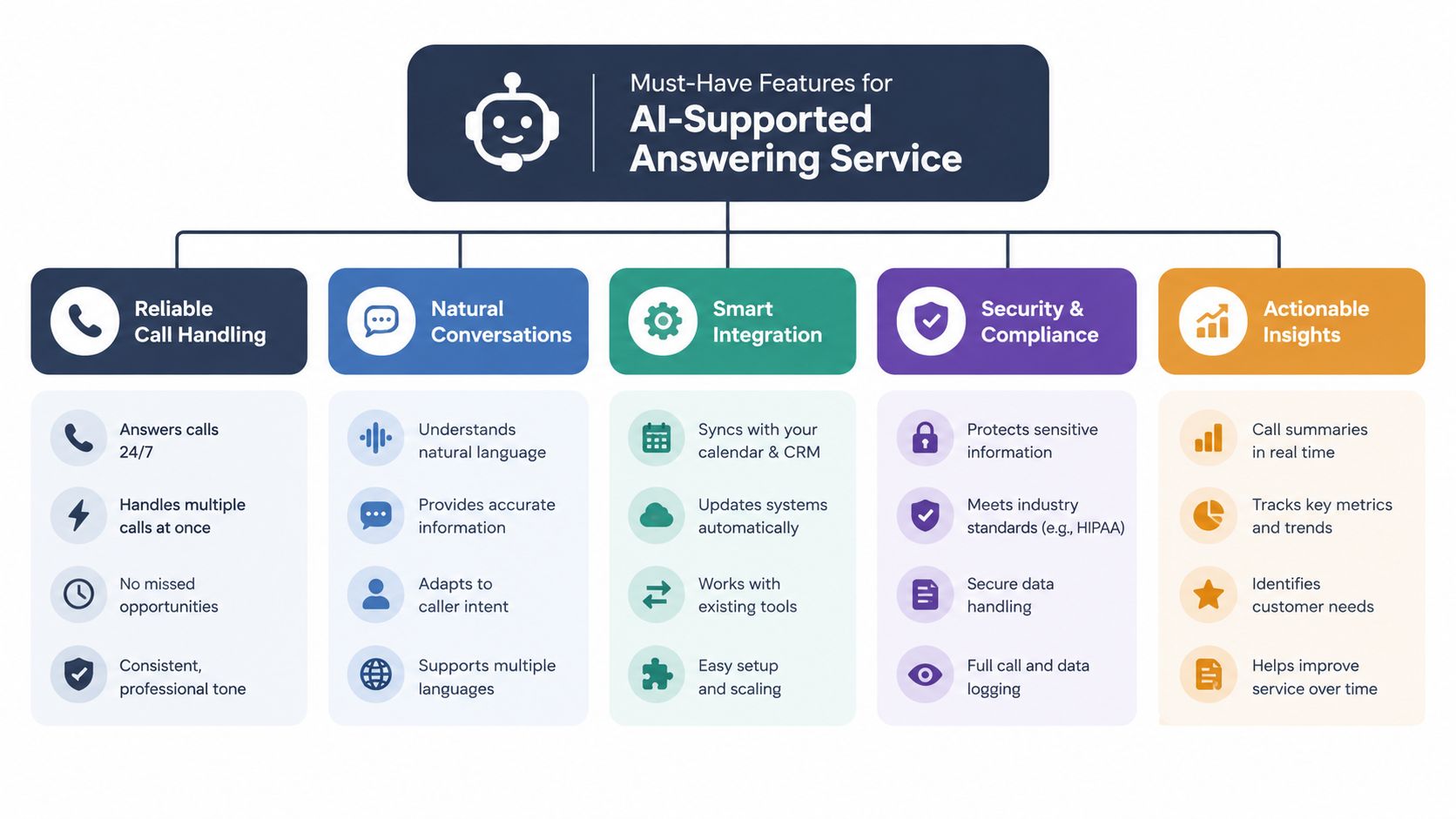
A capable system combines structured intake, multilingual communication, scheduling, integrations, and escalation. These features work together. Language detection without accurate summarization creates a polished but unreliable record. Booking without urgency detection can place a routine appointment ahead of an emergency.
The 2024 Clio study examined 500 firms and found that only 41% of phone interactions provided rate information, while 12% offered a cost estimate and 36% explained the legal process or next steps. Those findings support a workflow that gives the assistant approved administrative language and requires a documented next action.
Build the intake schema first
Start with fields, then write the script around them. A practical schema includes:
- Identity: name, preferred contact method, and callback number
- Matter: practice area, location, and brief description
- Timing: urgency, court dates, deadlines, or recent events
- Conflicts: opposing parties and other named individuals
- Outcome: consultation request, callback, document instruction, or human escalation
AI can ask these questions conversationally in English, Spanish, French, German, or Italian, provided the firm tests each language and reviews the resulting summaries. It can also answer published operational questions, but it shouldn't improvise on fees, eligibility, deadlines, or legal rights.
Separate routine work from judgment
Use automation for greetings, language selection, office information, appointment booking, and concise summaries. Route legal questions, disputed facts, highly sensitive disclosures, and emergency indicators to trained staff.
Calendar integration should show real availability and prevent double bookings. CRM integration should create a clearly labeled prospective-client record, preserve the call summary, and make the requested next action visible. A human should be able to correct the record without losing the original audit trail.
Compliance and Security Considerations
Constant availability doesn't excuse weak confidentiality controls. A call may contain information about an arrest, medical condition, finances, immigration status, family conflict, or active litigation before the firm has decided whether to accept the matter.
ABA Formal Opinion 477R recommends evaluating information sensitivity, storage, encryption, access controls, and retention limits to prevent unauthorized disclosure of client data. Apply that standard to the vendor, its staff, its AI systems, and every integration connected to the call record.
Ask how information moves
Before signing, request a plain-language data-flow explanation. It should identify:
- Collection: What does the system record, transcribe, or summarize?
- Access: Which vendor and firm personnel can view the information?
- Storage: Where are recordings, transcripts, and summaries hosted?
- Protection: Is data encrypted in transit and at rest?
- Retention: How long are records kept, and can the firm configure deletion?
- Sharing: Are subprocessors involved, and is data used for model training?
- Incidents: How will the vendor notify the firm about a breach?
Use data minimization as a design principle. The assistant doesn't need a full medical history to schedule a consultation. It may need to record that the matter involves an injury and requires prompt human review, while avoiding unnecessary clinical detail.
Create a deletion and escalation process
For firms operating in the EU or UK, the European Data Protection Board's guidance on individual rights says organisations generally must respond to a data-subject request within one month. A complex request may receive an extension of two additional months, but the individual must be informed within the original month. Build a practical workflow that records the request date, identifies the relevant call, restricts access during review, and sends a confirmation or reasoned refusal.
Your policy should also separate prospective-client intake from established-client communications. Restrict recordings and transcripts to authorised users, log access, and define immediate escalation for imminent harm, arrest, detention, or court deadlines. For a broader privacy review, use this GDPR compliance checklist.
How to Choose the Right Answering Service
Choose a vendor by examining the complete intake workflow, not by counting features on a sales page. A small firm may need a simple inbound assistant and calendar connection, while a multi-practice office may require language routing, separate scripts, conflict safeguards, and different escalation rules.
Use a due-diligence scorecard
Ask each vendor to demonstrate the same scenarios. Include a routine consultation request, a caller who speaks another supported language, an opposing-party disclosure, a fee question, an existing-client emergency, and a caller asking for legal advice.
| Evaluation area | What to verify |
|---|---|
| Intake accuracy | Can the system capture every approved field and preserve the caller's wording where needed? |
| Human escalation | Does an urgent call reach a trained person under a documented service-level target? |
| Boundaries | Does the assistant avoid advice, promises, case valuations, and implied representation? |
| Integrations | Do calendar and CRM records update securely without creating duplicate or incomplete entries? |
| Security | Can the vendor explain encryption, permissions, retention, deletion, hosting, and subprocessors? |
| Language support | Does the firm receive equally usable summaries across its selected languages? |
| Quality review | Can staff audit recordings, transcripts, summaries, escalations, and corrections? |
Test the handoff, not just the greeting
A convincing demonstration can hide poor operational detail. Ask to see the final record created after a call, including the fields sent to staff, the urgency label, the calendar result, and the audit history. Confirm whether your team can change scripts without vendor delays and whether the vendor documents every system that receives call data.
Avoid choosing on price alone. A low-cost service that omits opposing parties, deadlines, or next steps may create more staff work and greater risk. The right solution should make a human reviewer faster and better informed, while leaving professional judgment with the firm.
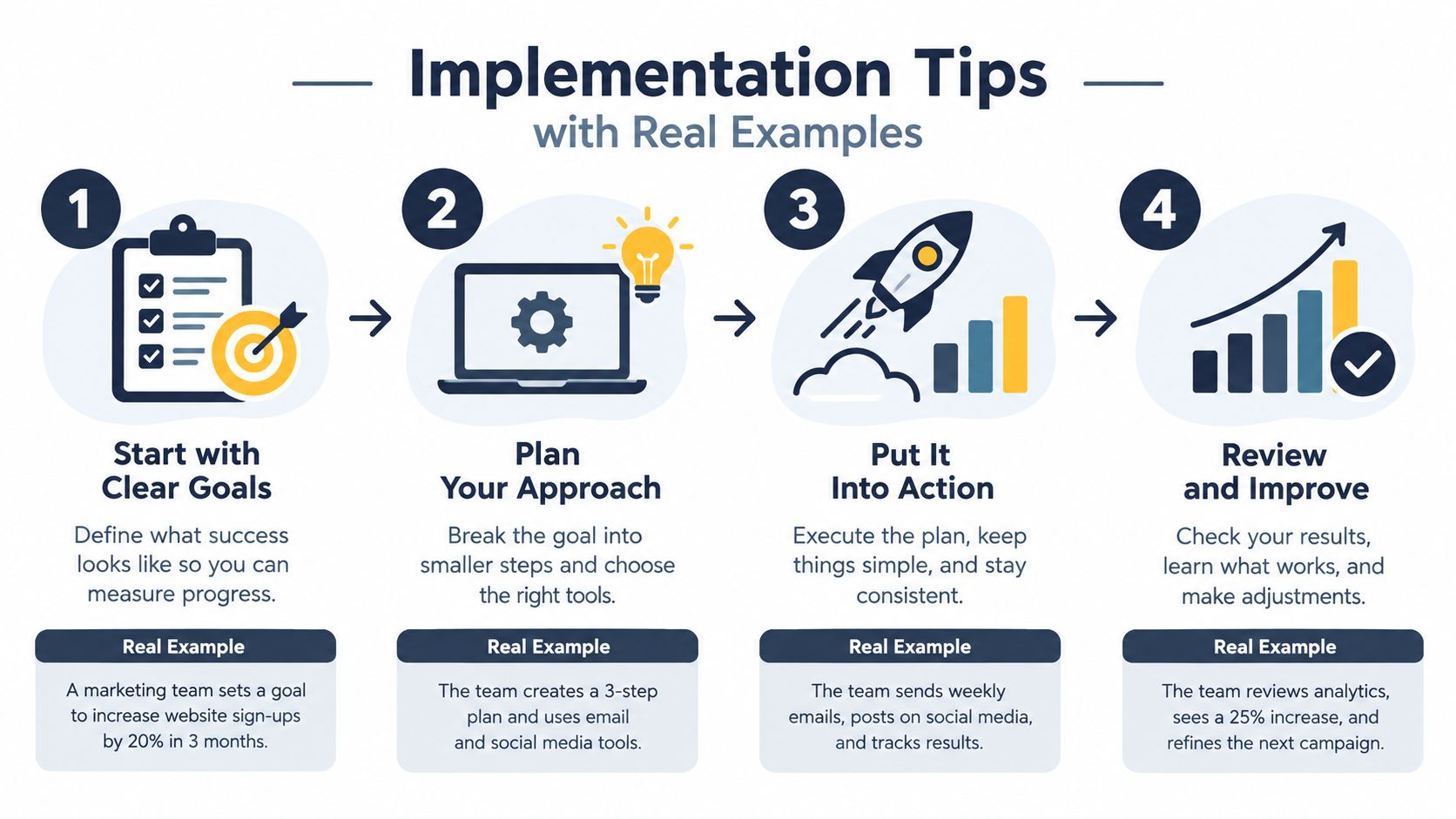
Implementation Tips with Real Examples
A small immigration and family-law practice can launch without redesigning every process at once. The managing attorney begins with one inbound number, one approved script, one calendar, and a short list of situations that require human intervention.
The first script asks for the caller's name, callback details, preferred language, matter category, jurisdiction, opposing parties, urgency, and requested next step. It explains that the assistant provides administrative intake only and that a lawyer must review the matter. It doesn't ask the caller to describe privileged or unnecessary details.
Run a controlled pilot
The firm tests the workflow with real examples that staff have reviewed and anonymised. Testers call in English, Spanish, French, German, and Italian where relevant. They simulate a routine consultation, a court deadline, an arrest, an existing-client emergency, an opposing-party disclosure, and a request for legal advice.
The assistant should:
- Book routine consultations: Offer only open calendar slots and send a confirmation.
- Escalate emergencies: Capture the date, location, and immediate risk, then alert the assigned person.
- Protect conflicts information: Ask for approved names before substantive discussion and flag the record.
- Summarise accurately: Include names, dates, matter type, jurisdiction, urgency, and next action.
- Respect boundaries: State when a human must answer instead of guessing.
Connect the result to the firm's preferred intake record. If the staff member must copy details manually from an email into another system, the process isn't finished.
Audit the workflow every week
A bottom-of-funnel firm should track the percentage of calls answered, classified, booked, and escalated, then audit summaries for missing names, incorrect dates, wrong language interpretation, and unauthorised legal guidance. These are operational controls, not vanity metrics.
A simple review sheet can include the call identifier, matter category, urgency, required fields, escalation result, booking accuracy, boundary issue, staff correction, and final disposition. Review patterns rather than isolated mistakes. If callers repeatedly ask a question the assistant can't answer, add an approved administrative response or route that question to a person.
For more guidance on structuring this process, see the law-firm intake service workflow.
Conclusion and Next Steps
An AI-augmented answering service gives a small firm a reliable front door while preserving human responsibility where it matters. AI can provide availability, language support, structured questions, appointment booking, and concise summaries. Attorneys and trained staff should retain control over conflicts, advice, confidentiality decisions, representation, and emergency judgment.
Begin with a focused checklist:
1. Audit recent calls: Identify missed calls, delayed callbacks, incomplete messages, and urgent matters that lacked a clear route. 2. Define permitted tasks: Write down what the assistant may ask, explain, schedule, and never answer. 3. Design the intake schema: Include identity, contact details, matter type, jurisdiction, urgency, opposing parties, referral source, and next action. 4. Document escalation: Set rules for arrests, court deadlines, imminent harm, existing clients, and legal advice requests. 5. Vet data handling: Review encryption, access, retention, deletion, hosting, subprocessors, breach response, and training policies. 6. Pilot and audit: Test representative calls, inspect summaries, and review answered, classified, booked, and escalated calls regularly.
The safest adoption path is incremental. Start with inbound answering and administrative intake, prove that the handoff works, then expand the assistant's permitted tasks only after human reviewers confirm accuracy.
---
rednea provides a 24/7 AI phone assistant for answering calls, detecting languages, booking appointments, qualifying inquiries, and escalating important matters to human staff. Visit rednea to explore an AI-supported intake workflow that can connect with calendars and CRM systems while keeping setup practical for a small or medium-sized firm.
Try rednea, no strings attached
AI phone assistant for business. Hear a live demo in your browser, book a call with our team, or get started — from £90/month, cancel monthly, no minimum term.
GDPR-compliant · EU & UK GDPR · Multilingual