AI for CX: A Practical Guide for Small Businesses


Your phone rings while you're working on a roof, treating a patient, or driving to the next job. You can't answer safely, and by the time you call back, the new enquiry has gone elsewhere. A repeat customer has also left a message, but you haven't had time to find out whether it's routine or urgent.
AI for CX should solve that problem before it does anything ambitious. A useful assistant answers the call, captures the request accurately, and gives the caller a dependable next step. It doesn't need to replace your receptionist or make decisions you wouldn't trust to a new employee.
What This Guide Is and Who It Is For
Consider a plumber working on a roof with three missed calls waiting on the phone. In this illustrative situation, one caller has booked another tradesperson, another wants an appointment, and a repeat customer is frustrated about an unresolved repair. Those calls require different responses, not the same cheerful promise to call back.
The practical question is whether an assistant can separate those requests without creating extra work. Capturing an address is useful. Promising an emergency visit that nobody can attend is worse than taking a message.
Built for businesses where answering competes with working
This approach suits tradespeople, freelancers, solo professionals, dental and medical practices, and small professional services firms. It also suits growing businesses whose office staff spend too much time answering opening-hours questions instead of completing bookings or helping customers.
The starting point isn't a department-wide transformation. It's a specific operational gap:
- Calls during hands-on work: Capture enquiries without interrupting a job or compromising safety.
- Appointment administration: Collect the information needed to offer an approved slot.
- Sensitive enquiries: Route the caller appropriately without offering clinical, legal, or safety advice.
- Busy reception periods: Give routine callers an answer while staff handle customers who need judgment.
A buying decision, not a technology experiment
A worthwhile deployment needs defensible economics, clear limits, and a way to stop it if it underperforms. You should know which calls it may handle, what a successful outcome looks like, and who owns unresolved requests.
Start with observation, move to restricted live handling, and expand only after reviewing actual outcomes. That staged approach lets a small firm test whether AI complements its people before committing more of the customer experience to it.
Don't buy on the strength of a natural-sounding demonstration alone. Buy only when the assistant can complete the work your callers need.
Defining AI for CX in Plain Language
AI for customer experience means using software to help customers get answers or complete tasks. For phone handling, the useful version listens to speech, identifies the request, uses approved information or connected systems, and replies in a natural voice.
The caller shouldn't need to understand how it works. You do, because each part can fail differently.
The components behind a conversation
- Speech recognition acts like a multilingual switchboard operator. It turns spoken words into usable text. Test names, addresses, accents, background noise, and corrections, not just a quiet demonstration.
- The language model acts like a receptionist with a routing checklist. It interprets the request and chooses an allowed next step. The triage-nurse analogy applies only to sorting urgency and routing, never to granting an unqualified assistant permission to diagnose.
- Text-to-speech provides the receptionist's voice. It reads the response aloud. A pleasant voice helps, but it can't compensate for incorrect appointment details.
Generative AI produces language. Conversational AI manages an exchange, including context and follow-up questions. A traditional interactive voice response menu routes callers through fixed options, often using keypad selections. A conversational phone assistant should let someone explain their request without guessing which menu option fits.
The mechanics are covered further in how AI assistants work.
Adoption isn't proof of suitability
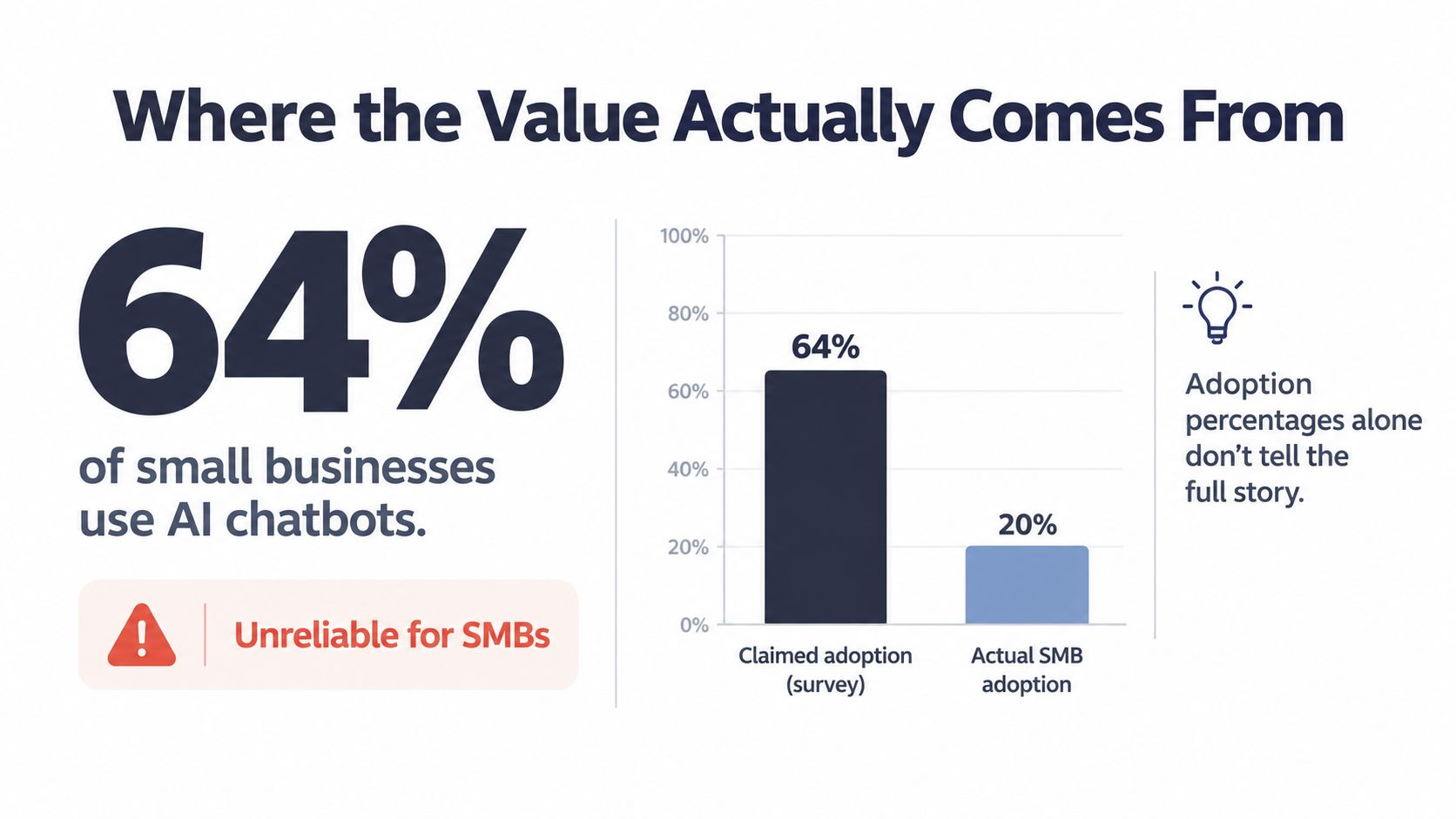
In a 2024 IBM survey of nearly 1,500 customer-service leaders across 34 countries, 67% had begun using generative AI, all respondents planned to use it, and 89% of organizations with at least three years of conversational-AI experience were using generative AI to answer queries directly; 65% expected combined generative and conversational AI to increase customer satisfaction.
Those findings show adoption and expectations, not a guarantee for your phone line. The graphic below also contains an “actual adoption” figure that shouldn't be treated as an established benchmark.
The sensible capability boundary today is routine calls with verified information and clear escalation. Treat that as a testable working assumption, not permission to automate every conversation.
Where the Value Actually Comes From
Your business case starts with missed opportunities, not an adoption percentage. Surveys can define customer-service AI differently and sample businesses with very different staffing and call volumes. Neither a high nor a low adoption headline tells you whether your next missed call is worth recovering.
Separate information calls, qualified enquiries, and completed bookings. An assistant that answers every call but produces unusable messages hasn't solved the operational problem.
Calculate contribution, not just potential revenue
Take an explicitly hypothetical plumber who misses four calls a day, with an assumed 30% booking conversion and £250 average job value. Those assumptions imply £300 in potential gross booking value per working day, not £300 of guaranteed recovered revenue. Monthly potential value is that daily amount multiplied by the firm's actual working days.
Use your own call logs to replace every assumption. Then discount calls from existing customers, duplicate enquiries, unsuitable jobs, and bookings the owner would have recovered anyway.
Break-even recovered jobs = total monthly assistant cost ÷ contribution per incremental completed job.
Contribution means what remains after labor, materials, travel, refunds, and other delivery costs. Include integration charges and staff follow-up in the assistant's total cost. Don't count a booking that your team can't fulfill.
Practical rule: Automate the predictable, escalate the rest, and count value only when the next step actually happens.
What productivity evidence does and doesn't prove
A field study of approximately 5,000 support agents found 13.8% more successfully resolved issues per hour with an AI assistant, with roughly 35% improvement among lower-skilled and less-experienced agents and little change among experienced high performers.
That was human-agent assistance, not autonomous phone handling. The useful lesson is narrower: structured guidance can help where staff lack experience, while expert judgment still matters. Don't transfer the study's uplift directly into your revenue forecast.
The graphic below presents a business-value allocation without an established supporting basis. Use your own financial records rather than its percentages.
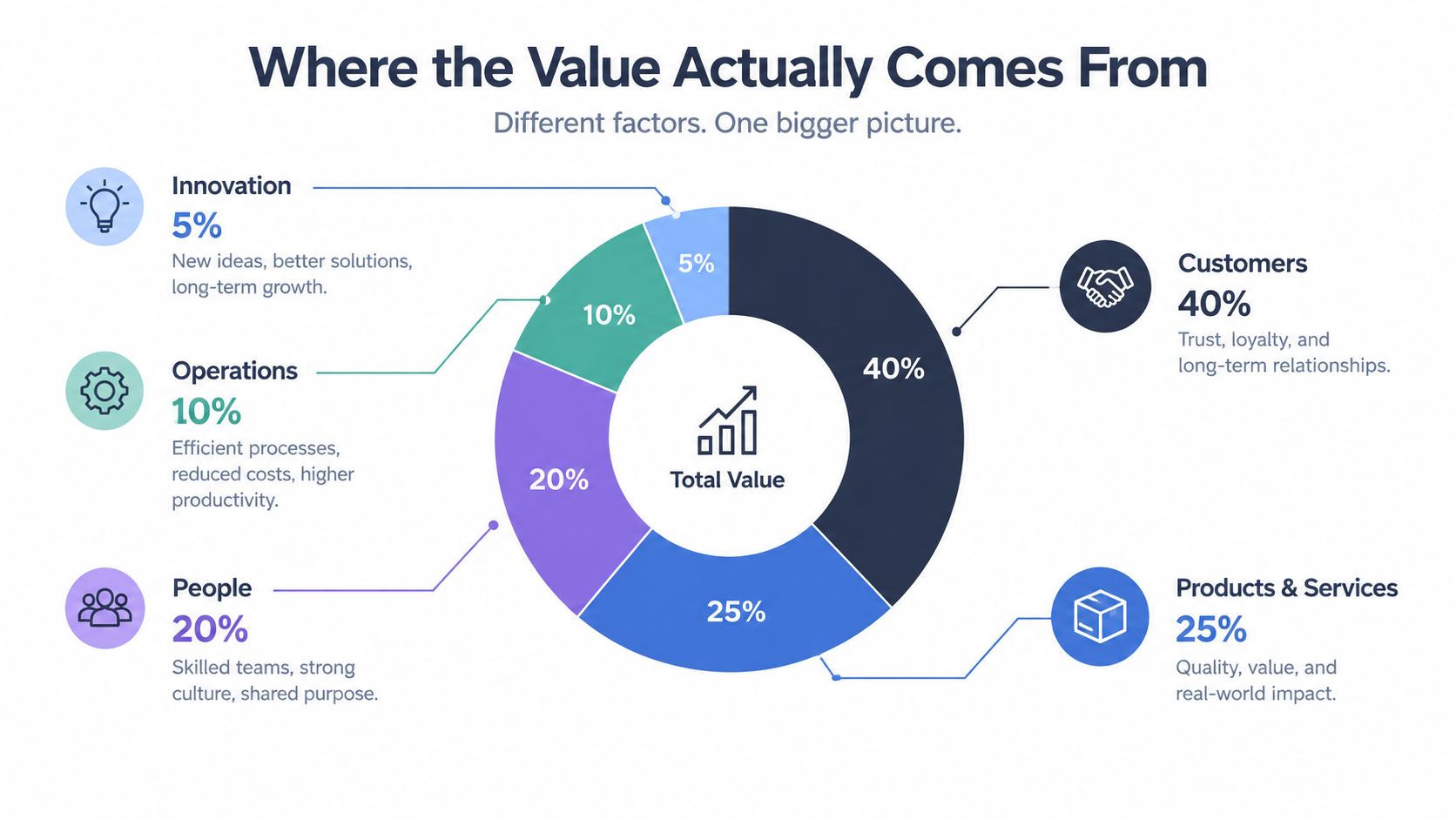
For a local firm, customer satisfaction is often practical: someone remembers the request, follows through, and doesn't make the customer repeat themselves. Measure that through completed callbacks, booking accuracy, and unresolved complaints, not cheerful wording alone.
Everyday SMB Use Cases Worth Starting With
The strongest starting use case is usually the least glamorous: capturing a call you would otherwise miss. More complex workflows should earn their place by producing reliable outcomes.
Salesforce's service research reported 30% of cases resolved by AI in 2025, with organizations projecting 50% by 2027; 89% of service professionals said conversational AI increases self-service resolution and 85% said it reduces costs. Those are broad service findings, not forecasts for your business.
Four Starting Use Cases and the Metric Each One Moves
| Use case | What it handles | Metric to watch |
|---|---|---|
| Always-available answering | Routine questions and enquiries during work or after hours | Answered-call rate and usable messages |
| Appointment booking | Approved availability, booking details, and confirmations | Completed valid bookings and no-shows |
| Lead qualification | Service type, location, timing, and routing information | Qualified-lead rate and follow-up completion |
| Multilingual support | Supported-language conversations on the existing number | Successful outcomes by language |
Choose the workflow that matches the caller
After-hours answering: A caller asks whether you cover their area. The assistant checks the approved service boundary, captures the work required, and explains when someone will respond. It must distinguish “we've received your enquiry” from “a technician is on the way.”
Appointment booking: A patient asks for an available appointment. The assistant checks the connected calendar, confirms the appointment type, and books only within approved rules. A calendar entry isn't enough: verify duration, location, practitioner availability, and whether the confirmation reached the customer.
For booking, track no-shows rather than assuming confirmation messages will reduce them. If the scheduling connection fails, the assistant should take a request without claiming a slot is reserved.
Lead qualification: A property enquiry may need location, service requirements, and a preferred callback time. Ask only what staff need to decide the next step. A caller shouldn't have to complete a lengthy interview before speaking to someone.
Multilingual support: A caller begins in their preferred language, and the assistant continues in a supported language without requiring a separate number. Don't accept “works in any language” without testing your customers' accents, industry terminology, and address formats.
A multilingual deployment can serve customers in different languages, but its scope should follow demonstrated performance. Unsupported or uncertain exchanges need a usable alternative.
Use customer-service scripts to define short questions, confirmation wording, and boundaries. Scripts should help callers finish a task, not make every conversation sound identical.
Implementing AI for CX Without Disrupting the Business
Setup is mostly a matter of deciding permissions and ownership. Connecting software is the easy part; deciding what happens when nobody answers a transfer takes more thought.
In Salesforce's survey of 6,500 service professionals, 93% of professionals at organizations using AI said it saves them time. For your deployment, verify that saved time isn't offset by correcting messages or chasing failed bookings.
A staged setup sequence
- Define approved answers. Supply current opening hours, service areas, appointment rules, and approved pricing information. Mark anything requiring individual assessment as out of scope.
- Connect existing systems. Use the calendar, scheduling system, and customer records your staff already maintain. Limit access to the records and actions the assistant needs.
- Assign escalation ownership. Name the recipient, fallback recipient, and callback process. A transfer destination without someone responsible isn't a handoff plan.
- Write the disclosure. Suggested wording: “You're speaking with our AI phone assistant. I can help with routine enquiries or arrange for a person to assist.”
- Run a shadow pilot. During the proposed one-week trial, compare suggested actions with staff decisions on appropriately authorized call material. Don't let untested booking or routing actions execute.
- Review outcomes. Check captured details, unsupported promises, abandoned conversations, and whether follow-up happened. Transcripts alone won't reveal every failed workflow.
- Enable restricted live handling. Begin with approved categories and keep a quick way to return calls to normal handling.
Make escalation concrete
| Request type | During staffed hours | Outside staffed hours |
|---|---|---|
| Routine appointment | Book within approved rules | Book only from verified availability |
| Complaint | Route to the designated person | Record and assign a callback without promising resolution |
| High-value bespoke enquiry | Collect essentials and request human review | Capture details without committing price or scope |
| Safety-critical or clinical issue | Apply the approved safety-routing policy | Never improvise advice or promise unavailable attendance |
Job value is a routing input, not permission to give confident advice. A low-value request can still involve serious risk.
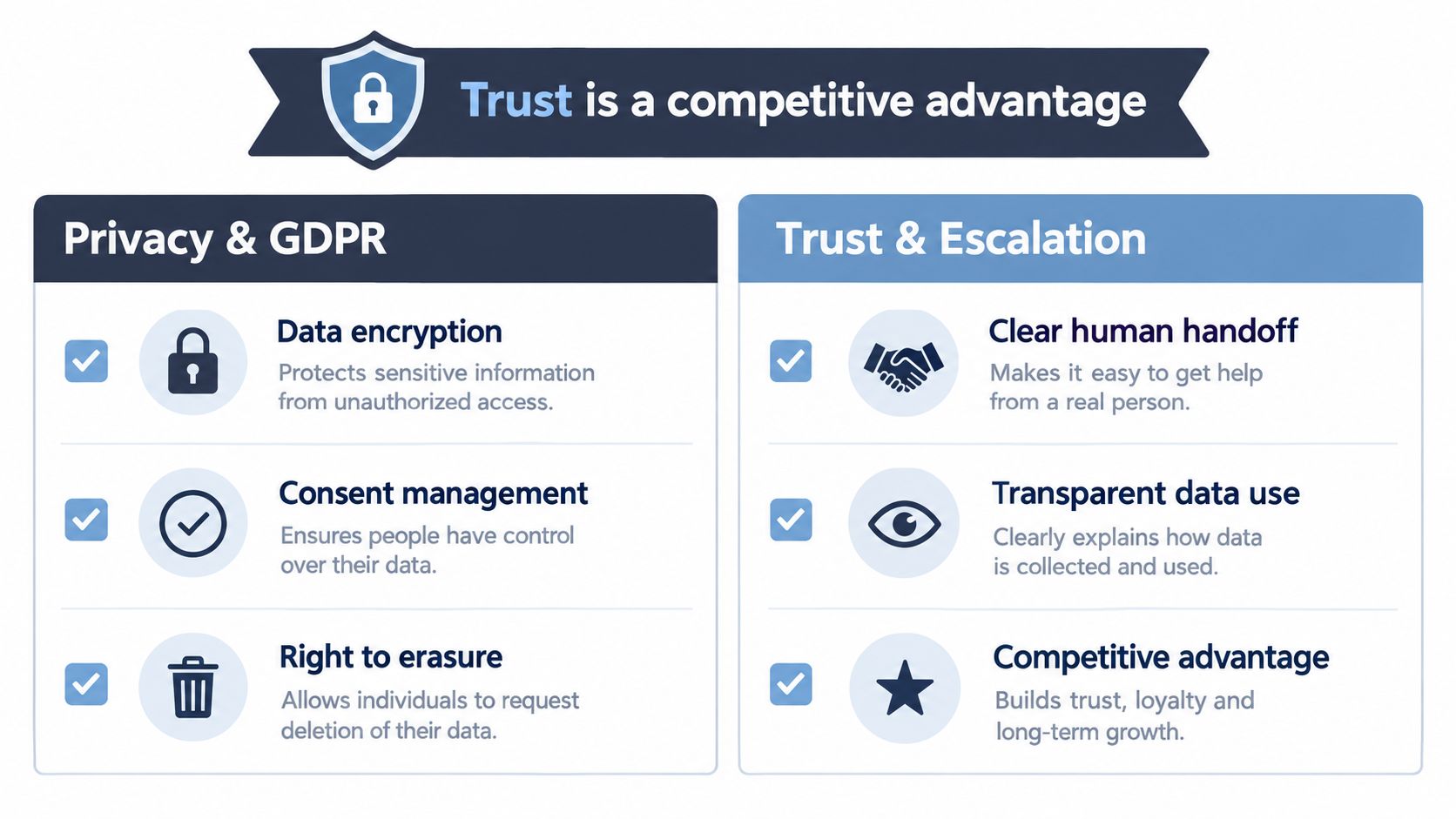
Optional text summaries are useful when they improve follow-up. Otherwise, a concise email linked to the customer record may be enough. Finish the permissions and exception policy before judging setup complete.
Privacy, GDPR and the Minimum Trust Policy
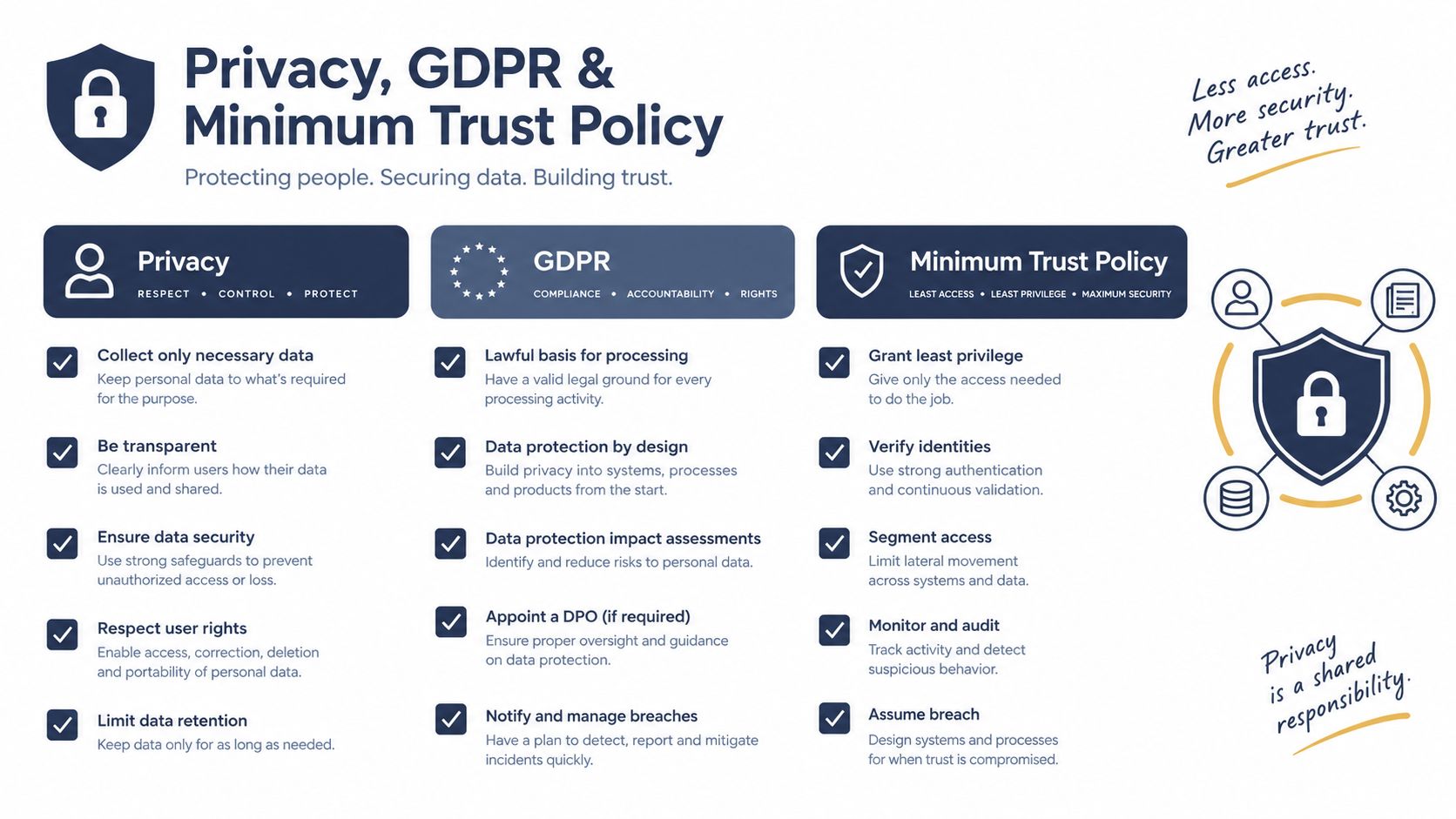
Privacy isn't paperwork to finish after launch. A small practice or professional-services firm needs to know what happens to a caller's information before the assistant receives it.
A 2025 SMB survey and accompanying consumer-trust findings reported 39% already using customer-service AI and 40% planning adoption within a year, while a separate PwC survey found 58% of consumers only somewhat or not at all comfortable with brand AI and 93% saying mishandled personal data would cost a brand their trust.
Put these commitments in writing
- Collection and purpose: Specify whether audio, transcripts, contact details, and summaries are stored. Disable unnecessary collection, especially for health and legal enquiries.
- Retention and deletion: Set a documented default retention period based on need. Require a deletion process covering stored calls, summaries, exports, and applicable backup limitations.
- Storage and access: Get the processing locations, subprocessors, access controls, and transfer arrangements in writing. European hosting alone doesn't establish GDPR compliance.
- Disclosure and consent: Explain AI involvement at the start. Confirm the applicable lawful basis and any recording-consent requirements with an appropriately qualified adviser.
- Human intervention: State how callers request a person, what happens outside staffed hours, and who reviews disputed or unsafe outcomes.
For EU or UK operations, ask specifically about infrastructure and processing arrangements relevant to those jurisdictions. Don't accept a general security badge as a substitute for contractual detail.
Handle incidents as operational work
A deletion request needs a named owner, appropriate identity verification, and confirmation of what was removed or must lawfully remain. Don't promise instant erasure across every connected system unless that capability has been verified.
A missed escalation requires customer follow-up and a review of the routing failure. If the assistant is unsure, it should acknowledge the limitation, avoid further unnecessary questions, and invoke the approved fallback.
Trust test: Every customer-facing promise should have a person, process, or verified system behind it.
Use this customer-data protection guide when documenting the workflow. For sensitive services, obtain appropriate professional review before live deployment.
Choosing a Vendor Without Getting Burned
Ask each shortlisted provider to demonstrate your difficult calls, not its preferred demo. Include a corrected address, a caller requesting a person, an unavailable appointment, and a scheduling-system failure.
Salesforce reports that 85% of service professionals using voice AI consider human transitions seamless. That's a useful criterion to test, not proof that a particular provider transfers well.
Use an evidence scorecard
| Criterion | Evidence to request |
|---|---|
| Language coverage | Outcomes from representative caller tests |
| Integrations | Successful booking, update, and failure handling |
| Pricing | A bill calculated from your expected usage |
| Data residency | Written storage and processing locations |
| Escalation | A live transfer and unavailable-staff fallback |
| Retention and exit | Deletion, export, and contract-end procedures |
| Setup support | Clear ownership of configuration and ongoing changes |
Compare per-minute and per-seat pricing against your actual call pattern. Per-seat billing can be a poor fit for irregular demand, while usage billing needs clear treatment of transfers, rounding, and additional charges.
A cheap text chatbot isn't a replacement for phone handling if callers must leave their chosen channel. Compare the delivered workflow, not the headline subscription.
Before signing, ask where data is stored, how long it remains, what happens when the contract ends, and whether callers can reach a human through the same number. Use AI voice-agent pricing guidance to structure the cost questions.
If a provider won't answer the data-residency question in writing, walk away.
A 30-Day Pilot Plan and the Three Numbers to Watch
Treat this as a proposed 30-day operating schedule, not a promise of results. On Monday, define the call categories, establish your baseline, and choose a provider that passes the written requirements.
The weekly operating rhythm
- First week: Run the shadow trial and compare decisions with staff handling.
- Second week: Correct scripts and enable restricted live calls.
- Third week: Review bookings, follow-up, errors, and exception ownership.
- Final week: Compare outcomes and decide whether to expand, revise, or stop.
Watch answered-call rate, qualified-lead rate, and bookings made or recovered. Define each consistently and separate incremental bookings from existing demand.
Don't use chatbot satisfaction or generic containment as your buying decision. Keep safety errors and failed transfers as stop conditions.
AI is good enough to help handle calls humans miss when the task is bounded and tested. Judge it by revenue recovered and time saved, not automation for its own sake.
---
One option is rednea, an AI phone assistant for routine questions, appointment booking, lead capture, and escalation to staff. Visit to assess its supported languages, integrations, and per-minute plans against your call categories, then request a demonstration using your own booking and handoff scenarios.
Try rednea, no strings attached
AI phone assistant for business. Hear a live demo in your browser, book a call with our team, or get started — from £90/month, cancel monthly, no minimum term.
GDPR-compliant · EU & UK GDPR · Multilingual